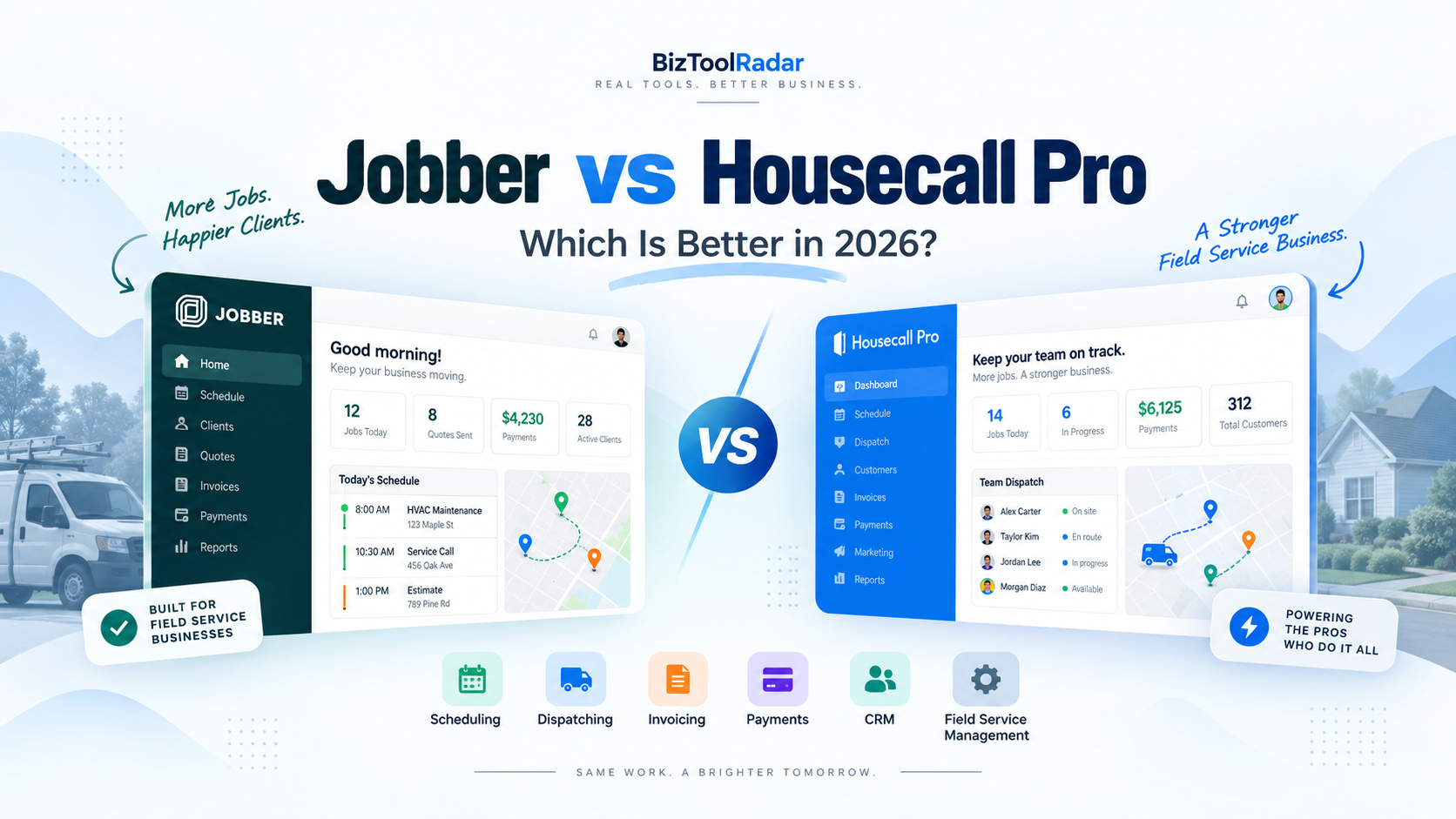
Jobber and Housecall Pro are two of the most popular field service management platforms for home service businesses.
Both can help contractors schedule jobs, manage customers, send estimates, create invoices, collect payments, and keep field employees organized.
But they are not identical.
Jobber has a lower starting price and is particularly attractive to solo operators and small service businesses that want a straightforward way to organize their operations.
Housecall Pro starts at a higher price but places greater emphasis on scheduling, dispatching, field operations, and tools that can support growing teams.
So which one is right for your business?
In this Jobber vs Housecall Pro comparison, we look at pricing, scheduling, dispatching, customer management, estimates, invoicing, payments, automation, mobile tools, and overall value.
Pricing and features were reviewed in September 2026 and may change over time.
Jobber vs Housecall Pro: Quick Comparison
| Feature | Jobber | Housecall Pro |
|---|---|---|
| Starting Price | $29/month billed annually | $59/month billed annually |
| Best For | Solo and small service businesses | Small and growing field service teams |
| Scheduling | Yes | Yes |
| Dispatching | Yes | Yes |
| Online Booking | Yes | Yes |
| CRM | Yes | Yes |
| Quotes/Estimates | Yes | Yes |
| Invoicing | Yes | Yes |
| Online Payments | Yes | Yes |
| Recurring Jobs | Yes | Yes |
| Routing | Available | Available |
| Job Costing | Higher plans | Available on applicable plans |
| Automation | Higher plans | Available |
| QuickBooks Integration | Available | Available |
| Mobile App | iOS and Android | iOS and Android |
| Free Trial | Yes | 14 days |
Jobber Overview
Jobber is field service management software designed for home and commercial service businesses.
It is used across industries including:
- HVAC
- Plumbing
- Electrical
- Landscaping
- Cleaning
- Lawn care
- Painting
- Pest control
- Handyman services
- Pressure washing
- Pool services
The platform focuses on keeping the entire service workflow connected.
A typical Jobber workflow might look like:
Customer request → Quote → Job → Schedule → Invoice → Payment
That simplicity is one of its biggest advantages.
Instead of using a separate CRM, scheduling calendar, invoicing system, and customer portal, a small business can handle much of its operation inside Jobber.
Key Jobber Features
Jobber provides tools for:
- CRM and customer management
- Scheduling
- Online booking
- Quotes
- Jobs and work orders
- Recurring jobs
- Invoicing
- Online payments
- Client portal
- Routing and maps
- Automated customer reminders
- Time tracking
- Job costing on higher plans
- Reporting
- Workflow automation
- QuickBooks and Xero integrations
Jobber also connects with more than 100 tools through its app marketplace.
Housecall Pro Overview
Housecall Pro is also designed specifically for field service businesses.
Like Jobber, it can manage customer information, jobs, estimates, scheduling, invoices, payments, and communication.
However, Housecall Pro tends to place more emphasis on dispatching and running multiple field employees.
It serves many of the same industries as Jobber, including HVAC, plumbing, electrical, cleaning, landscaping, pest control, garage door services, and other home service trades.
A typical Housecall Pro workflow might look like:
Lead → Estimate → Scheduled Job → Dispatch → Field Work → Invoice → Payment → Follow-Up
Key Housecall Pro Features
Housecall Pro provides tools for:
- Scheduling
- Dispatching
- Recurring jobs
- Customer management
- Online booking
- Quotes and proposals
- Invoices
- Payments
- Routing
- Customer notifications
- Review management
- Sales pipeline management
- Job costing
- Pricebooks
- Flat-rate pricing
- Equipment tracking on applicable plans
- Reporting
- QuickBooks integration
- Mobile field tools
The platform also offers additional products and packages for trades with more specialized requirements.
Pricing: Jobber vs Housecall Pro
Pricing is one of the clearest differences between the two platforms.
Jobber Pricing
Jobber’s Core plan currently has a regular starting price of:
$29/month when billed annually
or:
$49/month without an annual commitment
The company periodically runs introductory promotions, so the amount displayed during signup may temporarily be lower.
Core includes one user and provides essential functionality such as:
- Online booking
- Scheduling
- Quotes
- Jobs
- Invoices
- Online payments
- Reporting
- App integrations
Jobber offers higher plans for businesses that need additional users, automation, job costing, two-way messaging, richer proposals, and advanced workflows.
Housecall Pro Pricing
Housecall Pro’s Basic plan currently starts at:
$59/month when billed annually
or:
$79/month when billed monthly
Basic supports one user.
It includes:
- Scheduling and dispatching
- Online booking
- Quotes
- Invoices
- Payments
- Review management
Housecall Pro’s current annual pricing also includes higher tiers for larger teams.
Essentials starts around $149/month billed annually and includes up to five users, while MAX starts around $299/month billed annually with up to eight users.
Additional features and industry-specific packages can increase the total cost.
Which Is Cheaper?
For a solo business owner looking at the standard entry-level prices, Jobber has the lower starting cost.
The difference is meaningful:
Jobber Core: $29/month
versus
Housecall Pro Basic: $59/month
That is a difference of roughly $360 per year before taxes and optional add-ons.
However, price alone should not determine the decision.
A growing business should compare what features and user capacity it actually needs.
Scheduling and Dispatching
Scheduling is essential for almost every field service business.
Both products perform well here, but their emphasis is slightly different.
Jobber Scheduling
Jobber provides a centralized calendar for jobs, visits, tasks, and other events.
Businesses can:
- Schedule one-time jobs
- Create recurring visits
- Assign team members
- Move jobs on the calendar
- Send employee notifications
- Send customer reminders
- View job locations
- Manage routes
Jobber’s drag-and-drop calendar makes it relatively easy to understand what each employee is doing.
Online booking can also automatically place customer appointments into the schedule according to business availability.
For a small team, this provides a straightforward scheduling workflow.
Housecall Pro Scheduling
Housecall Pro also provides centralized scheduling but places significant emphasis on dispatch operations.
Jobs and estimates can be scheduled directly from the calendar or during job creation.
Dispatchers can manage technicians, appointments, recurring jobs, and schedule changes from the same system.
Housecall Pro also provides routing and drive-time optimization capabilities.
Scheduling Verdict
For a solo operator or relatively small team, either platform can handle everyday scheduling.
Jobber is particularly appealing when simplicity is the priority.
Housecall Pro becomes more attractive when dispatching several field employees is a major part of daily operations.
CRM and Customer Management
Both platforms include CRM-style customer management.
Jobber CRM
Jobber’s Client Manager stores information such as:
- Customer contact details
- Property information
- Job history
- Quotes
- Invoices
- Communication history
Customers also receive access to Client Hub.
From Client Hub, they can perform actions such as:
- Approve quotes
- View appointment information
- Review invoices
- Make payments
This reduces the number of basic questions office employees need to answer manually.
Housecall Pro CRM
Housecall Pro keeps customer profiles connected with:
- Jobs
- Estimates
- Leads
- Invoices
- Customer communication
- Service information
Its customer section gives office employees a broad view of activity associated with each customer.
Housecall Pro also connects customer management with its sales pipeline and broader workflow tools.
CRM Verdict
Both products provide enough CRM functionality for many service businesses.
If you need a basic customer database connected with jobs, either platform works well.
Businesses with more sales-oriented workflows may prefer Housecall Pro’s pipeline capabilities, while small companies may appreciate Jobber’s simpler Client Manager and Client Hub structure.
Quotes and Estimates
Estimates directly influence how quickly contractors can convert leads into paying jobs.
Jobber Quotes
Jobber allows businesses to create professional digital quotes.
Depending on the plan, features can include:
- Quote approvals
- Optional line items
- Images
- Automated follow-ups
- Consumer financing
- Customized presentation
Optional line items can be particularly valuable for upselling additional services.
For example, a landscaping business could quote regular lawn maintenance while offering seasonal cleanup as an optional service.
Housecall Pro Estimates
Housecall Pro also supports digital quotes and estimates.
Businesses can send estimates to customers electronically and collect approvals.
Housecall Pro also offers stronger proposal functionality on applicable plans and trade packages.
This can be useful for higher-value services such as HVAC replacements, electrical upgrades, or plumbing projects.
Estimates Verdict
For basic digital estimates, both platforms are strong.
Businesses selling more complex or high-ticket service packages may find Housecall Pro’s sales-oriented options attractive.
Jobber remains very capable for small businesses that want polished quoting without unnecessary complexity.
Invoicing and Payments
Both platforms can turn completed work into an invoice and allow customers to pay electronically.
Jobber Invoicing
Jobber supports:
- Digital invoices
- Batch invoicing
- Automated invoice reminders
- Progress invoicing
- Online card payments
- ACH bank payments in supported markets
- Automatic payments for recurring services
- Tap to Pay
Technicians can create and send invoices through Jobber’s mobile application while still at the job site.
That can shorten the gap between finishing a job and getting paid.
Housecall Pro Invoicing
Housecall Pro also provides comprehensive invoicing.
Features include:
- Digital invoices
- Automatic invoice reminders
- Auto invoicing
- Payment tracking
- Progress invoicing
- Invoice reporting
- Card and bank payments
- Financing options
Housecall Pro has continued expanding its invoicing system, including improved invoice reporting and aging information.
Invoicing Verdict
There is no dramatic difference for a typical small service company.
Both provide significantly more functionality than sending invoices manually.
Businesses doing larger projects should compare the exact progress-billing workflow they need before making a final decision.
Online Booking
Customers increasingly expect to request services online.
Jobber Online Booking
Jobber allows businesses to create request forms that can also support appointment booking.
The company can decide whether customers:
- Submit a service request
- Schedule an assessment
- Directly book an available service appointment
When a booking is made, Jobber can create the appropriate job information and place the work into the schedule.
Housecall Pro Online Booking
Housecall Pro also supports online booking.
Businesses can configure:
- Services
- Pricing
- Availability
- Deposits
- Booking rules
Housecall Pro can also connect booking with a Google Business Profile through Reserve with Google where supported.
Online Booking Verdict
Both are strong.
Businesses focused heavily on controlling services, pricing, deposits, and the booking experience should compare the two systems directly during their free trials.
Automation
Automation becomes increasingly valuable as a company grows.
Jobber Automation
Jobber can automate repetitive administrative work such as:
- Appointment reminders
- Quote follow-ups
- Invoice follow-ups
- Payment collection
- Customer messages
- Custom workflow actions
The exact automation options depend on the plan.
Higher plans provide more flexibility.
Housecall Pro Automation
Housecall Pro also automates several processes including:
- Invoice reminders
- Customer notifications
- Online booking
- Sales pipeline actions
- Customer follow-ups
Its ecosystem also includes additional communication and business-growth products.
Automation Verdict
Both platforms can significantly reduce repetitive administrative work.
The important question is not simply whether automation exists.
It is whether the automations you specifically need are included in the plan you can afford.
Mobile Apps
Field employees spend most of their day outside the office.
Both Jobber and Housecall Pro provide mobile applications for iOS and Android.
Jobber Mobile App
Technicians can use Jobber to:
- View their schedule
- Access job information
- Track time
- Add notes and photos
- Create invoices
- Collect payments
- Communicate job updates
Housecall Pro Mobile App
Housecall Pro allows field employees to:
- View schedules
- Access customer and job details
- Create estimates
- Add notes and photos
- Complete job-related tasks
- Generate invoices
- Collect payments
For most home-service teams, either mobile app can replace a large amount of paper-based field administration.
Job Costing and Profitability
As a business grows, owners need to understand profitability rather than just revenue.
Jobber Job Costing
Jobber provides job-costing functionality on higher plans.
Businesses can track items such as:
- Employee labor
- Expenses
- Line-item costs
- Job revenue
This can help identify which services generate healthy margins.
Housecall Pro Job Costing
Housecall Pro also provides job-costing capabilities on applicable plans.
Its contractor-focused features can track the costs associated with delivering work and compare them with job revenue.
Job Costing Verdict
Both platforms can support profitability analysis, but you should compare the required subscription tier before choosing based on this feature.
The cheapest plans may not include all of the profitability tools a growing business needs.
Integrations
Neither product needs to operate entirely on its own.
Jobber Integrations
Jobber currently connects with more than 100 applications through its App Marketplace.
Popular integrations include accounting, automation, and business tools.
QuickBooks Online and Xero synchronization are also available.
Housecall Pro Integrations
Housecall Pro integrates with business tools including QuickBooks and other services commonly used by field-service contractors.
The available integrations can vary by subscription and use case.
Before switching software, check that any accounting, marketing, phone, or automation platform your company already relies on is supported.
Jobber vs Housecall Pro for Different Industries
Both platforms support many of the same home-service industries.
However, their strengths can matter differently depending on how a company operates.
HVAC Businesses
HVAC contractors often need:
- Dispatching
- Equipment tracking
- Pricebooks
- Service agreements
- Good-better-best proposals
Housecall Pro offers trade-specific functionality that can make it particularly attractive as an HVAC business becomes more operationally complex.
Smaller HVAC contractors may still find Jobber easier and less expensive to adopt.
Plumbing Businesses
Plumbers frequently deal with emergency scheduling and field estimating.
Housecall Pro’s dispatching and trade-oriented pricing tools can be valuable for growing plumbing businesses.
Solo plumbers may appreciate Jobber’s lower entry cost.
Electrical Contractors
Electrical businesses often need professional estimates, customer histories, pricing consistency, and job costing.
Both can work well.
Housecall Pro has deeper trade-specific pricebook features, while Jobber can be simpler for smaller operations.
Landscaping Businesses
Landscaping businesses often rely heavily on recurring work and route management.
Jobber is particularly attractive here because of its recurring-job workflow and relatively low starting price.
Cleaning Businesses
Recurring scheduling and customer management are major priorities for cleaning businesses.
Both platforms can work, although some residential cleaning companies may also want to compare industry-specific platforms such as ZenMaid.
Which Is Easier to Use?
Ease of use is subjective, but the structure of the products provides some clues.
Jobber is built around a relatively straightforward workflow:
Requests → Quotes → Jobs → Invoices
That makes the product easy to understand conceptually for a small service company.
Housecall Pro includes more operational tools and increasingly sophisticated options around dispatching, sales, pricing, and industry packages.
Those capabilities can provide more flexibility but can also mean there is more to configure.
For a first-time field-service software buyer, Jobber may feel simpler.
For a company already managing several technicians and more complex processes, the additional Housecall Pro functionality may be useful rather than burdensome.
Which Offers Better Value?
Value depends on the business.
Consider two hypothetical examples.
Solo Contractor
A solo contractor wants:
- Online booking
- Scheduling
- Customer management
- Quotes
- Invoices
- Payments
Jobber’s $29-per-month annual Core plan provides a lower-cost entry point.
Paying twice as much for Housecall Pro may not make sense unless the business specifically needs its additional capabilities.
Growing Five-Person Team
A company with several field employees needs:
- Dispatching
- Routing
- Advanced customer communication
- Better operational visibility
- Stronger pricing tools
At this point, comparing the higher Jobber plans against Housecall Pro Essentials becomes more relevant than comparing the entry-level plans.
The cheapest starting price stops being the most important number.
Jobber Pros and Cons
Pros
- Lower starting price
- Straightforward interface
- Strong scheduling
- Excellent recurring-job workflow
- CRM and client portal
- Online booking
- Quotes and invoices
- Payments
- Large app marketplace
- Good fit for solo and small businesses
Cons
- Many advanced features require higher plans
- Costs increase as team size and functionality grow
- Some trade-specific functionality is less extensive than more specialized platforms
Housecall Pro Pros and Cons
Pros
- Strong scheduling and dispatching
- Built specifically around field-service businesses
- Good online booking
- Comprehensive invoicing
- Strong customer communication features
- Sales pipeline tools
- Trade-specific packages and pricebooks
- Useful for growing teams
Cons
- Higher entry price
- Advanced features and add-ons can increase total cost
- Small solo businesses may not need all of its functionality
Jobber vs Housecall Pro: Which Should You Choose?
Choose Jobber if:
- You are a solo operator or very small service business.
- Keeping the initial software cost low is important.
- You want a straightforward scheduling, quoting, invoicing, and customer-management system.
- Recurring work is a major part of your business.
- You want a simple platform that can replace spreadsheets and basic calendars.
Choose Housecall Pro if:
- You manage several field employees.
- Dispatching is a major operational challenge.
- You want deeper field-service functionality.
- Trade-specific pricebooks or operational tools are important.
- You expect the business to become more complex as it grows.
Our Recommendation
For a solo contractor or a relatively small home-service business, Jobber is the easier starting point for many companies.
The lower entry price makes it possible to get professional scheduling, quotes, customer management, invoicing, and payments without a large monthly commitment.
For a growing field-service company with several technicians, Housecall Pro becomes increasingly compelling.
Its stronger emphasis on dispatching and trade-oriented operational tools can justify the higher subscription cost once the business has enough employees and job volume.
The important thing is not to choose based only on a feature checklist.
Think about the problem currently consuming the most time in your business.
If you simply need to replace spreadsheets and organize customers and jobs, Jobber may be enough.
If your office is constantly coordinating technicians, urgent calls, pricing, and multiple jobs across the day, Housecall Pro may provide more operational value.
Both platforms offer trial options, so businesses should test their real workflow before committing to a long-term subscription.
Frequently Asked Questions
Is Jobber cheaper than Housecall Pro?
Yes at the entry level.
Jobber Core currently has a regular starting price of $29 per month when billed annually, while Housecall Pro Basic starts at $59 per month when billed annually.
Promotional pricing can temporarily change the amount shown during signup.
Is Jobber or Housecall Pro better for a solo contractor?
Jobber is often more attractive to solo contractors because of its lower entry price and straightforward workflow.
However, the right choice depends on which features the contractor requires.
Is Housecall Pro better for larger teams?
Housecall Pro places significant emphasis on scheduling and dispatching, which can become particularly useful when multiple field employees are operating simultaneously.
Larger businesses should compare the higher plans of both products rather than only their entry-level plans.
Do Jobber and Housecall Pro both include CRM features?
Yes.
Both platforms provide customer-management functionality connected with jobs, estimates, invoices, and service history.
Can customers book online with both platforms?
Yes.
Both Jobber and Housecall Pro provide online-booking functionality, although the exact booking configuration and features differ.
Do both platforms accept online payments?
Yes.
Both provide integrated payment functionality.
Processing fees and available payment methods depend on the platform, country, and account configuration.
Do Jobber and Housecall Pro integrate with QuickBooks?
Yes.
Both provide QuickBooks integration options, although availability and functionality depend on the plan and accounting product being used.
Which software is better for HVAC companies?
Both can work for HVAC businesses.
Housecall Pro has more trade-oriented functionality for contractors that need stronger dispatching, pricebooks, equipment information, and sales tools.
A small HVAC contractor may still prefer Jobber because of its simpler structure and lower entry cost.
Can I switch from Jobber to Housecall Pro later?
Yes, although migrating customer and business information between systems requires planning.
Before switching, confirm which data can be exported from the existing platform and imported into the new one.
Methodology: BizToolRadar compares software using publicly available product documentation, current pricing pages, feature documentation, and how each platform fits common home-service workflows. We do not claim hands-on testing unless a product has actually been tested by our editorial team.
Last reviewed: September 2026. Pricing, promotions, plan limits, and features can change. Always confirm current terms with the software provider before purchasing.
Comments
One response to “Jobber vs Housecall Pro: Which Is Better in 2026?”
[…] Housecall Pro is probably the most direct alternative to Jobber. […]