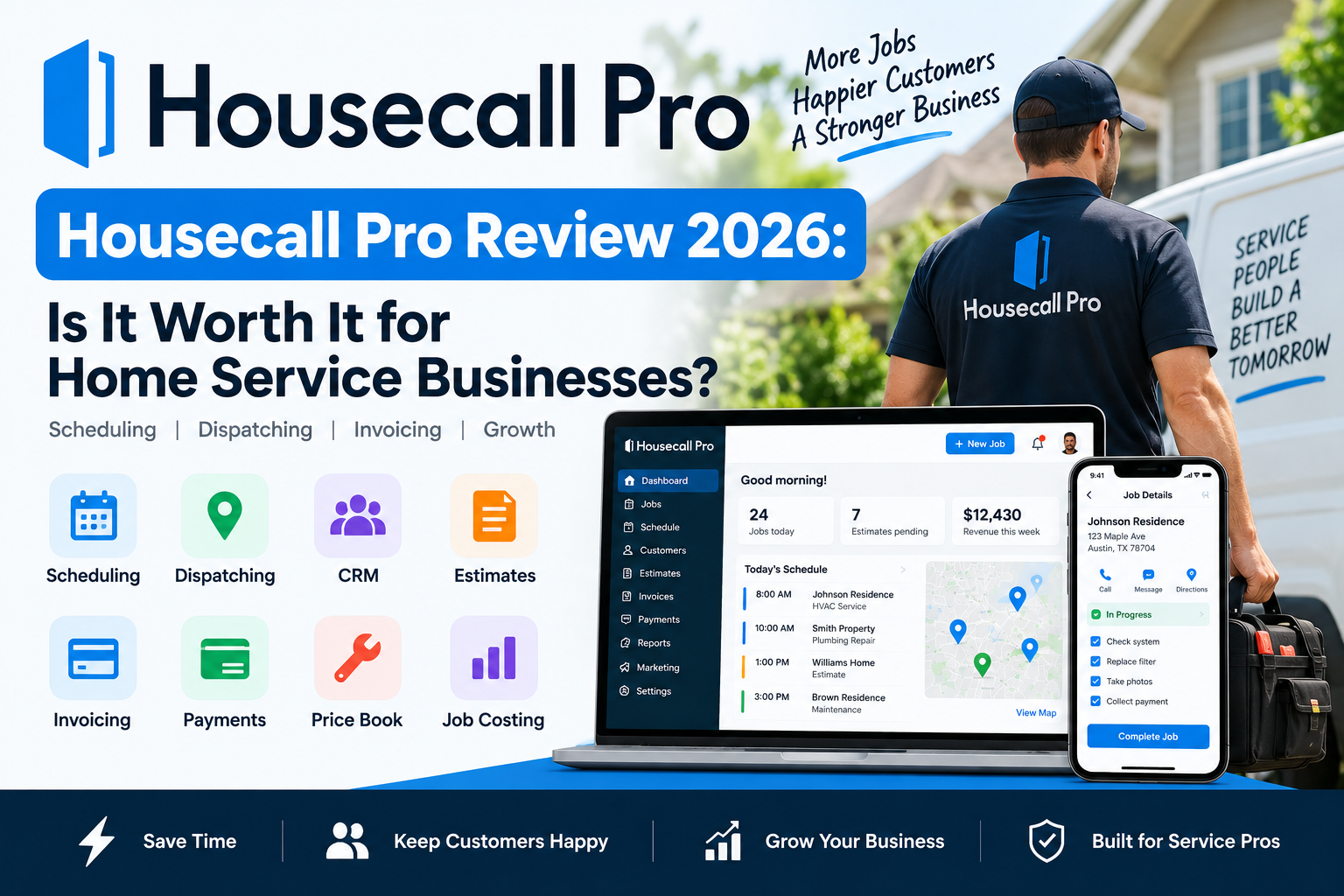
Tag: Housecall Pro

  • Housecall Pro Review 2026: Is It Worth It for Home Service Businesses?

    Housecall Pro Review 2026: Is It Worth It for Home Service Businesses?

    Housecall Pro is a field service management platform designed for home service businesses that need to manage customers, schedules, technicians, estimates, invoices, and payments from one system.

    It is used across industries such as HVAC, plumbing, electrical, cleaning, landscaping, pest control, appliance repair, and other service trades.

    For a business still relying on spreadsheets, personal calendars, text messages, and separate invoicing tools, Housecall Pro can bring much of the daily workflow into one place.

    But it also costs more than some entry-level competitors.

    So is Housecall Pro actually worth it in 2026?

    In this Housecall Pro review, we look at pricing, scheduling, dispatching, customer management, online booking, estimates, invoicing, payments, job costing, routing, mobile tools, strengths, weaknesses, and who the platform is best suited for.

    Pricing and features were reviewed in September 2026 and may change over time.

    Housecall Pro Review: Quick Verdict

    Housecall Pro is best suited to small and growing home service businesses that want strong scheduling and dispatching combined with estimates, invoicing, payments, customer management, and field-team tools.

    Its biggest strengths include:

    • Scheduling and dispatching
    • Online booking
    • Customer management
    • Estimates
    • Invoicing
    • Payments
    • Price books
    • Job costing
    • Review management
    • Mobile field tools
    • Routing on higher plans
    • Employee GPS tracking on higher plans
    • Recurring service plans on MAX

    Its main disadvantage is cost.

    Basic currently starts at $59 per month with annual billing, while businesses needing more team-management tools may need Essentials at $149 per month or MAX at $299 per month.

    For a solo operator focused primarily on affordability, Jobber may be cheaper.

    For a growing company where dispatching and field operations are becoming complicated, Housecall Pro becomes significantly more attractive.

    Housecall Pro at a Glance

    CategoryHousecall Pro
    Best ForSmall and growing home service businesses
    Starting Price$59/month billed annually
    Free Trial14 days
    SchedulingYes
    DispatchingYes
    CRMYes
    Online BookingYes
    EstimatesYes
    InvoicingYes
    Online PaymentsYes
    Price BookYes
    Job CostingYes
    Review ManagementYes
    Customer PortalYes
    Mobile AppYes
    Route ToolsHigher plans
    QuickBooks Online SyncEssentials and above
    Open APIMAX

    What Is Housecall Pro?

    Housecall Pro is software built around businesses that perform work at customer locations.

    Instead of treating scheduling, customer management, quoting, invoicing, and payments as separate processes, it connects them into one operational workflow.

    A typical Housecall Pro workflow might look like:

    Customer inquiry → Estimate → Scheduled job → Dispatch → Field work → Invoice → Payment → Follow-up

    That workflow is particularly relevant for home service companies because employees often spend most of their day outside the office.

    Housecall Pro’s job system lets businesses schedule work, assign employees, add line items, notes, attachments, checklists, and customer information within the same job record.

    Housecall Pro Customer Management

    Housecall Pro includes CRM-style customer management.

    Each customer profile can act as a centralized record for information such as:

    • Contact details
    • Service addresses
    • Estimates
    • Jobs
    • Invoices
    • Attachments
    • Notes
    • Service history

    This becomes increasingly useful as a business adds employees.

    A technician returning to a customer’s property does not need to rely entirely on memory or ask another employee what happened during the previous visit.

    The customer’s previous work remains associated with their profile.

    Customer Tags

    Businesses can also use customer tags to organize customer types.

    For example:

    • Residential
    • Commercial
    • Maintenance-plan customer
    • VIP
    • Specific service area
    • Referral source

    Tags can make filtering and reporting easier once the customer list becomes larger.

    Customer Management Verdict

    Housecall Pro’s CRM is not meant to replace a complex enterprise sales platform.

    For home service businesses, that is not necessarily a weakness.

    The customer record is closely connected to the actual field-service workflow rather than existing as a separate sales database.

    Housecall Pro Scheduling

    Scheduling is one of the platform’s strongest features.

    Businesses can manage jobs, estimates, recurring work, and employee assignments from the schedule.

    Housecall Pro supports drag-and-drop scheduling and allows office staff to update appointments as the day changes.

    That matters because service-business schedules are rarely predictable.

    An HVAC repair may take longer than expected.

    A plumber may receive an emergency call.

    A cleaner may cancel.

    A customer may reschedule.

    The ability to move jobs and keep technicians updated can save significant administrative time.

    Recurring Work

    Housecall Pro also supports recurring service workflows.

    That is useful for businesses such as:

    • HVAC maintenance companies
    • Cleaning companies
    • Landscaping businesses
    • Pest control
    • Pool service

    Recurring work can reduce the need to manually recreate appointments every week or month.

    Housecall Pro Dispatching

    Scheduling tells the business when the work is happening.

    Dispatching focuses more on who should handle the job and where they are going.

    Housecall Pro provides:

    • Technician assignment
    • Drag-and-drop dispatching
    • Calendar views
    • Map views
    • Job-status updates
    • Field-team communication

    Higher plans add stronger routing and GPS-related tools.

    For a company with several technicians, dispatching can become one of the main reasons to choose Housecall Pro over simpler software.

    Dispatching Verdict

    Housecall Pro is especially strong for businesses that have grown beyond one person.

    A solo contractor may not benefit much from advanced dispatching.

    A company coordinating five or ten employees may use it constantly.

    Housecall Pro Online Booking

    Online Booking allows customers to book services from:

    • Your website
    • Google
    • A direct booking link

    Businesses can configure:

    • Services
    • Prices
    • Availability
    • Employees
    • Deposits
    • Service areas
    • Booking rules

    Housecall Pro can also connect Online Booking with Reserve with Google, allowing eligible customers to book from Google Search or Maps.

    Why Online Booking Matters

    Customers do not only search for contractors between 9 AM and 5 PM.

    Someone may discover your business late at night.

    Without online booking, they may need to remember to call tomorrow.

    With online booking, that prospect can immediately take the next step.

    Dynamic Pricing

    Housecall Pro also allows businesses to configure pricing variables in the booking flow.

    This can be useful for services where pricing changes based on factors such as property size or selected options.

    Housecall Pro Customer Portal

    Housecall Pro’s Customer Portal gives customers a self-service area.

    Customers can:

    • View upcoming appointments
    • View previous appointments
    • View invoices
    • Pay invoices
    • View estimates
    • Approve estimates
    • Request appointment changes
    • Book additional work when Online Booking is enabled

    The portal uses a magic-link login rather than requiring customers to create a separate password.

    Why the Customer Portal Matters

    Every simple customer request creates office work.

    For example:

    When is my appointment?

    Can you resend my invoice?

    Can I pay online?

    Can I see my estimate again?

    A customer portal allows people to handle some of these tasks themselves.

    That benefit becomes larger as the customer base grows.

    Housecall Pro Estimates

    Housecall Pro allows businesses to create estimates from the web or mobile workflow.

    Estimates can include customer information and services drawn from the company’s Price Book.

    This is useful for contractors who currently create estimates manually in:

    • Word documents
    • Spreadsheets
    • PDFs
    • Accounting software

    Keeping the estimate inside Housecall Pro allows it to remain connected with the customer and eventual job.

    Sales Proposal Tool

    MAX currently includes Housecall Pro’s Sales Proposal Tool.

    This supports more visual proposals and side-by-side options.

    That can be valuable for higher-ticket services such as:

    • HVAC replacements
    • Electrical upgrades
    • Water heaters
    • Major plumbing repairs

    A contractor can present different options instead of only one fixed recommendation.

    Housecall Pro Price Book

    Housecall Pro includes Price Book functionality.

    Businesses can maintain standardized services and pricing rather than allowing each field employee to quote independently.

    This can improve consistency.

    For example, if three electricians quote the same service, the business generally wants all three to use the same pricing structure.

    A centralized Price Book reduces the chance of major differences.

    Flat-Rate Pricing

    Essentials adds flat-rate pricing functionality.

    The platform can incorporate business costs and profit margins when building service prices.

    This can be particularly useful for:

    • HVAC
    • Plumbing
    • Electrical

    Trade businesses frequently need technicians to quote standardized work quickly while still protecting the company’s margin.

    Housecall Pro Invoicing

    Housecall Pro connects invoicing directly with jobs.

    Businesses can create digital invoices, send them to customers, track status, and collect payments.

    The platform also supports invoice automation and progressive invoicing settings for businesses that need to bill jobs in stages.

    Why Connected Invoicing Matters

    Without connected software:

    1. Technician finishes the job.
    2. Office employee receives job information.
    3. Employee creates a new invoice in another tool.
    4. Customer receives invoice.
    5. Office follows up manually.

    With a connected workflow, fewer steps require duplicate data entry.

    Housecall Pro Payments

    Housecall Pro supports:

    • Credit card payments
    • Debit card payments
    • Bank payments
    • Consumer financing
    • In-field payments

    The official pricing page currently lists card processing rates as low as 2.59%, while bank payments carry a 1% fee. Actual rates can depend on account configuration.

    Businesses processing significant revenue should evaluate payment fees separately from the monthly software subscription.

    A small difference in processing cost can matter more than a $20 monthly software difference when payment volume becomes large.

    Housecall Pro Job Costing

    Housecall Pro currently includes job costing among its core platform capabilities.

    Job costing helps businesses compare job revenue with the costs associated with completing that work.

    This matters because revenue and profit are not the same thing.

    Imagine a contractor completes a $7,000 job.

    If labor, equipment, and materials cost $6,600, the job generated very little profit.

    Without costing information, the owner may incorrectly assume the job performed well.

    Review Management

    Housecall Pro includes review-management functionality.

    Businesses can incorporate review collection into the service workflow.

    This can be particularly valuable for local service companies because online reputation strongly influences which contractors customers contact.

    A company that performs excellent work but never asks customers for reviews may lose visibility to competitors with stronger online reputations.

    Housecall Pro Routing

    Essentials includes Routes.

    The feature allows businesses to group and sequence jobs to reduce drive time.

    For a solo operator, this may not be a major concern.

    For a landscaping, cleaning, HVAC, or plumbing company running several vehicles, inefficient routing creates real cost.

    Driving consumes:

    • Employee time
    • Fuel
    • Vehicle mileage
    • Available appointment capacity

    Route Optimization

    MAX adds route optimization based on drive time and live traffic.

    That becomes more valuable as daily schedules grow more complicated.

    Employee GPS Tracking

    Essentials also includes employee GPS tracking through technicians’ mobile phones.

    This gives office staff more visibility into the location of field employees.

    The practical value is dispatching.

    If an urgent service call appears, the office can better understand which technician may be closest.

    Checklists and Photo Reports

    Essentials includes:

    • Checklist automation
    • Photo reports
    • Photo annotations

    These can help companies standardize job documentation.

    For example, an HVAC business may require:

    • Before photo
    • Equipment model
    • Measurements
    • Work performed
    • After photo
    • Customer signature

    Standardized documentation can help reduce differences between technicians.

    Housecall Pro Mobile App

    Housecall Pro includes mobile apps for iOS and Android across its plans.

    Field employees can use the mobile workflow to access jobs, customer information, schedules, estimates, payments, and other job-related information.

    That is essential for field-service software.

    Technicians should not need to return to an office computer every time they need customer or job information.

    QuickBooks Online Integration

    Essentials currently includes QuickBooks Online synchronization.

    That can help businesses maintain Housecall Pro as the field-service system while continuing to use QuickBooks for accounting.

    Reducing duplicate financial entry can save administrative time and reduce errors.

    Housecall Pro Integrations

    Housecall Pro integrates with tools such as:

    • QuickBooks
    • Google
    • Thumbtack

    MAX also provides Zapier and Open API access for more customized workflows.

    Open API access becomes particularly useful for businesses with more customized internal systems.

    Housecall Pro Pricing

    Housecall Pro currently has three main standard plans.

    PlanAnnual PriceMonthly PriceBest For
    Basic$59/month$79/monthSolo operators
    Essentials$149/month$189/monthGrowing teams
    MAX$299/month$329/monthScaling businesses

    Basic includes core features such as online booking, scheduling and dispatching, estimates, invoicing, payments, Price Book, job costing, and review management.

    Essentials adds routing, flat-rate pricing, checklist automation, photo reporting, employee GPS tracking, commissions, and QuickBooks Online synchronization.

    MAX adds tools including the Sales Proposal Tool, recurring Service Plans, route optimization, Open API access, dedicated onboarding, and escalated support.

    For a deeper plan-by-plan breakdown, see our Housecall Pro pricing guide.

    Is Housecall Pro Free?

    Housecall Pro does not currently offer a permanent free plan.

    It offers a 14-day free trial.

    The official pricing page states that no credit card is required and the trial provides access to MAX functionality during the trial period.

    That makes testing particularly useful.

    A company can try real workflows before committing to an annual subscription.

    Housecall Pro Basic

    Basic is the most logical starting point for a solo operator.

    It includes the core workflow:

    Customer → Schedule → Estimate → Job → Invoice → Payment

    At $59 per month with annual billing, it is not the cheapest field-service platform available.

    But it includes a broad collection of features from the beginning.

    Best For

    Basic is best suited to:

    • Solo contractors
    • Owner-operators
    • New service companies
    • Businesses replacing spreadsheets and calendars

    Housecall Pro Essentials

    Essentials is where the platform becomes more team-oriented.

    It adds:

    • Routes
    • Flat-rate pricing
    • Checklist automation
    • Photo reports
    • Employee GPS
    • Commissions
    • QuickBooks Online sync

    For businesses coordinating multiple employees, these features can be much more important than simply having more software features.

    Best For

    Essentials fits:

    • Growing HVAC companies
    • Plumbing businesses
    • Electrical contractors
    • Multi-person cleaning teams
    • Landscaping crews
    • Other businesses managing several field employees

    Housecall Pro MAX

    MAX is designed for businesses with greater operational complexity.

    It adds:

    • Sales Proposal Tool
    • Recurring Service Plans
    • Route optimization
    • Open API access
    • Dedicated onboarding
    • Higher-level support

    Best For

    MAX makes the most sense when:

    • Several crews are involved
    • Service memberships are important
    • Route optimization matters
    • Custom integrations are needed
    • Higher-value proposals are common
    • The software is becoming central to the entire operation

    What We Like About Housecall Pro

    1. Strong Scheduling and Dispatching

    This is probably the platform’s biggest strength.

    The software is designed around moving employees between customer locations.

    2. Broad Core Feature Set

    Basic already includes much more than a calendar.

    Online booking, estimates, invoicing, payments, Price Book, job costing, and review management are all part of the core platform.

    3. Good Fit for Growing Teams

    Essentials adds tools that solve actual team-management problems rather than just adding cosmetic features.

    4. Strong Customer Experience

    Online Booking and Customer Portal give customers more control over appointments, estimates, and payments.

    5. Trade-Oriented Features

    Pricebooks, flat-rate pricing, job costing, dispatching, and service plans are particularly useful to HVAC, plumbing, and electrical businesses.

    6. Free Trial

    The 14-day MAX trial allows a company to test advanced workflows before buying.

    What We Don’t Like About Housecall Pro

    1. Higher Starting Price

    $59 per month annually is considerably more than some entry-level competitors.

    2. The Price Jumps Quickly

    Going from Basic to Essentials increases the annual-plan equivalent from $59 to $149 per month.

    MAX increases it to $299.

    3. Some Strong Features Require Higher Plans

    Routing, employee GPS, QuickBooks sync, route optimization, and recurring Service Plans require higher tiers.

    4. Add-Ons Can Increase Total Cost

    A business using additional marketing, communication, phone, or specialized products can spend considerably more than the base subscription.

    5. Very Small Businesses May Not Need It

    A solo cleaner or new lawn-care operator may be able to run effectively with a simpler, less expensive product.

    Housecall Pro Pros and Cons

    ProsCons
    Strong scheduling and dispatchingHigher starting price
    Online bookingHigher plans become expensive
    CRM and customer profilesSome team tools require Essentials
    Estimates and proposalsAdvanced features may add cost
    Invoicing and paymentsMay be excessive for very small businesses
    Price Book
    Job costing
    Customer Portal
    Review management
    Routing tools
    Mobile apps
    Trade-focused features

    Who Is Housecall Pro Best For?

    Housecall Pro is particularly strong for businesses where employees regularly travel to customer locations.

    HVAC

    HVAC businesses can benefit from:

    • Dispatching
    • Pricebooks
    • Flat-rate pricing
    • Service Plans
    • Estimates
    • Job costing

    Plumbing

    Plumbing businesses frequently need to rearrange schedules around urgent calls.

    Dispatching and mobile estimates can be particularly valuable.

    Electrical

    Electrical contractors may benefit from standardized pricing and digital proposals for higher-value work.

    Cleaning

    Cleaning companies can use recurring jobs and customer communication.

    Very small solo cleaning businesses may still prefer less expensive specialized software.

    Landscaping

    Landscaping teams can benefit from recurring scheduling and route-related functionality.

    Who Should Consider Something Else?

    Housecall Pro may not be the right choice if:

    Your Budget Is Extremely Limited

    Basic begins at $59 per month annually.

    A very new company may prefer a cheaper tool.

    You Are a Solo Business With Very Simple Needs

    If all you need is basic scheduling and invoicing, you may not use enough of the platform to justify the price.

    You Run a Large Enterprise Operation

    Larger organizations may eventually need deeper reporting, permissions, and enterprise operations than Housecall Pro provides.

    ServiceTitan is one platform frequently considered at that level.

    You Need Heavy Construction Project Management

    Housecall Pro is primarily field-service software.

    It is not designed to replace a full construction ERP.

    Housecall Pro vs Jobber

    Jobber is Housecall Pro’s closest competitor for many small home service businesses.

    Jobber currently has a lower entry price.

    Housecall Pro places stronger emphasis on dispatching, team visibility, routing, and trade-oriented field operations.

    The better choice depends on business size and priorities.

    For the full comparison, read our Jobber vs Housecall Pro guide.

    Housecall Pro vs Jobber Pricing

    The standard annual starting prices currently are:

    Jobber Core: $29/month

    Housecall Pro Basic: $59/month

    For a solo business, that difference matters.

    For a growing team, comparing only entry-level pricing becomes less useful.

    Higher-plan functionality, included workflows, dispatching requirements, and operational savings matter more.

    Our Jobber review goes deeper into Jobber’s own strengths and weaknesses.

    Is Housecall Pro Worth It for a Solo Contractor?

    It can be.

    A solo contractor paying $59 per month is spending about:

    $708 per year

    before taxes, payment fees, or add-ons.

    If the software saves a few hours every month through:

    • Faster estimates
    • Easier scheduling
    • Automatic reminders
    • Online booking
    • Faster invoicing

    the cost may be easy to justify.

    But a solo operator who barely uses those features may be better served by cheaper software.

    Is Housecall Pro Worth It for a Small Team?

    This is where Housecall Pro becomes more compelling.

    A company managing several technicians experiences problems a solo operator does not:

    • Dispatching
    • Routes
    • Schedule changes
    • Employee locations
    • Inconsistent pricing
    • Job documentation
    • Customer communication

    Essentials directly addresses several of these problems.

    For a busy field-service company, reducing administrative time and wasted drive time can be more valuable than minimizing the software bill.

    Is Housecall Pro Worth It for a Growing Business?

    MAX costs significantly more.

    At $299 per month annually, the subscription represents about:

    $3,588 per year

    before other charges.

    That cost makes sense only if the business has enough operational complexity for features such as:

    • Route optimization
    • Service Plans
    • Sales Proposal Tool
    • Open API
    • Dedicated onboarding

    to create measurable value.

    Our Recommendation

    Housecall Pro is one of the strongest field-service platforms for small and growing home service businesses.

    Its biggest advantage is how well it connects scheduling and dispatching with customer management, estimating, invoicing, payments, and field operations.

    For a solo contractor, Basic is the logical starting point, but the $59 monthly annual-plan equivalent means it should be compared carefully against less expensive competitors.

    For a company managing several field employees, Essentials is arguably the most interesting plan because routing, GPS tracking, flat-rate pricing, checklists, and QuickBooks Online address common problems created by growth.

    MAX is more specialized.

    It becomes attractive when route optimization, recurring Service Plans, advanced proposals, API access, and stronger support can justify a roughly $300 monthly subscription.

    Overall, Housecall Pro is easiest to justify when your biggest problem is no longer simply finding customers.

    It is managing the work efficiently after those customers call.

    The 14-day free trial is the best way to determine whether that workflow fits your business before making an annual commitment.

    Frequently Asked Questions

    Is Housecall Pro good software?

    Housecall Pro provides a strong combination of scheduling, dispatching, online booking, customer management, estimates, invoicing, payments, job costing, and field-service tools.

    It is particularly well suited to small and growing home service businesses.

    How much does Housecall Pro cost?

    Current standard prices are:

    Basic: $59/month annually

    Essentials: $149/month annually

    MAX: $299/month annually

    Monthly billing currently costs $79, $189, and $329 respectively.

    Does Housecall Pro have a free plan?

    No permanent free plan is currently advertised.

    Housecall Pro offers a 14-day free trial with no credit card required.

    Does Housecall Pro include scheduling and dispatching?

    Yes.

    Scheduling and dispatching are included in the core platform.

    Can customers book online?

    Yes.

    Housecall Pro supports online booking through a website, direct booking link, and Google integrations.

    Does Housecall Pro include a customer portal?

    Yes.

    Customers can view appointments, estimates, invoices, make payments, and request appointment changes through the Customer Portal.

    Does Housecall Pro include job costing?

    Yes.

    Housecall Pro’s current standard pricing page lists job costing as part of the platform’s core functionality.

    Does Housecall Pro integrate with QuickBooks?

    QuickBooks Online synchronization is currently listed with Essentials.

    Is Housecall Pro better than Jobber?

    Neither is automatically better.

    Jobber currently has a lower starting price, while Housecall Pro has stronger emphasis on dispatching and growing field-team operations.

    For more detail, see our Jobber vs Housecall Pro comparison.


    Methodology: BizToolRadar evaluates software using official pricing pages, current product documentation, publicly available feature information, and how each platform fits common home-service workflows. We do not claim hands-on testing unless a product has actually been tested by our editorial team.

    Last reviewed: September 2026. Pricing, promotions, plan limits, payment fees, add-ons, and features may change. Always confirm current terms directly with Housecall Pro before purchasing.
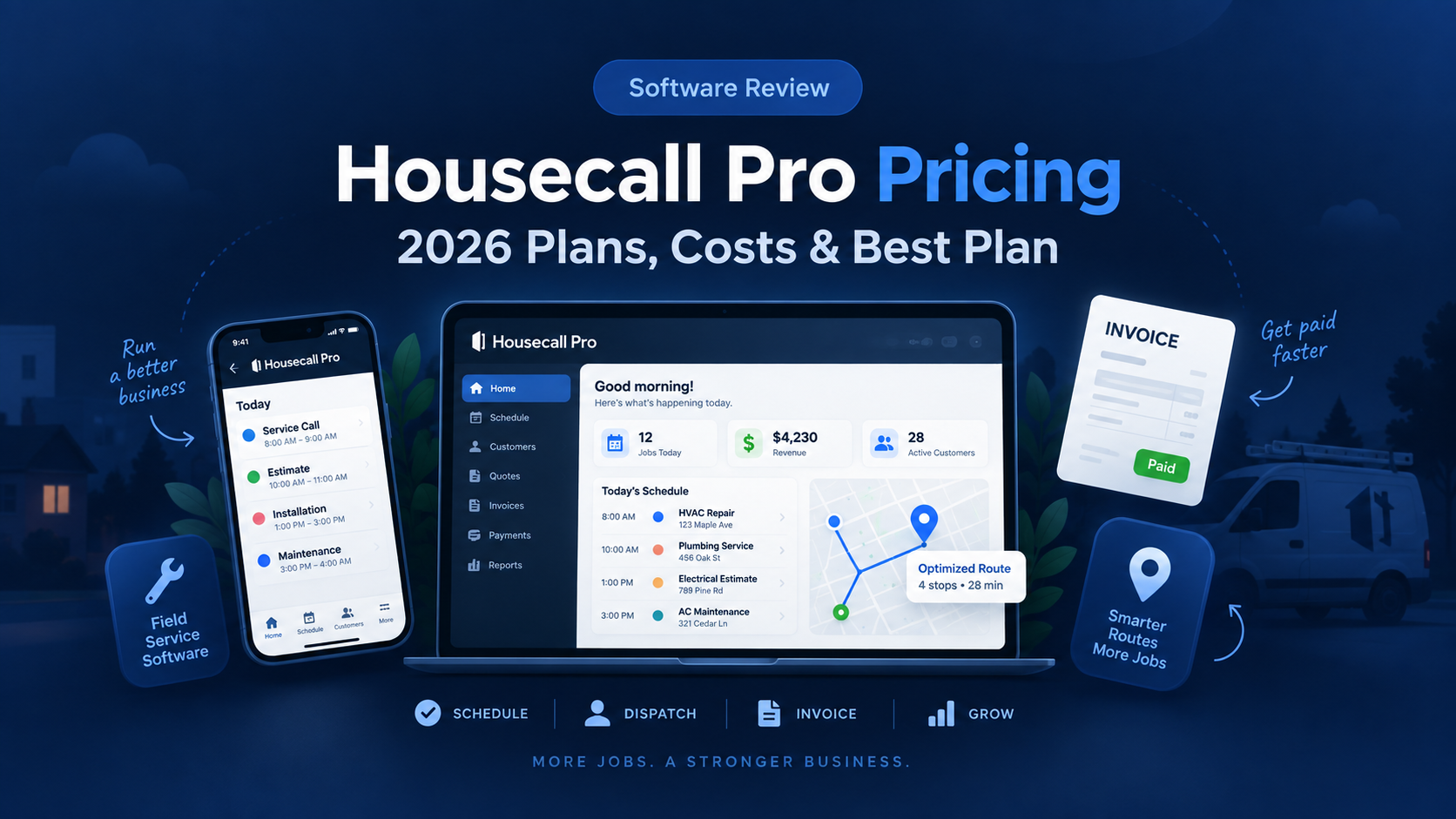
  • Housecall Pro Pricing in 2026: Plans, Costs, and Which Plan Is Best?

    Housecall Pro Pricing in 2026: Plans, Costs, and Which Plan Is Best?

    Housecall Pro is one of the most popular field service management platforms for home service businesses.

    It combines scheduling, dispatching, customer management, estimates, invoicing, payments, online booking, and mobile tools in one system.

    But Housecall Pro pricing can be confusing because the total cost depends on your plan, billing cycle, team size, industry, and any additional products you choose.

    The standard platform currently has three main plans:

    Basic

    Essentials

    MAX

    So how much does Housecall Pro actually cost in 2026, and which plan offers the best value for your business?

    In this guide, we break down Housecall Pro pricing, plan differences, user limits, important features, potential add-on costs, and which plan makes sense for different types of home service businesses.

    Pricing and features were reviewed in September 2026 and may change over time.

    Housecall Pro Pricing at a Glance

    PlanAnnual PriceMonthly PriceIncluded UsersBest For
    Basic$59/month$79/month1Solo operators
    Essentials$149/month$189/monthUp to 5Growing service teams
    MAX$299/month$329/monthUp to 8Larger field-service businesses

    Housecall Pro currently offers a 14-day free trial with no credit card required.

    Annual billing provides the lower advertised monthly rate.

    Housecall Pro Basic Pricing

    Housecall Pro Basic currently costs:

    $59/month when billed annually

    or:

    $79/month when billed monthly

    Basic includes one user.

    What Does Housecall Pro Basic Include?

    Basic provides the core tools needed to run a small field-service business.

    Important features include:

    • Scheduling
    • Dispatching
    • Online booking
    • Quotes
    • Invoices
    • Payments
    • Review management
    • Mobile access
    • Customer management

    This means a solo contractor can manage much of the customer lifecycle from one platform.

    A typical workflow might look like:

    Customer books → Job scheduled → Estimate sent → Work completed → Invoice → Payment

    Scheduling and Dispatching

    Scheduling and dispatching are included in Basic.

    Housecall Pro allows businesses to create appointments and assign technicians from a central schedule.

    For a solo contractor, this may simply replace a standard calendar.

    For a growing company, it becomes more valuable because jobs remain connected with customer information, estimates, invoices, and payments.

    Online Booking

    Customers can book services online.

    This can reduce the number of calls or messages required to schedule routine work.

    Online booking can be particularly useful for businesses that receive leads through:

    • Google
    • Their website
    • Social media
    • Local advertising

    Quotes and Estimates

    Basic includes quoting functionality.

    Contractors can prepare and send estimates digitally instead of relying on handwritten paperwork or PDFs created in another system.

    Invoicing and Payments

    Housecall Pro allows contractors to create invoices and accept customer payments.

    Invoices can also be connected directly with completed jobs.

    That reduces duplicate data entry between scheduling and billing systems.

    Review Management

    Basic also includes review-management tools.

    Online reviews matter heavily to local service companies because many customers compare contractors through Google before making contact.

    Automatically making review requests part of the workflow can help businesses collect more feedback without manually messaging every customer.

    Who Is Basic Best For?

    Basic makes the most sense for:

    • Solo HVAC technicians
    • Solo plumbers
    • Independent electricians
    • Cleaning business owners
    • Handymen
    • Lawn care operators
    • Small landscaping companies
    • Other one-person service businesses

    Basic Limitations

    The biggest limitation is the one-user structure.

    Once several field employees need access, a business will likely need Essentials or another configuration.

    Basic also does not include every advanced feature available on higher plans.

    Basic Verdict

    Basic is the logical starting point for a solo contractor who wants professional field-service software without immediately paying for a team-oriented plan.

    Housecall Pro Essentials Pricing

    Housecall Pro Essentials currently costs:

    $149/month when billed annually

    or:

    $189/month when billed monthly

    Essentials includes up to five users.

    That makes Essentials fundamentally different from Basic.

    It is designed for businesses that have moved beyond a single owner-operator.

    What Does Essentials Add?

    Essentials includes Basic features and adds tools aimed at growing teams.

    Current highlights include:

    • Routes
    • Flat-rate pricing
    • Custom checklist automations
    • Photo reports and annotations
    • Employee GPS tracking
    • Commissions
    • QuickBooks Online synchronization

    These features focus more heavily on managing field employees and standardizing operations.

    Routing

    Routing can become extremely valuable once multiple technicians or crews are working throughout the day.

    A business may have ten jobs scheduled across a city.

    Poor route planning can create:

    • Unnecessary fuel costs
    • More driving time
    • Late arrivals
    • Fewer completed jobs

    Housecall Pro’s routing tools can help group and sequence work.

    For businesses with multiple service vehicles, this may be one of the strongest reasons to move beyond Basic.

    Flat-Rate Pricing

    Essentials includes flat-rate pricing functionality.

    Housecall Pro allows contractors to build service prices using actual costs such as labor and materials.

    Material markups and labor rates can then be incorporated into standardized service pricing.

    This can be especially useful for:

    Instead of every technician calculating a different price, the company can maintain a consistent pricing system.

    Price Book

    Housecall Pro also provides industry-oriented pricebook functionality.

    Its default pricebooks include service descriptions, while HVAC, plumbing, and electrical businesses receive deeper pre-built categories and service content.

    A pricebook can improve consistency across the field team.

    It also makes it easier to update pricing centrally when labor or material costs change.

    Employee GPS Tracking

    Essentials includes employee GPS tracking using technicians’ mobile devices.

    This can help dispatchers understand where field employees are located.

    The goal is not simply monitoring workers.

    For service companies, location information can help make better dispatch decisions.

    If an emergency call arrives, knowing which technician is closest may allow the business to respond faster.

    Checklists

    Custom checklist automation can help standardize job completion.

    For example, an HVAC company might require technicians to document:

    • Equipment condition
    • Measurements
    • Photos
    • Customer approval
    • Final cleanup

    A cleaning business might use a completely different checklist.

    Standardizing required steps can reduce inconsistency between employees.

    QuickBooks Online Integration

    Essentials includes QuickBooks Online synchronization.

    This allows businesses using Housecall Pro for field-service operations to connect relevant information with their accounting workflow.

    It can reduce the amount of data employees need to enter manually into both systems.

    Commissions

    Housecall Pro also supports employee commissions.

    Companies can create different commission structures depending on services, products, or job types.

    This is particularly relevant for companies that compensate technicians partially based on sales or completed work.

    Who Is Essentials Best For?

    Essentials is best suited to businesses that:

    • Have multiple technicians
    • Need better dispatching
    • Want route management
    • Need GPS visibility
    • Use QuickBooks Online
    • Want standardized pricing
    • Want field checklists
    • Manage employee commissions

    Essentials Verdict

    Essentials is likely the most practical Housecall Pro plan for a growing home service business with several field employees.

    The jump from $59 to $149 per month is substantial, but the plan includes up to five users and adds tools specifically designed for multi-person operations.

    Housecall Pro MAX Pricing

    Housecall Pro MAX currently costs:

    $299/month when billed annually

    or:

    $329/month when billed monthly

    MAX includes up to eight users.

    Additional users are currently listed at approximately $35 per month each.

    MAX is intended for businesses that have reached a higher level of operational complexity.

    What Does MAX Add?

    Housecall Pro describes MAX as its plan for scaling businesses that need more advanced tools and support.

    MAX includes the lower-plan features alongside expanded functionality and access to additional capabilities.

    Housecall Pro also highlights AI team members and its larger community resources for MAX users.

    Who Is MAX Best For?

    MAX becomes more relevant when a business:

    • Has several technicians
    • Runs multiple crews
    • Handles high job volume
    • Needs deeper operations
    • Wants more automation
    • Needs stronger team-management tools
    • Requires additional users
    • Is already generating enough revenue to justify a $300+ monthly software cost

    A solo contractor would rarely need this plan.

    The Real Cost of MAX

    The advertised annual rate is:

    $299/month

    which represents approximately:

    $3,588 per year

    before taxes, add-ons, payment processing, or extra users.

    If the business needs more than eight users, additional user fees can increase the total further.

    That means MAX should be treated as an operational investment rather than a casual software subscription.

    MAX Verdict

    MAX makes the most sense when a growing field-service company’s operational complexity is already costing more than the software itself.

    If better dispatching, automation, team coordination, and reporting save dozens of employee hours per month, the higher price may be easier to justify.

    Is Housecall Pro Free?

    Housecall Pro does not currently offer a permanent free plan.

    It does offer a:

    14-day free trial

    and currently states that no credit card is required to begin the trial.

    That makes the trial particularly useful for evaluating whether employees actually like the workflow before committing to an annual subscription.

    Annual vs. Monthly Housecall Pro Pricing

    Annual billing currently produces the lowest advertised rates.

    Basic

    Monthly:

    $79/month

    Annual:

    $59/month

    Annual difference:

    $20/month

    or approximately:

    $240/year

    Essentials

    Monthly:

    $189/month

    Annual:

    $149/month

    Difference:

    $40/month

    or approximately:

    $480/year

    MAX

    Monthly:

    $329/month

    Annual:

    $299/month

    Difference:

    $30/month

    or approximately:

    $360/year

    For businesses confident that Housecall Pro fits their workflow, annual billing can produce meaningful savings.

    However, businesses should use the free trial first rather than committing solely because the annual price looks cheaper.

    Does Housecall Pro Require a Long-Term Contract?

    Housecall Pro currently states that its standard software does not require customers to be locked into a long-term contract and that businesses can cancel their subscription.

    However, billing terms and specialized packages should always be reviewed before purchasing.

    Does Housecall Pro Charge Per User?

    The standard plans use different included user limits.

    Currently:

    Basic: 1 user

    Essentials: up to 5 users

    MAX: up to 8 users

    MAX currently lists additional users at approximately $35/month each.

    This means the cheapest plan is not necessarily the cheapest option for a team.

    For example, a five-person business should compare Essentials as a full team package rather than treating Basic’s $59 price as its expected cost.

    Housecall Pro Add-On Costs

    The standard subscription is not necessarily the total cost.

    Housecall Pro offers additional products and capabilities that can increase the monthly software bill.

    These can include products related to:

    • Service Plans
    • Sales Pipeline
    • Sales Proposal Tool
    • Voice
    • Marketing
    • Industry packages
    • Additional users

    Housecall Pro’s own documentation notes that some features are paid add-ons depending on the selected plan.

    Housecall Pro Voice Pricing

    Businesses wanting phone functionality may also consider Housecall Pro Voice.

    Current Housecall Pro documentation lists:

    Call tracking starting at $45/month plus overages

    and:

    VoIP + call tracking starting at $65/month plus overages.

    That cost should be considered separately from the standard Housecall Pro subscription.

    A company replacing another business phone system may find this useful.

    Another company may prefer to keep its existing phone provider.

    Housecall Pro Campaign Pricing

    Housecall Pro also offers paid email and SMS Campaign plans.

    Current pricing includes:

    Basic Campaign: $9/month

    Essentials Campaign: $19/month

    MAX Campaign: $49/month

    with different message allowances.

    The Campaigns product is currently limited to eligible U.S.-based Pros.

    Again, these costs are separate from the standard field-service subscription.

    Housecall Pro Service Plans

    Housecall Pro supports recurring service plans, sometimes called:

    • Maintenance plans
    • Membership plans
    • Care clubs
    • Planned maintenance programs

    The system can track active plans, recurring revenue, upcoming billing, and unscheduled visits.

    This is especially useful for industries such as:

    • HVAC
    • Plumbing
    • Electrical

    Recurring service plans can help contractors create more predictable customer relationships instead of relying entirely on one-time emergency work.

    Does Housecall Pro Have Industry-Specific Pricing?

    Yes.

    This is important.

    Housecall Pro sells specialized packages for certain trades, including HVAC, plumbing, and electrical.

    These packages can have different pricing from the general field-service plans.

    For example, Housecall Pro’s July 2026 HVAC documentation lists different prices for some HVAC-specific configurations than the general $59/$149/$299 annual plan structure.

    That means an HVAC, plumbing, or electrical contractor should not assume the standard pricing page represents the final cost of every industry package.

    Always request or verify the actual configuration before purchasing.

    Which Housecall Pro Plan Is Best for a Solo Contractor?

    For most solo contractors:

    Basic is the logical starting point.

    It includes the essential workflow:

    Booking → Scheduling → Quote → Job → Invoice → Payment

    At $59 per month with annual billing, it costs more than some competitors’ entry plans, but it also provides field-service functionality in one system.

    Which Housecall Pro Plan Is Best for a Small Team?

    For a team with two to five people:

    Essentials deserves the strongest consideration.

    It includes up to five users and adds:

    • Routing
    • Flat-rate pricing
    • GPS tracking
    • Checklists
    • Commissions
    • QuickBooks Online synchronization

    Those features are much more relevant once multiple employees need to work from the same system.

    Which Housecall Pro Plan Is Best for a Growing Business?

    For a business with several technicians and increasing operational complexity:

    MAX may become appropriate.

    However, moving from Essentials to MAX is a significant price increase.

    Businesses should identify which MAX-specific capabilities actually solve a measurable operational problem before upgrading.

    Housecall Pro Pricing for HVAC Businesses

    HVAC contractors often require more than basic scheduling.

    They may need:

    • Equipment history
    • Flat-rate pricing
    • Membership plans
    • Sales proposals
    • Pricebooks
    • Technician dispatching

    Housecall Pro offers HVAC-specific packages designed around these workflows.

    Because specialized HVAC pricing can differ from standard pricing, HVAC companies should verify the package cost directly rather than relying only on the general pricing page.

    Housecall Pro Pricing for Plumbing Businesses

    Plumbing companies commonly need:

    • Emergency dispatch
    • Pricebooks
    • Flat-rate pricing
    • Memberships
    • Estimates
    • Invoicing
    • Payments

    Housecall Pro now offers a dedicated Plumbing Package with specialized workflows and tools for residential and light-commercial plumbing businesses.

    Plumbers should compare both standard Housecall Pro pricing and the current plumbing package before purchasing.

    Housecall Pro Pricing for Electrical Contractors

    Electrical contractors can also access trade-specific functionality.

    Housecall Pro’s electrical offering includes field-service tools around dispatching, job checklists, estimates, payments, pricing, and other electrical workflows.

    Companies selling high-ticket electrical work may particularly value pricing and proposal tools on higher levels.

    Housecall Pro vs. Jobber Pricing

    One of the most common Housecall Pro alternatives is Jobber.

    Jobber’s entry-level Core plan currently starts lower than Housecall Pro Basic.

    That can make Jobber attractive for solo contractors primarily focused on affordability.

    Housecall Pro, however, places stronger emphasis on dispatching and trade-oriented operations as a company adds field employees.

    The right choice depends on more than the entry price.

    A company should compare:

    • Required users
    • Scheduling needs
    • Dispatch complexity
    • Automation
    • Job costing
    • Pricing tools
    • Trade-specific functionality
    • Add-ons

    If you are deciding between the two, see our full Jobber vs Housecall Pro comparison.

    Is Housecall Pro Worth $59 Per Month?

    For a contractor replacing several disconnected systems, it can be.

    Consider a solo business currently using:

    • Personal calendar
    • Spreadsheet
    • Handwritten estimates
    • Separate invoice software
    • Payment app
    • Text messages

    Housecall Pro can combine many of those workflows.

    If the software saves several administrative hours each month, the $59 annual-plan equivalent may be relatively easy to justify.

    But software provides little value if the business continues using all of its old processes.

    The real return comes from moving actual workflows into the platform.

    Is Housecall Pro Worth $149 Per Month?

    Essentials requires a different calculation.

    A five-person company paying $149 per month is effectively spending roughly:

    $29.80 per included user per month

    before other costs.

    At this stage, routing, GPS tracking, pricing consistency, checklists, and automation may produce more value than they would for a solo contractor.

    For a team, the question should be:

    Can better coordination save more than $149 of labor and lost opportunity each month?

    For many busy service businesses, that threshold may be achievable.

    Is Housecall Pro Worth $299 Per Month?

    MAX makes sense only when the business has enough operational complexity.

    A company spending $299 per month is investing nearly:

    $3,600 per year

    before additional products.

    That may sound expensive.

    But if better operations allow a large team to complete even a few additional profitable jobs, reduce missed leads, or eliminate significant office workload, the software can still create positive ROI.

    The larger the business becomes, the less useful it is to evaluate software based solely on subscription cost.

    Housecall Pro Pros

    • Strong scheduling and dispatching
    • Built for field-service businesses
    • Online booking
    • Quotes and proposals
    • Digital invoices
    • Online payments
    • Review management
    • Mobile apps
    • Routing on higher plans
    • Employee GPS tracking
    • Flat-rate pricing
    • QuickBooks Online integration
    • Industry-specific packages
    • Free 14-day trial

    Housecall Pro Cons

    • Higher starting price than some competitors
    • Basic includes only one user
    • Advanced tools require higher plans
    • Add-ons can increase the total cost
    • Industry-specific packages may use different pricing
    • Large teams may pay several hundred dollars per month
    • Total software cost can become harder to predict when several additional products are used

    Which Housecall Pro Plan Should You Choose?

    A simple breakdown:

    Choose Basic if:

    You are a solo operator and primarily need scheduling, dispatching, quotes, invoices, payments, and online booking.

    Choose Essentials if:

    You have a small team and need routing, GPS tracking, QuickBooks Online, standardized pricing, checklists, and better team management.

    Choose MAX if:

    You operate a larger field-service team and require more advanced operational capabilities, additional users, automation, and support.

    Our Recommendation

    For most solo home service contractors, start with Basic and use the 14-day trial before committing to annual billing.

    If you already manage several technicians, Essentials is likely the more relevant plan because many of its features specifically address multi-person operations.

    The five included users, routing, flat-rate pricing, GPS tracking, checklists, and QuickBooks synchronization can provide significantly more operational value than Basic.

    MAX is much more situational.

    It makes sense when the company has enough employees, revenue, and operational complexity to justify a subscription of roughly $300 per month.

    Do not automatically choose the cheapest plan.

    And do not automatically choose the plan with the longest feature list.

    Choose the least expensive plan that solves the operational problems your business actually has.

    Frequently Asked Questions

    How much does Housecall Pro cost per month?

    Housecall Pro currently starts at $59 per month for Basic when billed annually.

    Essentials starts at $149 per month annually, and MAX starts at $299 per month annually.

    How much is Housecall Pro if paid monthly?

    Current monthly pricing is approximately:

    Basic: $79/month

    Essentials: $189/month

    MAX: $329/month.

    Does Housecall Pro have a free plan?

    No permanent free plan is currently advertised.

    Housecall Pro offers a 14-day free trial with no credit card required.

    How many users are included?

    Current standard plans include:

    Basic: 1 user

    Essentials: up to 5 users

    MAX: up to 8 users.

    How much are additional Housecall Pro users?

    Housecall Pro currently lists additional MAX users at approximately $35 per month each.

    Does Housecall Pro include QuickBooks?

    QuickBooks Online synchronization is included with Essentials according to the current standard pricing feature list.

    Does Housecall Pro include flat-rate pricing?

    Flat-rate pricing is included in applicable higher plan configurations such as Essentials and is designed to incorporate labor, material markups, and business costs into service prices.

    Is Housecall Pro cheaper than Jobber?

    At the standard entry level, Jobber currently starts at a lower monthly price.

    However, comparing only entry prices can be misleading because included users and higher-plan functionality differ.

    Is Housecall Pro good for HVAC businesses?

    Yes.

    Housecall Pro offers HVAC-specific software and packages with scheduling, dispatching, equipment-related functionality, flat-rate pricing, proposals, and other contractor tools.


    Methodology: BizToolRadar evaluates software using publicly available product documentation, official pricing pages, current feature documentation, and how each platform fits common home-service workflows. We do not claim hands-on testing unless a product has actually been tested by our editorial team.

    Last reviewed: September 2026. Pricing, promotions, user limits, add-ons, industry packages, payment-processing fees, and features may change. Always confirm current pricing directly with Housecall Pro before purchasing.

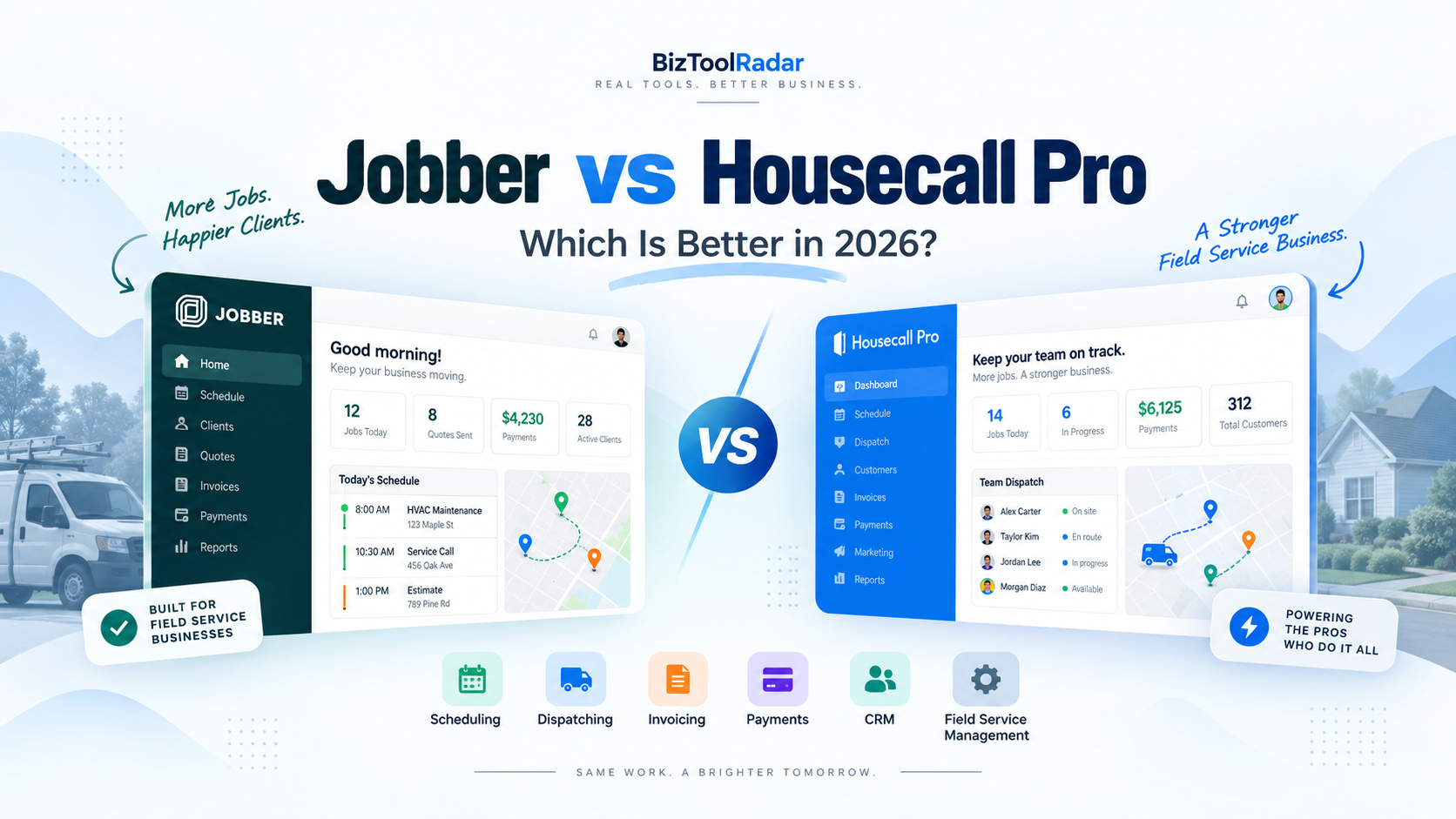
  • Jobber vs Housecall Pro: Which Is Better in 2026?

    Jobber vs Housecall Pro: Which Is Better in 2026?

    Jobber and Housecall Pro are two of the most popular field service management platforms for home service businesses.

    Both can help contractors schedule jobs, manage customers, send estimates, create invoices, collect payments, and keep field employees organized.

    But they are not identical.

    Jobber has a lower starting price and is particularly attractive to solo operators and small service businesses that want a straightforward way to organize their operations.

    Housecall Pro starts at a higher price but places greater emphasis on scheduling, dispatching, field operations, and tools that can support growing teams.

    So which one is right for your business?

    In this Jobber vs Housecall Pro comparison, we look at pricing, scheduling, dispatching, customer management, estimates, invoicing, payments, automation, mobile tools, and overall value.

    Pricing and features were reviewed in September 2026 and may change over time.

    Jobber vs Housecall Pro: Quick Comparison

    FeatureJobberHousecall Pro
    Starting Price$29/month billed annually$59/month billed annually
    Best ForSolo and small service businessesSmall and growing field service teams
    SchedulingYesYes
    DispatchingYesYes
    Online BookingYesYes
    CRMYesYes
    Quotes/EstimatesYesYes
    InvoicingYesYes
    Online PaymentsYesYes
    Recurring JobsYesYes
    RoutingAvailableAvailable
    Job CostingHigher plansAvailable on applicable plans
    AutomationHigher plansAvailable
    QuickBooks IntegrationAvailableAvailable
    Mobile AppiOS and AndroidiOS and Android
    Free TrialYes14 days

    Jobber Overview

    Jobber is field service management software designed for home and commercial service businesses.

    It is used across industries including:

    • HVAC
    • Plumbing
    • Electrical
    • Landscaping
    • Cleaning
    • Lawn care
    • Painting
    • Pest control
    • Handyman services
    • Pressure washing
    • Pool services

    The platform focuses on keeping the entire service workflow connected.

    A typical Jobber workflow might look like:

    Customer request → Quote → Job → Schedule → Invoice → Payment

    That simplicity is one of its biggest advantages.

    Instead of using a separate CRM, scheduling calendar, invoicing system, and customer portal, a small business can handle much of its operation inside Jobber.

    Key Jobber Features

    Jobber provides tools for:

    • CRM and customer management
    • Scheduling
    • Online booking
    • Quotes
    • Jobs and work orders
    • Recurring jobs
    • Invoicing
    • Online payments
    • Client portal
    • Routing and maps
    • Automated customer reminders
    • Time tracking
    • Job costing on higher plans
    • Reporting
    • Workflow automation
    • QuickBooks and Xero integrations

    Jobber also connects with more than 100 tools through its app marketplace.

    Housecall Pro Overview

    Housecall Pro is also designed specifically for field service businesses.

    Like Jobber, it can manage customer information, jobs, estimates, scheduling, invoices, payments, and communication.

    However, Housecall Pro tends to place more emphasis on dispatching and running multiple field employees.

    It serves many of the same industries as Jobber, including HVAC, plumbing, electrical, cleaning, landscaping, pest control, garage door services, and other home service trades.

    A typical Housecall Pro workflow might look like:

    Lead → Estimate → Scheduled Job → Dispatch → Field Work → Invoice → Payment → Follow-Up

    Key Housecall Pro Features

    Housecall Pro provides tools for:

    • Scheduling
    • Dispatching
    • Recurring jobs
    • Customer management
    • Online booking
    • Quotes and proposals
    • Invoices
    • Payments
    • Routing
    • Customer notifications
    • Review management
    • Sales pipeline management
    • Job costing
    • Pricebooks
    • Flat-rate pricing
    • Equipment tracking on applicable plans
    • Reporting
    • QuickBooks integration
    • Mobile field tools

    The platform also offers additional products and packages for trades with more specialized requirements.

    Pricing: Jobber vs Housecall Pro

    Pricing is one of the clearest differences between the two platforms.

    Jobber Pricing

    Jobber’s Core plan currently has a regular starting price of:

    $29/month when billed annually

    or:

    $49/month without an annual commitment

    The company periodically runs introductory promotions, so the amount displayed during signup may temporarily be lower.

    Core includes one user and provides essential functionality such as:

    • Online booking
    • Scheduling
    • Quotes
    • Jobs
    • Invoices
    • Online payments
    • Reporting
    • App integrations

    Jobber offers higher plans for businesses that need additional users, automation, job costing, two-way messaging, richer proposals, and advanced workflows.

    Housecall Pro Pricing

    Housecall Pro’s Basic plan currently starts at:

    $59/month when billed annually

    or:

    $79/month when billed monthly

    Basic supports one user.

    It includes:

    • Scheduling and dispatching
    • Online booking
    • Quotes
    • Invoices
    • Payments
    • Review management

    Housecall Pro’s current annual pricing also includes higher tiers for larger teams.

    Essentials starts around $149/month billed annually and includes up to five users, while MAX starts around $299/month billed annually with up to eight users.

    Additional features and industry-specific packages can increase the total cost.

    Which Is Cheaper?

    For a solo business owner looking at the standard entry-level prices, Jobber has the lower starting cost.

    The difference is meaningful:

    Jobber Core: $29/month

    versus

    Housecall Pro Basic: $59/month

    That is a difference of roughly $360 per year before taxes and optional add-ons.

    However, price alone should not determine the decision.

    A growing business should compare what features and user capacity it actually needs.

    Scheduling and Dispatching

    Scheduling is essential for almost every field service business.

    Both products perform well here, but their emphasis is slightly different.

    Jobber Scheduling

    Jobber provides a centralized calendar for jobs, visits, tasks, and other events.

    Businesses can:

    • Schedule one-time jobs
    • Create recurring visits
    • Assign team members
    • Move jobs on the calendar
    • Send employee notifications
    • Send customer reminders
    • View job locations
    • Manage routes

    Jobber’s drag-and-drop calendar makes it relatively easy to understand what each employee is doing.

    Online booking can also automatically place customer appointments into the schedule according to business availability.

    For a small team, this provides a straightforward scheduling workflow.

    Housecall Pro Scheduling

    Housecall Pro also provides centralized scheduling but places significant emphasis on dispatch operations.

    Jobs and estimates can be scheduled directly from the calendar or during job creation.

    Dispatchers can manage technicians, appointments, recurring jobs, and schedule changes from the same system.

    Housecall Pro also provides routing and drive-time optimization capabilities.

    Scheduling Verdict

    For a solo operator or relatively small team, either platform can handle everyday scheduling.

    Jobber is particularly appealing when simplicity is the priority.

    Housecall Pro becomes more attractive when dispatching several field employees is a major part of daily operations.

    CRM and Customer Management

    Both platforms include CRM-style customer management.

    Jobber CRM

    Jobber’s Client Manager stores information such as:

    • Customer contact details
    • Property information
    • Job history
    • Quotes
    • Invoices
    • Communication history

    Customers also receive access to Client Hub.

    From Client Hub, they can perform actions such as:

    • Approve quotes
    • View appointment information
    • Review invoices
    • Make payments

    This reduces the number of basic questions office employees need to answer manually.

    Housecall Pro CRM

    Housecall Pro keeps customer profiles connected with:

    • Jobs
    • Estimates
    • Leads
    • Invoices
    • Customer communication
    • Service information

    Its customer section gives office employees a broad view of activity associated with each customer.

    Housecall Pro also connects customer management with its sales pipeline and broader workflow tools.

    CRM Verdict

    Both products provide enough CRM functionality for many service businesses.

    If you need a basic customer database connected with jobs, either platform works well.

    Businesses with more sales-oriented workflows may prefer Housecall Pro’s pipeline capabilities, while small companies may appreciate Jobber’s simpler Client Manager and Client Hub structure.

    Quotes and Estimates

    Estimates directly influence how quickly contractors can convert leads into paying jobs.

    Jobber Quotes

    Jobber allows businesses to create professional digital quotes.

    Depending on the plan, features can include:

    • Quote approvals
    • Optional line items
    • Images
    • Automated follow-ups
    • Consumer financing
    • Customized presentation

    Optional line items can be particularly valuable for upselling additional services.

    For example, a landscaping business could quote regular lawn maintenance while offering seasonal cleanup as an optional service.

    Housecall Pro Estimates

    Housecall Pro also supports digital quotes and estimates.

    Businesses can send estimates to customers electronically and collect approvals.

    Housecall Pro also offers stronger proposal functionality on applicable plans and trade packages.

    This can be useful for higher-value services such as HVAC replacements, electrical upgrades, or plumbing projects.

    Estimates Verdict

    For basic digital estimates, both platforms are strong.

    Businesses selling more complex or high-ticket service packages may find Housecall Pro’s sales-oriented options attractive.

    Jobber remains very capable for small businesses that want polished quoting without unnecessary complexity.

    Invoicing and Payments

    Both platforms can turn completed work into an invoice and allow customers to pay electronically.

    Jobber Invoicing

    Jobber supports:

    • Digital invoices
    • Batch invoicing
    • Automated invoice reminders
    • Progress invoicing
    • Online card payments
    • ACH bank payments in supported markets
    • Automatic payments for recurring services
    • Tap to Pay

    Technicians can create and send invoices through Jobber’s mobile application while still at the job site.

    That can shorten the gap between finishing a job and getting paid.

    Housecall Pro Invoicing

    Housecall Pro also provides comprehensive invoicing.

    Features include:

    • Digital invoices
    • Automatic invoice reminders
    • Auto invoicing
    • Payment tracking
    • Progress invoicing
    • Invoice reporting
    • Card and bank payments
    • Financing options

    Housecall Pro has continued expanding its invoicing system, including improved invoice reporting and aging information.

    Invoicing Verdict

    There is no dramatic difference for a typical small service company.

    Both provide significantly more functionality than sending invoices manually.

    Businesses doing larger projects should compare the exact progress-billing workflow they need before making a final decision.

    Online Booking

    Customers increasingly expect to request services online.

    Jobber Online Booking

    Jobber allows businesses to create request forms that can also support appointment booking.

    The company can decide whether customers:

    • Submit a service request
    • Schedule an assessment
    • Directly book an available service appointment

    When a booking is made, Jobber can create the appropriate job information and place the work into the schedule.

    Housecall Pro Online Booking

    Housecall Pro also supports online booking.

    Businesses can configure:

    • Services
    • Pricing
    • Availability
    • Deposits
    • Booking rules

    Housecall Pro can also connect booking with a Google Business Profile through Reserve with Google where supported.

    Online Booking Verdict

    Both are strong.

    Businesses focused heavily on controlling services, pricing, deposits, and the booking experience should compare the two systems directly during their free trials.

    Automation

    Automation becomes increasingly valuable as a company grows.

    Jobber Automation

    Jobber can automate repetitive administrative work such as:

    • Appointment reminders
    • Quote follow-ups
    • Invoice follow-ups
    • Payment collection
    • Customer messages
    • Custom workflow actions

    The exact automation options depend on the plan.

    Higher plans provide more flexibility.

    Housecall Pro Automation

    Housecall Pro also automates several processes including:

    • Invoice reminders
    • Customer notifications
    • Online booking
    • Sales pipeline actions
    • Customer follow-ups

    Its ecosystem also includes additional communication and business-growth products.

    Automation Verdict

    Both platforms can significantly reduce repetitive administrative work.

    The important question is not simply whether automation exists.

    It is whether the automations you specifically need are included in the plan you can afford.

    Mobile Apps

    Field employees spend most of their day outside the office.

    Both Jobber and Housecall Pro provide mobile applications for iOS and Android.

    Jobber Mobile App

    Technicians can use Jobber to:

    • View their schedule
    • Access job information
    • Track time
    • Add notes and photos
    • Create invoices
    • Collect payments
    • Communicate job updates

    Housecall Pro Mobile App

    Housecall Pro allows field employees to:

    • View schedules
    • Access customer and job details
    • Create estimates
    • Add notes and photos
    • Complete job-related tasks
    • Generate invoices
    • Collect payments

    For most home-service teams, either mobile app can replace a large amount of paper-based field administration.

    Job Costing and Profitability

    As a business grows, owners need to understand profitability rather than just revenue.

    Jobber Job Costing

    Jobber provides job-costing functionality on higher plans.

    Businesses can track items such as:

    • Employee labor
    • Expenses
    • Line-item costs
    • Job revenue

    This can help identify which services generate healthy margins.

    Housecall Pro Job Costing

    Housecall Pro also provides job-costing capabilities on applicable plans.

    Its contractor-focused features can track the costs associated with delivering work and compare them with job revenue.

    Job Costing Verdict

    Both platforms can support profitability analysis, but you should compare the required subscription tier before choosing based on this feature.

    The cheapest plans may not include all of the profitability tools a growing business needs.

    Integrations

    Neither product needs to operate entirely on its own.

    Jobber Integrations

    Jobber currently connects with more than 100 applications through its App Marketplace.

    Popular integrations include accounting, automation, and business tools.

    QuickBooks Online and Xero synchronization are also available.

    Housecall Pro Integrations

    Housecall Pro integrates with business tools including QuickBooks and other services commonly used by field-service contractors.

    The available integrations can vary by subscription and use case.

    Before switching software, check that any accounting, marketing, phone, or automation platform your company already relies on is supported.

    Jobber vs Housecall Pro for Different Industries

    Both platforms support many of the same home-service industries.

    However, their strengths can matter differently depending on how a company operates.

    HVAC Businesses

    HVAC contractors often need:

    • Dispatching
    • Equipment tracking
    • Pricebooks
    • Service agreements
    • Good-better-best proposals

    Housecall Pro offers trade-specific functionality that can make it particularly attractive as an HVAC business becomes more operationally complex.

    Smaller HVAC contractors may still find Jobber easier and less expensive to adopt.

    Plumbing Businesses

    Plumbers frequently deal with emergency scheduling and field estimating.

    Housecall Pro’s dispatching and trade-oriented pricing tools can be valuable for growing plumbing businesses.

    Solo plumbers may appreciate Jobber’s lower entry cost.

    Electrical Contractors

    Electrical businesses often need professional estimates, customer histories, pricing consistency, and job costing.

    Both can work well.

    Housecall Pro has deeper trade-specific pricebook features, while Jobber can be simpler for smaller operations.

    Landscaping Businesses

    Landscaping businesses often rely heavily on recurring work and route management.

    Jobber is particularly attractive here because of its recurring-job workflow and relatively low starting price.

    Cleaning Businesses

    Recurring scheduling and customer management are major priorities for cleaning businesses.

    Both platforms can work, although some residential cleaning companies may also want to compare industry-specific platforms such as ZenMaid.

    Which Is Easier to Use?

    Ease of use is subjective, but the structure of the products provides some clues.

    Jobber is built around a relatively straightforward workflow:

    Requests → Quotes → Jobs → Invoices

    That makes the product easy to understand conceptually for a small service company.

    Housecall Pro includes more operational tools and increasingly sophisticated options around dispatching, sales, pricing, and industry packages.

    Those capabilities can provide more flexibility but can also mean there is more to configure.

    For a first-time field-service software buyer, Jobber may feel simpler.

    For a company already managing several technicians and more complex processes, the additional Housecall Pro functionality may be useful rather than burdensome.

    Which Offers Better Value?

    Value depends on the business.

    Consider two hypothetical examples.

    Solo Contractor

    A solo contractor wants:

    • Online booking
    • Scheduling
    • Customer management
    • Quotes
    • Invoices
    • Payments

    Jobber’s $29-per-month annual Core plan provides a lower-cost entry point.

    Paying twice as much for Housecall Pro may not make sense unless the business specifically needs its additional capabilities.

    Growing Five-Person Team

    A company with several field employees needs:

    • Dispatching
    • Routing
    • Advanced customer communication
    • Better operational visibility
    • Stronger pricing tools

    At this point, comparing the higher Jobber plans against Housecall Pro Essentials becomes more relevant than comparing the entry-level plans.

    The cheapest starting price stops being the most important number.

    Jobber Pros and Cons

    Pros

    • Lower starting price
    • Straightforward interface
    • Strong scheduling
    • Excellent recurring-job workflow
    • CRM and client portal
    • Online booking
    • Quotes and invoices
    • Payments
    • Large app marketplace
    • Good fit for solo and small businesses

    Cons

    • Many advanced features require higher plans
    • Costs increase as team size and functionality grow
    • Some trade-specific functionality is less extensive than more specialized platforms

    Housecall Pro Pros and Cons

    Pros

    • Strong scheduling and dispatching
    • Built specifically around field-service businesses
    • Good online booking
    • Comprehensive invoicing
    • Strong customer communication features
    • Sales pipeline tools
    • Trade-specific packages and pricebooks
    • Useful for growing teams

    Cons

    • Higher entry price
    • Advanced features and add-ons can increase total cost
    • Small solo businesses may not need all of its functionality

    Jobber vs Housecall Pro: Which Should You Choose?

    Choose Jobber if:

    • You are a solo operator or very small service business.
    • Keeping the initial software cost low is important.
    • You want a straightforward scheduling, quoting, invoicing, and customer-management system.
    • Recurring work is a major part of your business.
    • You want a simple platform that can replace spreadsheets and basic calendars.

    Choose Housecall Pro if:

    • You manage several field employees.
    • Dispatching is a major operational challenge.
    • You want deeper field-service functionality.
    • Trade-specific pricebooks or operational tools are important.
    • You expect the business to become more complex as it grows.

    Our Recommendation

    For a solo contractor or a relatively small home-service business, Jobber is the easier starting point for many companies.

    The lower entry price makes it possible to get professional scheduling, quotes, customer management, invoicing, and payments without a large monthly commitment.

    For a growing field-service company with several technicians, Housecall Pro becomes increasingly compelling.

    Its stronger emphasis on dispatching and trade-oriented operational tools can justify the higher subscription cost once the business has enough employees and job volume.

    The important thing is not to choose based only on a feature checklist.

    Think about the problem currently consuming the most time in your business.

    If you simply need to replace spreadsheets and organize customers and jobs, Jobber may be enough.

    If your office is constantly coordinating technicians, urgent calls, pricing, and multiple jobs across the day, Housecall Pro may provide more operational value.

    Both platforms offer trial options, so businesses should test their real workflow before committing to a long-term subscription.

    Frequently Asked Questions

    Is Jobber cheaper than Housecall Pro?

    Yes at the entry level.

    Jobber Core currently has a regular starting price of $29 per month when billed annually, while Housecall Pro Basic starts at $59 per month when billed annually.

    Promotional pricing can temporarily change the amount shown during signup.

    Is Jobber or Housecall Pro better for a solo contractor?

    Jobber is often more attractive to solo contractors because of its lower entry price and straightforward workflow.

    However, the right choice depends on which features the contractor requires.

    Is Housecall Pro better for larger teams?

    Housecall Pro places significant emphasis on scheduling and dispatching, which can become particularly useful when multiple field employees are operating simultaneously.

    Larger businesses should compare the higher plans of both products rather than only their entry-level plans.

    Do Jobber and Housecall Pro both include CRM features?

    Yes.

    Both platforms provide customer-management functionality connected with jobs, estimates, invoices, and service history.

    Can customers book online with both platforms?

    Yes.

    Both Jobber and Housecall Pro provide online-booking functionality, although the exact booking configuration and features differ.

    Do both platforms accept online payments?

    Yes.

    Both provide integrated payment functionality.

    Processing fees and available payment methods depend on the platform, country, and account configuration.

    Do Jobber and Housecall Pro integrate with QuickBooks?

    Yes.

    Both provide QuickBooks integration options, although availability and functionality depend on the plan and accounting product being used.

    Which software is better for HVAC companies?

    Both can work for HVAC businesses.

    Housecall Pro has more trade-oriented functionality for contractors that need stronger dispatching, pricebooks, equipment information, and sales tools.

    A small HVAC contractor may still prefer Jobber because of its simpler structure and lower entry cost.

    Can I switch from Jobber to Housecall Pro later?

    Yes, although migrating customer and business information between systems requires planning.

    Before switching, confirm which data can be exported from the existing platform and imported into the new one.


    Methodology: BizToolRadar compares software using publicly available product documentation, current pricing pages, feature documentation, and how each platform fits common home-service workflows. We do not claim hands-on testing unless a product has actually been tested by our editorial team.

    Last reviewed: September 2026. Pricing, promotions, plan limits, and features can change. Always confirm current terms with the software provider before purchasing.