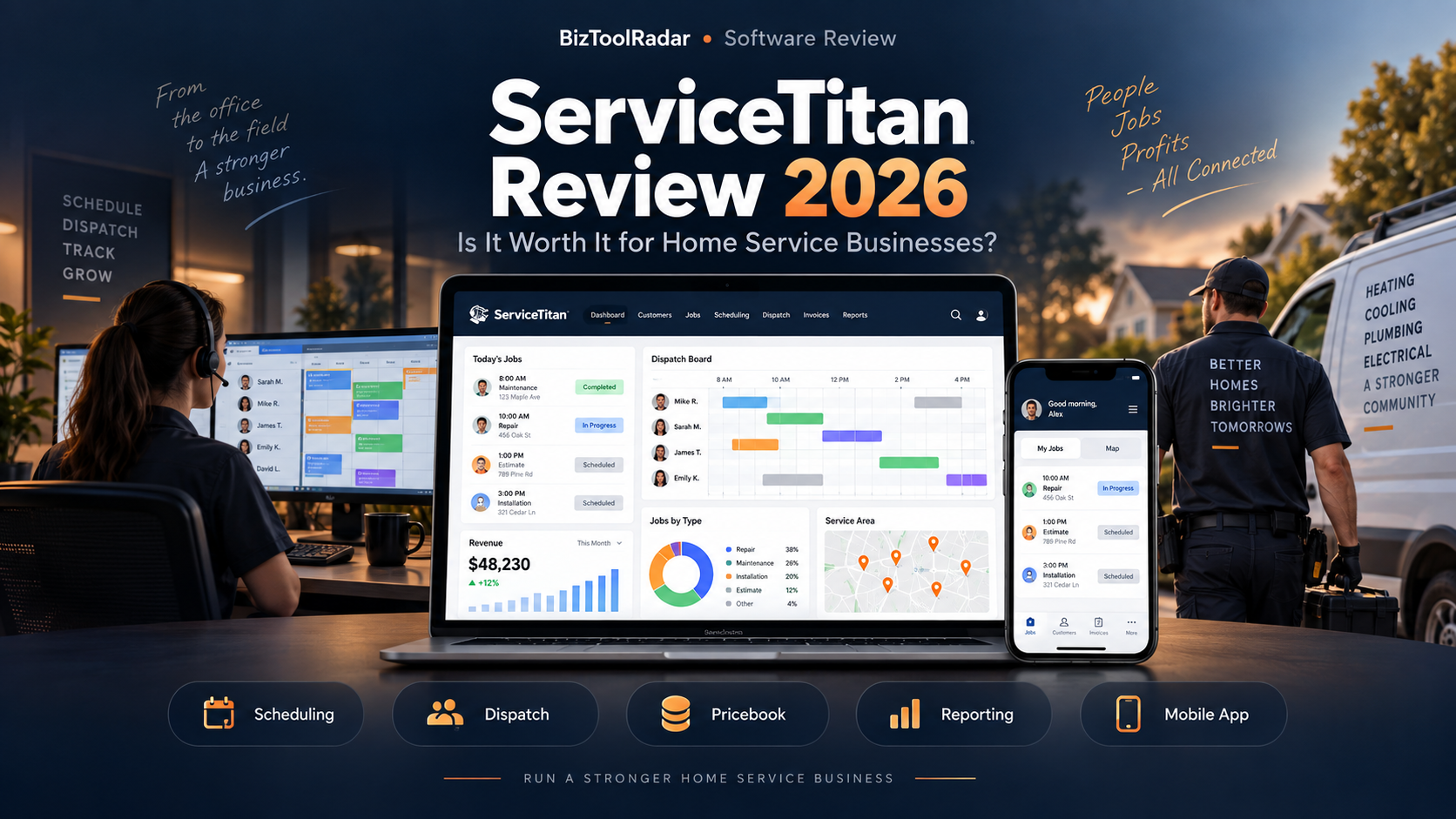
ServiceTitan is one of the most comprehensive field service management platforms available to HVAC, plumbing, electrical, and other home and commercial service businesses.
It is designed to connect office operations, dispatchers, technicians, pricing, estimates, invoices, memberships, reporting, and customer information inside one system.
That makes ServiceTitan significantly more powerful than a basic scheduling or invoicing app.
It also makes it more complex.
Unlike many small-business field service platforms, ServiceTitan does not publish one simple monthly subscription price. Pricing is customized and structured on a per-technician basis.
So is ServiceTitan actually worth it in 2026?
In this ServiceTitan review, we examine scheduling, dispatching, call booking, pricebooks, estimates, memberships, reporting, mobile tools, pricing, strengths, weaknesses, and the types of contractors most likely to benefit from the platform.
Pricing and features were reviewed in September 2026 and may change over time.
ServiceTitan Review: Quick Verdict
ServiceTitan is best suited to established home service companies that have multiple technicians, dedicated office staff, more complicated dispatch operations, and a need for deeper reporting and operational control.
Its strongest capabilities include:
- Scheduling
- Dispatching
- Call booking
- Pricebook management
- Mobile estimates
- Invoicing
- Technician mobile tools
- Memberships and service agreements
- Reporting and dashboards
- Job costing
- Technician tracking
- Payroll-related workflows
- Commission tracking
- Inventory and equipment-related tools
- Advanced Pro products
Its biggest disadvantages are:
- No simple public monthly price
- More complicated implementation
- Potentially unnecessary complexity for very small businesses
- Greater training requirements than simpler field-service platforms
For a solo contractor, ServiceTitan may be more software than the business needs.
For an established HVAC, plumbing, or electrical company managing several technicians and office employees, the depth of the platform becomes much easier to justify.
ServiceTitan at a Glance
| Category | ServiceTitan |
|---|---|
| Best For | Established and growing trade businesses |
| Pricing | Custom per-technician pricing |
| Plans | Starter, Essentials, The Works |
| Scheduling | Yes |
| Dispatching | Yes |
| Call Booking | Yes |
| CRM / Customer Records | Yes |
| Pricebook | Yes |
| Estimates | Yes |
| Invoicing | Yes |
| Payments | Yes |
| Mobile App | Yes |
| Job Costing | Yes |
| Memberships | Yes |
| Reporting | Yes |
| Inventory | Available |
| Demo | Personalized free demo |
ServiceTitan currently markets its platform to both residential and commercial service businesses and supports areas such as HVAC, plumbing, electrical, roofing, pest control, landscaping, and other trades.
What Is ServiceTitan?
ServiceTitan is cloud-based field service management software designed to help trade and service businesses run their operations from one connected platform.
Instead of using separate software for:
- Scheduling
- Dispatch
- Customer records
- Pricebooks
- Estimates
- Invoices
- Payments
- Reporting
- Memberships
- Technician operations
ServiceTitan attempts to connect those workflows.
A typical service job might move through:
Customer call → Call booking → Scheduling → Dispatch → Technician visit → Estimate → Work → Invoice → Payment → Membership or follow-up
That end-to-end approach is one of ServiceTitan’s biggest advantages.
Its documentation now organizes the platform into product areas covering core operations, pricebooks and agreements, field and mobile, scheduling and dispatch, phones, accounting, inventory, intelligence, and other operational functions.
ServiceTitan Scheduling
Scheduling is one of ServiceTitan’s core features.
Office staff can book appointments and view technician availability from the scheduling workflow.
ServiceTitan’s scheduling tools are designed around more than choosing an empty time slot.
They can also help businesses account for factors such as:
- Technician availability
- Job type
- Required skills
- Capacity
- Longer or multi-day jobs
- Future workload
The official scheduling product also highlights visibility weeks or months into the future for more complicated jobs.
Why This Matters
A small contractor with one technician can schedule work with a normal calendar.
A company with 20 technicians has a different problem.
The office needs to understand:
- Who is available
- What skills each technician has
- How long a job may take
- Where technicians are located
- Whether emergency capacity should be preserved
- Whether an installation requires several visits
At that scale, scheduling becomes an operational system rather than simply a calendar.
ServiceTitan Dispatching
Dispatching is one of the strongest reasons larger contractors consider ServiceTitan.
The dispatch board provides centralized visibility into technicians and jobs.
Dispatchers can adjust scheduled work when circumstances change.
ServiceTitan highlights features such as:
- Dispatch board
- Schedule optimization
- Technician route optimization
- Real-time technician information
- Job confirmations
- Multi-day job management
- Project filtering
- Dispatch notifications
Handling Schedule Changes
Field-service schedules rarely go exactly as planned.
A technician may:
- Finish early
- Run late
- Encounter vehicle trouble
- Get stuck in traffic
- Need additional parts
- Receive an emergency assignment
Dispatchers need to respond without losing visibility into the rest of the day.
ServiceTitan’s dispatch tools are built around handling that type of operational change.
Dispatch Pro
ServiceTitan also offers Dispatch Pro as an advanced product.
The company describes it as using machine learning to evaluate dispatch scenarios and help match technicians with jobs.
That type of functionality is most relevant once dispatch decisions are happening at significant scale.
ServiceTitan Call Booking
Many home service jobs begin with a phone call.
A homeowner may call because:
- The AC stopped working
- A pipe burst
- The electrical panel is failing
- A furnace will not start
ServiceTitan’s call-booking tools connect that incoming customer interaction with scheduling and customer information.
The field-service platform can surface customer details and guide office staff through collecting information required to create the job.
Why Call Booking Matters
Without connected software, an office employee may write customer information in one system and then recreate it in another scheduling system.
That creates duplicate work.
A connected call-booking workflow allows the information collected during the call to become part of the actual service job.
ServiceTitan Customer Records
ServiceTitan maintains customer and location records as part of its core operational system.
Field and office employees can work from information connected to:
- Customer contacts
- Service locations
- Previous jobs
- Invoices
- Memberships
- Equipment
- Notes
- Job history
This becomes particularly useful when different technicians visit the same property over several years.
ServiceTitan Pricebook
Pricebook is one of ServiceTitan’s most important trade-oriented features.
The Pricebook allows businesses to centrally manage:
- Services
- Materials
- Equipment
- Pricing
Those items can then be used across estimates, invoices, purchasing, and other workflows.
Why a Pricebook Matters
Imagine an HVAC company has 15 technicians.
Without a centralized pricebook, different technicians may quote the same repair differently.
That creates:
- Margin inconsistency
- Customer confusion
- Pricing errors
- Training problems
A centralized pricebook helps the business standardize how services are presented and priced.
ServiceTitan Pricebook Pro
ServiceTitan also offers Pricebook Pro as a more advanced product.
Pricebook Pro is aimed at improving how service items and pricing content are managed.
This can help businesses maintain more professional and consistent pricing as services, materials, and equipment change.
For trade businesses with hundreds or thousands of pricebook items, maintaining that information manually can become significant administrative work.
ServiceTitan Estimates
ServiceTitan supports estimates created from either the office or the field.
Its current documentation highlights:
- Custom estimates
- Templates
- Online customer approval
- Notifications when estimates are viewed or signed
- Good-Better-Best presentations
- Pricebook integration
Good-Better-Best Options
Good-Better-Best proposals can be particularly useful for higher-value home service work.
For example, an HVAC contractor might present:
Good — Repair existing equipment
Better — Standard replacement system
Best — Higher-efficiency replacement
An electrical contractor might present different panel or generator options.
Providing structured choices can make a complicated purchase easier for customers to understand.
ServiceTitan Mobile App
Field technicians can use ServiceTitan’s mobile app to access job-related information.
According to ServiceTitan’s dispatch documentation, technicians can access information including:
- Contact details
- Property information
- Job history
- Previous invoices
- Membership status
- Notes
- Pricebooks
Technicians can also work with estimates and collect payments while onsite.
Why Mobile Access Matters
Field-service software loses much of its value if employees need to call the office constantly.
A technician should be able to understand the customer and job before arriving.
Mobile access gives field employees more independence while keeping the office connected.
ServiceTitan Invoicing and Payments
Invoicing is included as a core ServiceTitan function.
Jobs can move through the workflow into billing rather than requiring office employees to recreate customer and job details in another application.
The broader platform also includes payment-processing workflows as part of its field-service operations.
That connection helps create a cleaner workflow:
Job completed → Invoice → Payment
rather than:
Job completed → paperwork sent to office → invoice manually recreated → customer contacted later
ServiceTitan Memberships
Memberships are particularly important for HVAC, plumbing, and electrical businesses.
A company may offer customers:
- Annual maintenance plans
- Priority service
- Seasonal inspections
- Discounts
- Recurring service visits
ServiceTitan provides membership and service-agreement functionality for managing these longer-term customer relationships.
Why Memberships Matter
One-time service revenue can be unpredictable.
Membership programs can create:
- Recurring revenue
- Repeat customers
- Future scheduled work
- Higher retention
- More opportunities for equipment replacement or additional service
That makes membership management an important feature for contractors focused on long-term customer value.
ServiceTitan Job Costing
ServiceTitan includes job-costing functionality.
The platform can help businesses compare budgets against actual costs and understand project profitability.
Revenue Is Not Profit
Consider a contractor who completes a job for:
$12,000
If the job requires:
$6,000 materials
$4,500 labor
$1,000 additional expenses
the actual margin is much smaller than the invoice total suggests.
Job costing helps owners understand what the company actually earned.
For larger contractors processing thousands of jobs, this information becomes critical.
ServiceTitan Reporting and Dashboards
Reporting is another area where ServiceTitan differentiates itself from lighter field-service tools.
The platform provides dashboards and reporting designed around operational metrics.
Businesses can monitor areas such as:
- Revenue
- Technician performance
- Job performance
- Sales
- Conversion
- Operations
- Customer activity
ServiceTitan’s feature list includes reporting and customizable dashboards as major product areas.
Why Reporting Matters
A solo contractor may know almost everything happening in the business personally.
An owner managing 30 technicians cannot.
At that scale, dashboards become how management understands the operation.
ServiceTitan Inventory
ServiceTitan also provides inventory capabilities.
Businesses can monitor equipment and material levels to help ensure jobs have the required parts and supplies.
This becomes much more useful once a company manages:
- Warehouses
- Several trucks
- Expensive parts
- Large equipment inventories
Inventory is generally less important to a one-person business than to an established contractor.
ServiceTitan Payroll and Commissions
ServiceTitan’s package structure includes payroll-management and commission-related functionality.
The Works package highlights configurable payroll along with advanced reporting, commission tracking, and customizable memberships.
For companies paying technicians based partly on:
- Revenue
- Sales
- Completed work
- Performance
integrating compensation data with actual job activity can reduce administrative effort.
ServiceTitan Pricing
ServiceTitan does not currently publish a standard monthly dollar amount for its primary packages.
Instead, the company describes pricing as:
Per-technician pricing designed around the business and its goals.
The current packages are:
Starter
Essentials
The Works
All require businesses to request pricing directly.
Why Doesn’t ServiceTitan Publish a Price?
The platform is more customizable than many entry-level field-service tools.
The final cost can depend on factors such as:
- Number of technicians
- Business type
- Required products
- Operational complexity
- Add-ons
- Implementation
That makes ServiceTitan difficult to compare with products that simply advertise $29 or $59 per month.
The downside is obvious:
A potential buyer cannot immediately calculate the subscription cost without speaking with sales.
ServiceTitan Starter
Starter is positioned as the entry ServiceTitan package.
The official pricing page highlights core capabilities including:
- Dispatching
- Scheduling
- Call booking
- Invoicing
- Pricebook
Starter should not be confused with a cheap solo-contractor plan.
ServiceTitan still prices the platform based on business requirements and technician count.
ServiceTitan Essentials
Essentials is positioned for businesses that need more operational functionality.
ServiceTitan’s current pricing page lists its package alongside capabilities across mobile estimates, payroll management, reporting, commissions, and membership-related workflows.
Exact feature packaging can change, so buyers should confirm what is included in their specific quote.
ServiceTitan The Works
The Works is ServiceTitan’s highest standard package.
It is intended for businesses looking for the broadest suite of operational tools.
The current package page highlights capabilities including configurable payroll, advanced reporting, commission tracking, and customizable memberships along with the core field-service functions.
For a larger contractor, these capabilities can become part of the company’s core operating system rather than simply a scheduling tool.
Does ServiceTitan Have a Free Trial?
ServiceTitan currently emphasizes a free personalized demo, not a self-service 14-day trial like Jobber or Housecall Pro.
Businesses submit information about their company and technician count, and a product specialist demonstrates the platform and discusses pricing.
That sales-led approach makes sense given the complexity of the platform.
It also means buyers cannot simply create an account and explore the full software anonymously.
What We Like About ServiceTitan
1. Deep Field-Service Operations
ServiceTitan covers much more than scheduling.
It connects:
- Calls
- Customers
- Dispatch
- Technicians
- Pricebooks
- Estimates
- Invoices
- Memberships
- Reporting
2. Strong Dispatching
Dispatch is one of the platform’s clearest strengths.
It is designed for companies coordinating several field employees throughout the day.
3. Trade-Oriented Pricing Tools
Pricebooks and Good-Better-Best estimates are highly relevant to HVAC, plumbing, and electrical contractors.
4. Strong Reporting
ServiceTitan provides much deeper reporting than many entry-level field-service platforms.
5. Membership Management
Recurring maintenance and membership programs can be integrated into the broader customer workflow.
6. Mobile Technician Tools
Field employees can access job and customer information while working onsite.
7. Scalability
The software can support a much more complicated contractor operation than many small-business-first tools.
What We Don’t Like About ServiceTitan
1. No Public Price
This is the most obvious drawback.
Businesses cannot easily compare total costs without requesting a quote.
2. More Complex to Implement
A powerful platform requires more setup.
Businesses should expect a larger implementation effort than adopting a basic scheduling app.
3. Potentially Excessive for Small Businesses
A solo contractor may never use enough of the platform to justify its complexity.
4. Training Requirements
Office employees, dispatchers, technicians, and managers may all need training.
5. Sales-Led Buying Process
Businesses that prefer signing up independently may dislike having to request pricing and a demo.
ServiceTitan Pros and Cons
| Pros | Cons |
|---|---|
| Advanced scheduling | No public fixed pricing |
| Strong dispatching | More complex implementation |
| Call booking | May be excessive for solo businesses |
| Pricebook management | Requires more training |
| Mobile estimates | Sales-led buying process |
| Good-Better-Best proposals | |
| Job costing | |
| Memberships | |
| Advanced reporting | |
| Technician mobile app | |
| Inventory tools | |
| Scalable operations |
Who Is ServiceTitan Best For?
ServiceTitan is particularly relevant to established trade businesses.
HVAC Companies
HVAC contractors can benefit from:
- Dispatching
- Equipment information
- Pricebooks
- Estimates
- Memberships
- Seasonal maintenance
- Reporting
Plumbing Businesses
Plumbing companies frequently deal with emergency calls and high daily job volume.
Dispatch and call-booking tools can help coordinate that work.
Electrical Contractors
Electrical companies may value standardized pricing, mobile estimates, Good-Better-Best proposals, and job-costing tools.
Larger Service Organizations
ServiceTitan becomes much more compelling once a company has:
- Multiple technicians
- Dedicated dispatchers
- Customer-service staff
- Sales employees
- Management layers
Who Should Consider Something Else?
ServiceTitan may not be ideal if:
You Are a Solo Contractor
The platform’s depth may create more complexity than value.
For smaller businesses, see our Jobber review.
You Want Transparent Pricing
Jobber and Housecall Pro both publish standard entry prices.
Our Housecall Pro review covers one of the more direct alternatives for growing teams.
Your Workflow Is Very Simple
A company that mainly needs:
- Calendar
- Estimates
- Invoices
- Payments
may not need an enterprise-style operational platform.
ServiceTitan vs Jobber
ServiceTitan and Jobber often appeal to businesses at different stages.
Jobber is designed to be approachable for solo and small service businesses.
ServiceTitan is designed around deeper operational complexity.
Jobber publishes standard prices beginning at a much lower entry point.
ServiceTitan requires custom pricing.
The choice therefore depends heavily on company size.
ServiceTitan vs Housecall Pro
Housecall Pro sits somewhere between Jobber and ServiceTitan in operational complexity.
It is relatively accessible to small businesses while offering stronger dispatch and field-team tools as companies grow.
ServiceTitan becomes more relevant when a contractor needs deeper reporting, advanced pricebook management, complex dispatch, memberships, and broader operational control.
Is ServiceTitan Worth It for a Small Contractor?
For a very small contractor, probably not in many cases.
That does not mean the software is bad.
It means the business may not have enough complexity to benefit from the platform.
A two-person company does not need the same dispatch system as a 30-technician company.
Software should match the problem being solved.
Is ServiceTitan Worth It for a Growing Contractor?
This is where the answer becomes more interesting.
As companies grow, administrative problems multiply.
Management may need to coordinate:
- Technicians
- Dispatch
- Pricing
- Customer calls
- Memberships
- Inventory
- Payroll
- Reporting
- Sales performance
At that point, connecting those workflows can create significant operational value.
Is ServiceTitan Worth It for a Large Home Service Company?
For a larger contractor, ServiceTitan may be much easier to justify.
A company operating dozens of service vehicles can lose substantial money through:
- Poor scheduling
- Long drive times
- Inconsistent pricing
- Missed calls
- Weak estimate conversion
- Unprofitable jobs
- Poor membership retention
Even relatively small improvements across a large operation can be financially meaningful.
Our Recommendation
ServiceTitan is one of the strongest field-service platforms for established HVAC, plumbing, electrical, and other trade businesses.
Its biggest advantage is operational depth.
Scheduling, dispatching, call booking, pricing, estimates, memberships, field operations, invoicing, and reporting can all live within the same broader system.
That depth also creates the platform’s biggest drawback.
ServiceTitan is not the simplest or most transparent option for a small contractor.
Businesses need to request pricing, go through a more involved sales process, and invest more effort in implementation.
For a solo operator or small team, a simpler platform may provide better value.
For an established contractor with several technicians, dedicated office staff, and more complicated operations, ServiceTitan becomes much more compelling.
The best next step is not necessarily buying the software.
It is requesting the personalized demo and evaluating whether ServiceTitan solves operational problems that are currently costing your company time or money.
Frequently Asked Questions
How much does ServiceTitan cost?
ServiceTitan does not currently publish one universal monthly price.
It uses custom per-technician pricing based on the business and package selected.
What ServiceTitan plans are available?
The current packages are:
Starter
Essentials
The Works.
Does ServiceTitan offer a free trial?
ServiceTitan currently promotes a free personalized demo rather than a standard self-service free trial.
Does ServiceTitan include scheduling?
Yes.
Scheduling is one of ServiceTitan’s core field-service functions.
Does ServiceTitan include dispatching?
Yes.
ServiceTitan includes an interactive dispatch board and scheduling/dispatch tools designed for field-service teams.
Does ServiceTitan have a pricebook?
Yes.
ServiceTitan Pricebook allows businesses to manage services, materials, equipment, and pricing.
Can technicians create estimates in the field?
Yes.
ServiceTitan supports mobile estimates and Good-Better-Best proposal workflows.
Does ServiceTitan support memberships?
Yes.
ServiceTitan supports memberships and service-agreement workflows for recurring customer relationships.
Is ServiceTitan good for small businesses?
It can be, but very small contractors may not need the platform’s operational depth.
Businesses should compare complexity and custom pricing with simpler alternatives.
Is ServiceTitan better than Jobber?
Neither is universally better.
Jobber is generally easier for smaller businesses to adopt, while ServiceTitan is designed for more complex field-service operations.
Methodology: BizToolRadar evaluates software using official pricing pages, current product documentation, publicly available feature information, and how each platform fits common home-service workflows. We do not claim hands-on testing unless a product has actually been tested by our editorial team.
Last reviewed: September 2026. Pricing, packages, features, integrations, and add-ons may change. Always confirm current terms directly with ServiceTitan before purchasing.