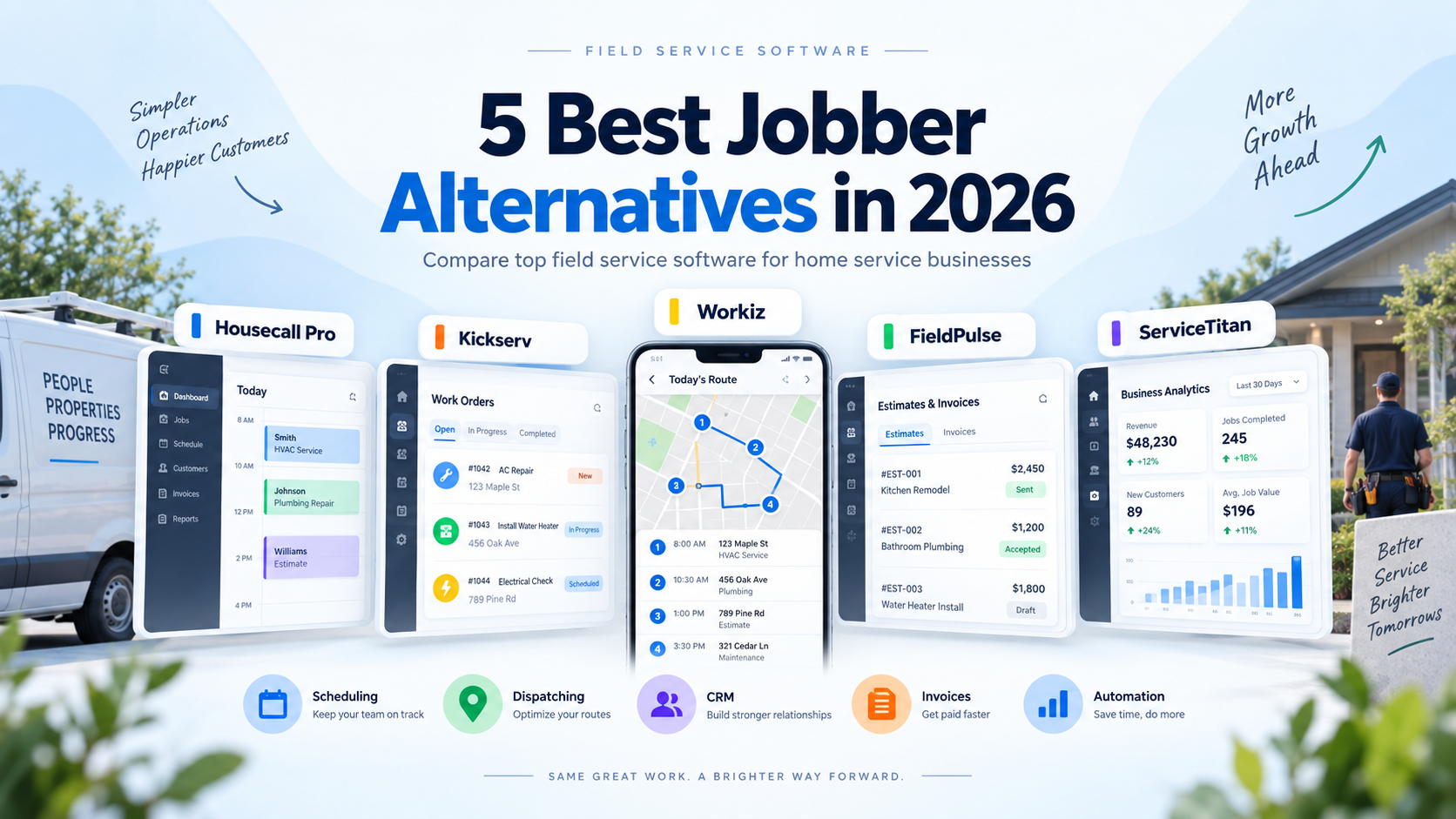
Jobber is a strong field service management platform, but it is not the right fit for every home service business.
A solo contractor may want something cheaper.
A growing company may need stronger dispatching.
Another business may care more about AI automation, advanced pricebooks, project management, or support for larger field teams.
That is where Jobber alternatives become worth considering.
In this guide, we compare five of the best Jobber alternatives in 2026 based on pricing, scheduling, dispatching, customer management, estimates, invoicing, automation, mobile tools, scalability, and overall fit for home service businesses.
Pricing and features were reviewed in September 2026 and may change over time.
Quick Comparison
| Software | Best For | Starting Price | Key Strength |
|---|---|---|---|
| Housecall Pro | Growing home service businesses | $59/month billed annually | Strong dispatching and trade tools |
| Kickserv | Small teams wanting more users | $60/month | 5 users included |
| Workiz | AI and automation | Custom pricing | AI scheduling and communication |
| FieldPulse | Customizable trade workflows | Custom pricing | Flexible operations and pricebooks |
| ServiceTitan | Larger established contractors | Custom pricing | Advanced enterprise operations |
1. Housecall Pro — Best Overall Jobber Alternative
Best for: Home service businesses that like Jobber’s all-in-one approach but want stronger dispatching and more trade-oriented tools.
Housecall Pro is probably the most direct alternative to Jobber.
Both platforms are designed for home service companies and include many of the same core capabilities:
- Scheduling
- Dispatching
- Customer management
- Estimates
- Invoicing
- Online payments
- Online booking
- Mobile apps
- Reporting
The biggest difference is often how the two platforms feel as the business grows.
Jobber is especially attractive to solo operators and smaller teams because of its relatively low starting price and straightforward workflow.
Housecall Pro places more emphasis on dispatching, field-team operations, routing, flat-rate pricing, and specialized trade workflows.
Scheduling and Dispatching
Housecall Pro includes scheduling and dispatching even on its Basic plan.
Businesses can assign technicians, manage appointments, reschedule jobs, and maintain job information in the same system.
The higher Essentials plan adds routing, employee GPS tracking, checklist automation, and other team-management tools.
This becomes useful once a company is coordinating several technicians rather than a single owner-operator.
Pricebooks and Flat-Rate Pricing
Housecall Pro also provides pricebook and flat-rate pricing functionality.
Its pricebook contains preloaded service structures, with deeper industry content for HVAC, plumbing, and electrical contractors.
For trade businesses where technicians need consistent pricing in the field, this can be a meaningful advantage.
Job Costing
Housecall Pro’s current Basic pricing page now lists job costing among the plan’s capabilities.
That can help contractors compare revenue against costs associated with individual jobs.
Pricing
Housecall Pro currently starts at:
Basic: $59/month billed annually
or:
$79/month billed monthly
Basic includes one user.
The current standard annual pricing also includes:
Essentials: $149/month — up to 5 users
MAX: $299/month — up to 8 users
MAX currently lists additional users at $35 per month.
A 14-day free trial is available with no credit card required.
Why Choose Housecall Pro Instead of Jobber?
Housecall Pro makes the most sense when:
- Dispatching is becoming complicated
- You manage several field employees
- Routing matters
- Flat-rate trade pricing matters
- You want deeper HVAC, plumbing, or electrical workflows
- You need stronger field-team visibility
Downsides
Housecall Pro’s entry price is higher than Jobber Core.
A solo contractor who mainly needs scheduling, quotes, invoices, and payments may not need the extra operational depth.
Verdict
Housecall Pro is the strongest direct Jobber alternative for a growing home service company that wants more emphasis on dispatching and field operations.
2. Kickserv — Best Jobber Alternative for Small Teams
Best for: Small teams that want several users included without immediately moving into a much more expensive field-service plan.
Kickserv takes an interesting approach to pricing.
Its main Start plan currently includes five users for $60 per month, while higher plans include significantly more users.
Current pricing is:
Start: $60/month — 5 users
Run: $119/month — 10 users
Scale: $199/month — 20 users
Kickserv also offers a 30-day trial.
That makes it particularly interesting when team size is one of your biggest concerns.
Customer Management
Kickserv includes customer-management functionality designed around service businesses.
Businesses can maintain customer histories and communication while connecting those records with jobs and estimates.
Scheduling
The platform provides scheduling for field-service work.
For growing teams, higher plans add functionality such as dispatch mapping and GPS check-ins.
Estimates
Kickserv allows businesses to build and send estimates electronically.
Customers can approve estimates, and accepted work can continue through the rest of the service workflow.
Invoicing and Payments
Businesses can create invoices and collect digital payments.
Kickserv also integrates with Stripe for payment processing.
Time and Expense Tracking
The Start plan includes:
- Time tracking
- Expense tracking
- Automated reminders
- More than 20 reports
- QuickBooks Online integration
That is a fairly substantial feature set for a plan supporting five users.
Higher Plans
The Run plan adds capabilities including:
- Dispatch mapping
- GPS check-ins
- Custom data fields
- Custom reports
Scale increases the included user count to 20 and provides additional customization.
Why Choose Kickserv Instead of Jobber?
Kickserv is worth considering when:
- You already have several employees
- Included user count matters
- You want simple field-service tools
- You need basic CRM, scheduling, estimates, and invoicing
- You prefer predictable team pricing
Downsides
Kickserv does not have the same market visibility or broad ecosystem as Jobber.
Businesses needing sophisticated automation or highly specialized trade workflows may prefer another option.
Verdict
Kickserv is one of the most interesting Jobber alternatives for a small field-service team because its entry plan includes five users.
3. Workiz — Best Jobber Alternative for AI and Automation
Best for: Field-service businesses that want to automate more of their scheduling, lead handling, communication, and office work.
Workiz competes with Jobber in many of the same categories but increasingly differentiates itself through AI.
Its standard field-service platform includes:
- Scheduling
- Jobs
- Estimates
- Invoices
- Online payments
- Customer management
- Reports
- Recurring jobs
- QuickBooks integration
Workiz currently uses quote-based pricing for its Standard, Pro, and Ultimate plans.
AI Scheduling
The Pro plan includes Genius Scheduling.
This is designed to help businesses make technician scheduling decisions using business information rather than relying entirely on manual dispatching.
For a busy service company, this may help reduce repetitive office coordination.
Genius Leads
Workiz Pro also includes Genius Leads.
The focus is on helping businesses manage and respond to incoming opportunities more effectively.
That can matter for home service companies where a customer often contacts several contractors at the same time.
Genius Answering
Workiz also offers Genius Answering as an add-on.
It is designed to respond to calls, emails, and SMS messages around the clock.
For businesses that receive emergency or after-hours service requests, this is potentially valuable.
A missed call may become a job for a competitor.
Automations
The current Workiz plans include different automation allowances:
Standard: 5 automations
Pro: 10 automations
Ultimate: 30 automations.
Automation can be used to reduce repetitive work surrounding customers, jobs, and communication.
Advanced Operations
Ultimate adds features including:
- Service plans
- Sales proposals
- Inventory management
- Flat-rate pricing
- Checklists
- Multi-day jobs
- Open API
- Equipment tracking
- Purchase orders
That makes Workiz significantly more capable than a basic scheduling platform once a business reaches higher operational complexity.
Pricing
Workiz does not currently publish universal monthly prices for its main plans.
The company asks businesses to request pricing for:
Standard
Pro
Ultimate.
Why Choose Workiz Instead of Jobber?
Workiz is particularly attractive when:
- AI is a priority
- You want stronger automation
- You receive many phone leads
- You want AI-assisted scheduling
- You need equipment tracking
- You need inventory or purchase orders
- You want more advanced field-service workflows
Downsides
The lack of public pricing makes it harder to compare costs quickly.
Some of the most interesting AI features are also add-ons or require higher plans.
Verdict
Workiz is the Jobber alternative to consider when your biggest goal is automating more of the office rather than simply organizing it.
4. FieldPulse — Best for Customizable Trade Workflows
Best for: Growing contractors that want more control over pricing, proposals, job management, and field-service workflows.
FieldPulse is designed specifically around trade and field-service businesses.
Its platform includes a broad collection of operational tools:
- Scheduling
- Dispatching
- Routing
- Estimates
- Invoices
- Customer management
- Pricebooks
- Project management
- Job costing
- Inventory
- Maintenance agreements
- Fleet tracking
- Equipment management
- Customer portals
- Booking portals
- Custom workflows
The company uses seat-based customized pricing rather than publishing one standard subscription price.
Scheduling and Dispatching
FieldPulse supports centralized scheduling and dispatching.
For companies managing several crews, the platform can help maintain a shared view of jobs and field employees.
Pricebook
One of FieldPulse’s strongest features is its pricebook.
Businesses can create standardized pricing for:
- Services
- Materials
- Labor
The same pricing can then be used when technicians build estimates.
This helps reduce inconsistent pricing between employees.
Good-Better-Best Proposals
FieldPulse also supports tiered proposal options.
Contractors can present customers with different service levels rather than only one fixed option.
That can be useful for:
- HVAC replacements
- Electrical upgrades
- Plumbing projects
- Other high-value trade work
Job Costing
FieldPulse supports profitability and job-costing workflows.
Businesses can better understand whether actual labor and materials match what was estimated.
Maintenance Agreements
The platform also includes maintenance-agreement functionality.
Businesses can create recurring service relationships and automate invoicing associated with those agreements.
This is particularly relevant for HVAC and other trades that depend on recurring maintenance revenue.
Pricing
FieldPulse’s official pricing page currently states that pricing is:
Seat-based and customized to the team and workflow.
Businesses need to request a custom quote.
Why Choose FieldPulse Instead of Jobber?
FieldPulse deserves consideration when:
- You need more customization
- Pricebooks matter
- You sell good-better-best options
- You need job costing
- You manage inventory
- Maintenance agreements are important
- You have more complicated field workflows
Downsides
No simple public price means you need to contact sales before making a complete cost comparison.
The platform may also be more than a very small contractor needs.
Verdict
FieldPulse is a strong alternative to Jobber for trade businesses that want a more customizable operational system.
5. ServiceTitan — Best for Larger Established Contractors
Best for: Established home service contractors with larger technician teams, office staff, complex operations, and deeper reporting requirements.
ServiceTitan sits at a different end of the market from entry-level Jobber.
While Jobber is highly accessible to solo operators and small businesses, ServiceTitan is built around more complex contractor organizations.
ServiceTitan’s current plans include:
Starter
Essentials
The Works
The company uses per-technician custom pricing rather than publishing one universal monthly rate.
Scheduling and Dispatching
Scheduling and dispatching are included across ServiceTitan’s packages.
Businesses can coordinate technicians and service calls while keeping customer and job information connected.
Call Booking
ServiceTitan includes call-booking tools.
That is especially relevant for service businesses where many leads still arrive by phone.
Customer information can move directly from the call into the scheduling workflow.
Pricebook
ServiceTitan provides centralized pricebook management for:
- Services
- Materials
- Equipment
The pricebook connects with estimates, invoices, purchasing, and other operational workflows.
Pricebook Pro
ServiceTitan also offers Pricebook Pro, which provides prebuilt service content and tools for creating professional estimate experiences and managing price updates.
Reporting
Higher ServiceTitan plans add more advanced reporting and operational capabilities.
This becomes important when a business owner needs to understand:
- Technician performance
- Revenue
- Sales
- Memberships
- Job performance
- Operational trends
without personally being involved in every job.
Memberships
ServiceTitan includes customizable membership functionality on higher packages.
For HVAC, plumbing, or electrical contractors, memberships can create recurring service revenue.
Pricing
ServiceTitan officially describes its pricing as per-technician pricing and asks businesses to request a personalized quote.
Why Choose ServiceTitan Instead of Jobber?
ServiceTitan becomes more relevant when:
- You have a larger technician team
- You have dedicated office employees
- Dispatching is complex
- You need sophisticated reporting
- You maintain large pricebooks
- Memberships are central to the business
- Several departments need to use the same platform
Downsides
For a solo contractor or very small team, ServiceTitan may be unnecessarily complex.
Implementation and onboarding also require more effort than adopting a lightweight field-service application.
Verdict
ServiceTitan is the Jobber alternative to investigate once a business has outgrown the operational simplicity that makes Jobber attractive in the first place.
Which Jobber Alternative Is Best?
The right choice depends on why you are looking for an alternative.
If Jobber feels too basic for your growing field team, Housecall Pro is the first platform we would compare.
If your biggest concern is getting several users at a predictable price, Kickserv is particularly interesting.
If AI and automation are priorities, Workiz stands out.
If you want more customizable pricing, project, and trade-management workflows, FieldPulse deserves consideration.
And if you operate a significantly larger contractor organization, ServiceTitan is designed for a different level of operational complexity.
A simple way to narrow the options is:
Growing field team → Housecall Pro
Small team / user value → Kickserv
AI and automation → Workiz
Custom trade workflows → FieldPulse
Larger established contractor → ServiceTitan
Why Look for an Alternative to Jobber?
Jobber remains a strong platform.
But several common situations can make another product more appropriate.
You Need More Users
Jobber Core is designed around one user.
As teams grow, higher plans become necessary.
For a company primarily concerned with user count, products such as Kickserv may be worth comparing.
Dispatching Is Becoming More Complicated
A solo contractor rarely needs advanced dispatching.
A company with several technicians may.
Housecall Pro’s team-oriented features can become more relevant as field coordination becomes a daily challenge.
You Want More AI Automation
Jobber has continued expanding its AI functionality, especially on higher plans.
However, Workiz has made AI scheduling, lead handling, and customer communication a central part of its product strategy.
Businesses specifically interested in AI should compare both carefully.
You Need a More Advanced Pricebook
HVAC, electrical, and plumbing companies may depend heavily on standardized service pricing.
Housecall Pro, FieldPulse, and ServiceTitan all place significant emphasis on pricebooks and trade-oriented pricing workflows.
You Need More Complex Project Management
Jobber works particularly well for service jobs.
Businesses handling more complicated multi-stage projects may want stronger project-management capabilities.
FieldPulse is one alternative worth evaluating for that type of work.
Your Business Has Become Much Larger
Software requirements change as companies grow.
A platform that works perfectly for a five-person team may not provide the reporting, permissions, departmental workflows, and management controls required by a company with dozens of technicians.
That is the point where a platform such as ServiceTitan becomes more relevant.
Jobber vs. Housecall Pro
Housecall Pro is the closest direct competitor in this comparison.
The current entry pricing difference is significant:
Jobber Core: $29/month billed annually
Housecall Pro Basic: $59/month billed annually
Jobber therefore remains cheaper for a solo operator.
Housecall Pro, however, offers stronger emphasis on field dispatch and trade-oriented features.
Businesses should compare the higher plans rather than only looking at those entry prices once several employees are involved.
Jobber vs. Kickserv
Kickserv’s main advantage is included users.
Its Start plan currently costs $60 per month and includes five users.
That can make it attractive to a small team.
Jobber, however, has a larger ecosystem and a more prominent presence in the home-service software market.
Jobber vs. Workiz
Jobber emphasizes a clean, relatively straightforward service-business workflow.
Workiz puts more emphasis on automation and AI.
If your primary problem is simply staying organized, Jobber may remain easier.
If you are specifically trying to automate lead handling, customer communication, and scheduling, Workiz deserves a closer look.
Jobber vs. FieldPulse
FieldPulse provides broader customization around areas such as pricebooks, projects, inventory, maintenance agreements, and custom workflows.
Jobber may be easier for a small business to implement.
FieldPulse may make more sense once the business has developed more complex operational requirements.
Jobber vs. ServiceTitan
These platforms often serve different stages of growth.
Jobber is accessible to solo and small businesses.
ServiceTitan is designed for organizations with deeper operational needs.
A small contractor should not automatically assume that more features mean better software.
Complexity has a cost.
What Should You Look for in a Jobber Alternative?
Before changing software, identify exactly what Jobber is not solving.
Compare platforms using criteria such as:
Pricing
Calculate the actual cost for your team size.
Do not compare only the advertised entry plans.
User Limits
Understand how many employees need access and how additional users are priced.
Scheduling and Dispatching
A simple calendar may be enough for a small business.
A growing field operation may need routing, live technician locations, or stronger dispatch tools.
CRM
Customer information should remain connected with jobs, estimates, invoices, and communication.
Estimates
Businesses selling larger jobs should evaluate:
- Optional items
- Images
- Tiered proposals
- Good-better-best pricing
- Digital approvals
Pricebooks
Trade businesses should evaluate how easy it is to maintain standardized labor, material, and service pricing.
Job Costing
Revenue is not profit.
Contractors need to understand the actual cost of delivering work.
Mobile App
Field technicians need to be able to use the software without sitting in an office.
Automation
Look for automations that remove actual repetitive work rather than features that simply sound impressive.
Integrations
Check whether the platform works with accounting, phone, marketing, and other applications your company already uses.
Should You Switch Away From Jobber?
Not automatically.
Switching field-service software creates work.
Customer information may need to be exported.
Employees need to learn a new application.
Pricing and workflows may need to be rebuilt.
Integrations need to be reconnected.
The best reason to switch is not simply that another product has more features.
A switch makes sense when another platform solves a meaningful problem your current system cannot solve efficiently.
Our Recommendation
For most small businesses that have simply outgrown basic Jobber workflows, Housecall Pro is the first alternative we would evaluate.
The two products serve similar customers, making the comparison relatively straightforward.
Small teams that primarily want more included users should take a close look at Kickserv.
Businesses interested in AI-driven automation should compare Workiz.
Contractors that require more advanced pricebooks, project management, job costing, inventory, and workflow flexibility should evaluate FieldPulse.
And larger organizations with significant operational complexity should consider ServiceTitan.
Do not choose software based only on the longest feature list.
Identify the biggest operational problem in your business and choose the platform that solves that problem with the least unnecessary complexity.
Frequently Asked Questions
What is the best alternative to Jobber?
Housecall Pro is one of the closest alternatives because both products provide scheduling, dispatching, CRM, estimates, invoicing, payments, and online booking for home service businesses.
What is a cheaper alternative to Jobber?
Jobber itself has a relatively low entry price, so finding a cheaper comparable platform is not always easy.
The better comparison may be total cost for several users rather than the single-user entry price.
Kickserv is worth comparing because its Start plan includes five users for $60 per month.
Is Housecall Pro better than Jobber?
Neither product is automatically better for every business.
Jobber has a lower starting price and a straightforward workflow.
Housecall Pro places greater emphasis on dispatching, routing, pricebooks, and growing field teams.
Is ServiceTitan a Jobber alternative?
Yes, but it generally fits a more complex type of contractor operation.
ServiceTitan uses custom per-technician pricing and includes advanced dispatch, pricebook, reporting, and membership functionality.
Does Workiz have AI tools?
Yes.
Workiz currently offers AI-related capabilities including Genius Scheduling and other Genius products for lead handling and customer communication.
Does FieldPulse publish its pricing?
FieldPulse currently uses customized, seat-based pricing rather than displaying one standard subscription price.
Does Housecall Pro offer a free trial?
Yes.
Housecall Pro currently provides a 14-day trial with no credit card required.
Comments
One response to “5 Best Jobber Alternatives in 2026”
[…] one of these limitations matters to you, our Jobber alternatives guide compares several competing […]