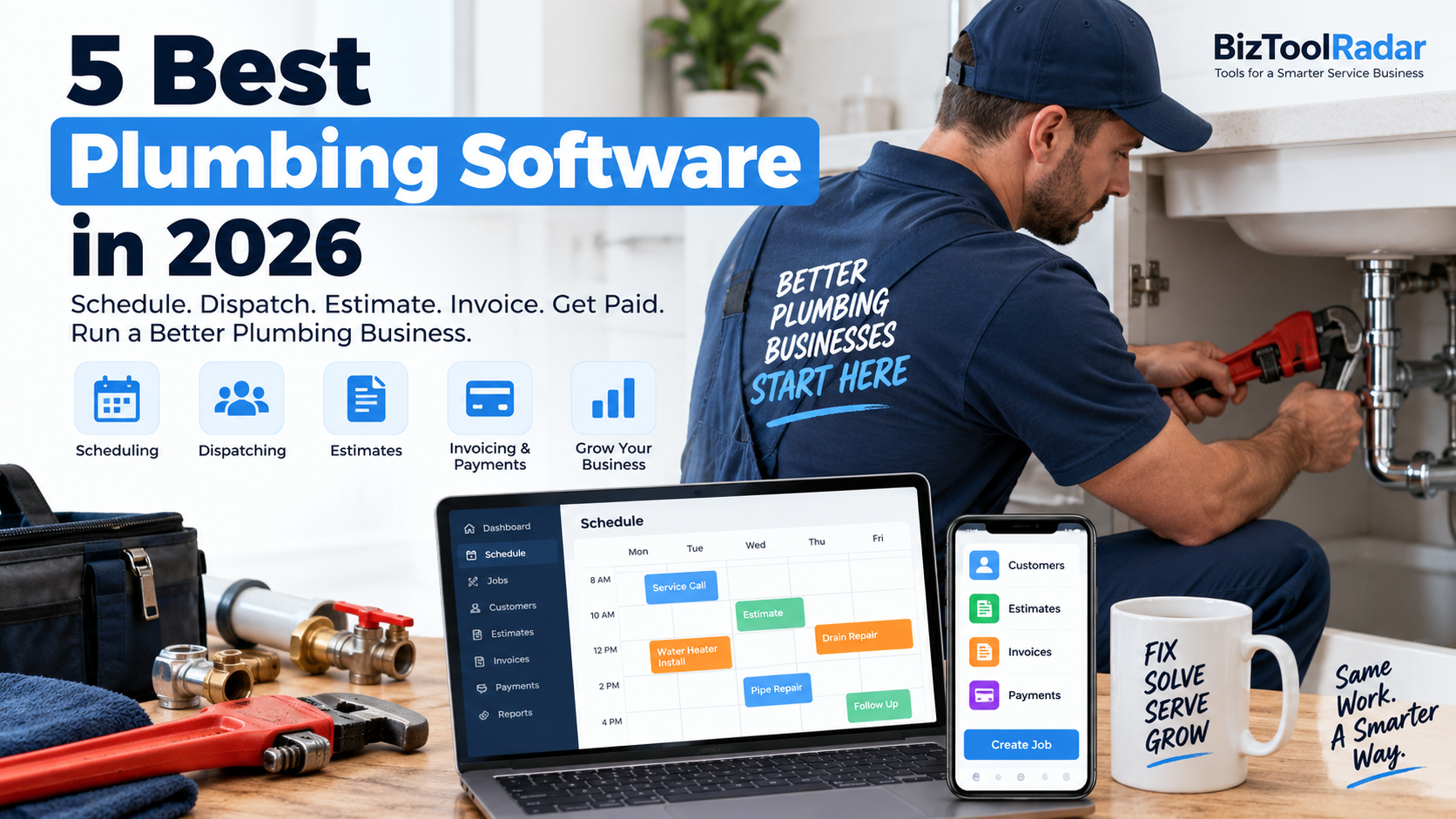
Running a plumbing business involves much more than fixing leaks and replacing water heaters.
You also need to answer emergency calls, schedule jobs, dispatch plumbers, create estimates, manage pricing, track customer history, send invoices, collect payments, and keep your team updated throughout the day.
That gets increasingly difficult when customer information is spread across calendars, spreadsheets, paper work orders, text messages, and separate accounting apps.
Plumbing software brings many of those tasks into one system.
The best platforms can help manage a job from the first customer call through scheduling, dispatch, estimating, field work, invoicing, payment, and future service.
In this guide, we compare five of the best plumbing software platforms in 2026.
We evaluated each platform based on scheduling, dispatching, customer management, estimating, flat-rate pricing, invoicing, automation, mobile tools, pricing, and overall suitability for plumbing contractors.
Pricing and features were reviewed in September 2026 and may change over time.
Quick Comparison
| Software | Best For | Starting Price | Key Strength |
|---|---|---|---|
| Housecall Pro | Small and midsize plumbing companies | $59/month billed annually | Best overall plumbing workflow |
| Jobber | Solo and small plumbing businesses | $29/month billed annually | Affordability and ease of use |
| ServiceTitan | Established plumbing companies | Custom pricing | Advanced operations and reporting |
| Workiz | Automation-focused plumbers | Custom pricing | AI and workflow automation |
| FieldPulse | Growing plumbing teams | Custom pricing | Flexible field-service management |
1. Housecall Pro — Best Overall Plumbing Software
Best for: Small and midsize residential or light-commercial plumbing businesses that want scheduling, dispatching, estimates, pricing, invoicing, and payments in one platform.
Housecall Pro is our overall choice for many plumbing businesses because it covers most of the job lifecycle while remaining approachable for smaller contractors.
A customer can request service, office staff can schedule and dispatch the job, the plumber can prepare an estimate in the field, the customer can approve the work, and the company can send an invoice and collect payment without continuously moving information between different systems.
Housecall Pro also provides plumbing-specific tools and workflows rather than treating plumbing as just another generic appointment-based business.
Scheduling and Dispatching
Plumbing companies rarely have completely predictable schedules.
A technician may be replacing a faucet when an emergency burst-pipe call comes in.
Housecall Pro provides centralized scheduling and dispatching so office staff can see jobs and technician assignments in one place.
Schedules can be updated as circumstances change, helping businesses respond to urgent work without completely losing track of planned appointments.
Estimates
Plumbers can create estimates and proposals for customers.
Instead of returning to the office to prepare paperwork, technicians can access job and customer information from the field and prepare estimates while they are still at the property.
For larger projects, contractors can present multiple service options.
This can be useful for jobs such as:
- Water heater replacement
- Sewer repairs
- Repiping
- Fixture upgrades
- Water filtration
- Drain replacement
Giving customers clear choices can make expensive plumbing recommendations easier to understand.
Flat-Rate Pricing
Pricing consistency is especially important when multiple plumbers work for the same company.
Housecall Pro provides flat-rate pricing and pricebook functionality.
Businesses can maintain standardized pricing for services, materials, and labor rather than allowing every technician to calculate prices differently.
The platform can also account for factors such as labor, material costs, and overhead.
This helps protect margins while presenting customers with more predictable pricing.
Job Costing
Revenue alone does not tell you whether a plumbing job was profitable.
A large repipe project could generate significant revenue while also consuming substantial labor and materials.
Job-costing tools help businesses compare job revenue against expenses and labor.
That can help owners identify which types of plumbing work are actually producing healthy margins.
Customer Management
Housecall Pro keeps customer and job information connected.
A plumbing company can maintain records of previous work so technicians have context when returning to the same property.
That becomes increasingly useful as the business grows and customers are no longer always served by the same plumber.
Invoicing and Payments
Invoices and payments are integrated into the broader job workflow.
Plumbers can finish a service call and move directly toward payment instead of waiting for office staff to recreate the job in a separate billing system.
Customers can pay electronically, reducing the amount of time spent chasing outstanding invoices.
Pricing
Housecall Pro currently offers:
Basic: $59/month when billed annually
or approximately:
$79/month with monthly billing
The Basic plan includes one user.
Higher plans support additional users and more advanced functionality.
A free trial is available.
Why We Like It
Housecall Pro provides a strong balance between plumbing-specific capabilities and usability.
It is advanced enough to support a growing business without immediately requiring the complexity of a larger enterprise system.
The combination of scheduling, dispatching, estimates, pricebooks, payments, and profitability tools makes it particularly well suited to residential plumbing companies.
Downsides
Costs increase as businesses add users or advanced functionality.
Some features may also require higher subscription levels or additional packages.
Large multi-location plumbing organizations may eventually require deeper reporting and operational controls.
Verdict
Choose Housecall Pro if you want an all-in-one plumbing platform that connects the customer, technician, job, estimate, invoice, and payment workflow.
2. Jobber — Best for Small Plumbing Businesses
Best for: Solo plumbers and small plumbing contractors that want professional field-service software at a relatively low starting price.
Jobber is one of the more accessible field-service platforms in this comparison.
Its entry-level plan gives small contractors a way to replace spreadsheets, basic calendars, handwritten estimates, and disconnected payment tools without immediately investing in expensive enterprise software.
The platform combines scheduling, client management, online booking, quotes, jobs, invoices, and payments.
Scheduling
Jobber provides a centralized schedule for organizing plumbing jobs and appointments.
Businesses can create jobs, assign employees, and track upcoming work from one calendar.
For a small contractor adding its first employee or service vehicle, this provides much better visibility than maintaining separate personal calendars.
Customer Management
Jobber includes a client manager that functions as a lightweight CRM.
Customer details can remain connected with:
- Quotes
- Jobs
- Appointments
- Invoices
- Payment information
- Property details
This gives office employees and plumbers access to a more complete history of the customer relationship.
Online Booking
Customers can request or book work online.
That can be helpful when a homeowner discovers a plumbing company through Google outside normal office hours.
Instead of waiting until the next business day to call, the customer can begin the service process online.
Quotes
Plumbing companies can create and send professional quotes digitally.
Higher-level Jobber plans add more advanced quoting capabilities such as richer visuals and optional line items.
Optional items can help businesses present additional services without forcing customers into a single package.
Invoicing and Payments
Once a job is complete, businesses can create invoices and accept online payments.
Higher plans also provide automatic invoice follow-ups and payment-related automation.
Reducing manual follow-up can be particularly valuable when the company is handling dozens or hundreds of jobs per month.
Job Costing
Job costing is available on Jobber’s higher plans.
It tracks profitability using information such as employee time, line-item costs, and expenses.
For plumbers performing both small service calls and larger projects, this can provide better insight into which work is actually profitable.
Pricing
Jobber’s Core plan currently starts at:
$29/month when billed annually
or:
$49/month with no commitment
Core includes one user.
Current higher annual starting prices include:
Connect: $99/month
Grow: $149/month
Plus: $399/month
Features and included user counts increase on higher plans.
Why We Like It
Jobber provides one of the easiest ways for a small plumbing business to move from basic tools into a more organized field-service system.
The entry price is low enough for a solo contractor while the higher plans provide room to add more sophisticated processes later.
Downsides
Some of the features a growing plumbing business may eventually want—such as advanced job costing, stronger automations, richer quotes, and additional users—require more expensive plans.
Larger operations may eventually need deeper dispatching and management features.
Verdict
Choose Jobber if you are a solo plumber or small plumbing company that wants an affordable and relatively simple field-service platform.
3. ServiceTitan — Best for Established Plumbing Companies
Best for: Established plumbing contractors with larger technician teams, dispatchers, call-center staff, and more sophisticated operational requirements.
ServiceTitan is one of the most comprehensive platforms in the home-service software market.
It is specifically designed around trades such as plumbing, HVAC, and electrical.
Rather than simply providing a scheduling calendar, ServiceTitan connects dispatching, customer calls, estimating, pricing, invoicing, memberships, payroll-related workflows, reporting, and technician performance.
This makes it particularly relevant once a plumbing business reaches meaningful scale.
Scheduling and Dispatching
ServiceTitan provides scheduling and dispatching as core parts of the platform.
Dispatchers can coordinate jobs and technicians rather than relying on disconnected calendars.
For a company operating many service vehicles, having one centralized dispatch environment can help reduce scheduling confusion.
Call Booking
Many plumbing jobs begin with a phone call.
Some are routine.
Others involve an overflowing toilet, leaking water heater, sewer backup, or broken pipe that needs immediate attention.
ServiceTitan connects call booking with the broader field-service workflow.
Customer information gathered during a call can move into scheduling rather than being recorded separately and reentered later.
Pricebook
ServiceTitan includes centralized pricebook management.
Businesses can organize:
- Services
- Materials
- Equipment
- Pricing
Technicians can then use standardized company pricing when building customer estimates.
Consistent pricing becomes increasingly important as the number of field employees grows.
Estimates
Mobile estimating allows technicians to prepare estimates while on site.
For larger plumbing projects, businesses can present options to customers rather than relying entirely on one fixed proposal.
Memberships
Service agreements or memberships can turn one-time plumbing customers into longer-term relationships.
ServiceTitan provides customizable membership capabilities that companies can use to organize recurring customer programs.
Reporting
Reporting is one of the areas where ServiceTitan becomes particularly attractive to larger operations.
Contractors can use business data to understand areas such as:
- Technician performance
- Revenue
- Job performance
- Sales
- Memberships
- Dispatch operations
- Business trends
That visibility can become increasingly important once the owner is no longer personally involved in every service call.
Pricing
ServiceTitan uses customized per-technician pricing.
Its primary packages currently include:
Starter
Essentials
The Works
Businesses need to request pricing directly from ServiceTitan.
Why We Like It
ServiceTitan provides far more operational depth than a simple scheduling and invoicing app.
For an established plumbing business, the ability to connect office operations, dispatch, technicians, pricing, customers, reporting, and memberships can be extremely valuable.
Downsides
ServiceTitan can be more complex than a small contractor needs.
A one- or two-person plumbing business may find that a lighter platform solves its problems with less setup and lower cost.
Pricing also requires contacting the company rather than being immediately visible online.
Verdict
Choose ServiceTitan if you operate an established plumbing company and need deeper control over technicians, dispatching, pricing, reporting, and overall operations.
4. Workiz — Best for AI and Automation
Best for: Plumbing businesses that want to automate more customer communication, scheduling, lead handling, and repetitive office work.
Workiz combines traditional field-service management with a growing collection of AI-powered tools.
Its standard capabilities cover jobs, scheduling, estimates, invoices, payments, customer management, reporting, and integrations.
More advanced plans introduce stronger automation and AI functionality.
Smart Dispatching
Workiz provides drag-and-drop dispatching as well as AI-oriented scheduling features.
The goal is to help companies get the appropriate plumber to the appropriate job based on information such as availability, location, and skills.
This can become valuable as the number of plumbers increases.
Scheduling
Plumbing companies can manage scheduled jobs from a centralized system.
Recurring jobs can also be created for customers who need periodic services.
Service Plans
Workiz supports service plans on applicable plans.
This can help plumbing businesses build recurring revenue from services such as:
- Annual inspections
- Water-treatment maintenance
- Filter replacements
- Drain maintenance
- Water-heater checks
Recurring customers can also make revenue less dependent on unpredictable emergency calls.
Estimates and Sales Proposals
Workiz supports estimates and sales proposals.
Higher plans provide good-better-best proposal capabilities that allow plumbers to present multiple options.
For example, a homeowner might compare:
Repair existing equipment
versus
Standard replacement
versus
Premium replacement
Providing structured choices can make more expensive decisions easier for customers to evaluate.
Pricebook
Workiz provides pricebook functionality.
Companies can standardize prices for labor, services, and materials, helping field technicians quote jobs more consistently.
The pricebook can also connect with inventory information on applicable plans.
Payments
Workiz Pay supports multiple payment methods, including cards, digital wallets, ACH, cash, and financing options.
Giving customers several ways to pay can reduce friction when closing larger plumbing jobs.
AI Features
Workiz currently offers several Genius AI products.
These include capabilities related to:
- Lead handling
- Scheduling
- Phone communication
- Customer answering
- Marketing
Genius Answering is designed to respond to calls, emails, and SMS around the clock.
That can be particularly interesting for plumbers because emergencies frequently happen outside normal office hours.
Pricing
Workiz currently uses quote-based pricing for its major plans:
Standard
Pro
Ultimate
Businesses need to request current pricing directly from Workiz.
Why We Like It
Workiz is particularly interesting for plumbing companies trying to reduce administrative workload.
Traditional field-service tools organize work.
Automation can go one step further by reducing how often employees need to manually perform repetitive steps.
Downsides
Some AI features are tied to specific plans or offered as add-ons.
A small contractor that mainly needs straightforward scheduling and invoicing may not benefit enough from those capabilities to justify a more sophisticated platform.
Verdict
Choose Workiz if AI, automation, call handling, and smart dispatching are major priorities for your plumbing business.
5. FieldPulse — Best for Flexible Growing Plumbing Teams
Best for: Growing plumbing companies that want customizable field-service workflows and strong contractor-focused operational tools.
FieldPulse provides a broad field-service platform for trade businesses.
Its features cover scheduling, dispatching, estimates, invoices, customer management, pricebooks, job costing, inventory, maintenance agreements, equipment management, fleet tracking, and reporting.
This makes it a strong candidate for companies that are becoming more operationally sophisticated.
Scheduling and Dispatching
FieldPulse provides centralized scheduling and dispatch functionality.
Office staff can coordinate field employees while maintaining job and customer information in the same environment.
Routing functionality is also available.
Pricebook
FieldPulse includes centralized pricebook management.
Contractors can maintain pricing for:
- Services
- Materials
- Labor
Technicians can then build estimates using company-standard pricing.
Prices can also be updated centrally instead of requiring every employee to maintain separate information.
Estimates
FieldPulse can use saved pricebook information to help technicians assemble estimates.
Quotes can be adjusted for a particular customer’s needs while still maintaining standardized company pricing.
Businesses can send estimates digitally, helping reduce delays between an inspection and customer approval.
Job Costing
FieldPulse provides job-costing functionality.
Plumbing owners can evaluate whether jobs are actually profitable rather than focusing only on the invoice total.
That becomes particularly useful for larger projects involving significant materials and labor.
Inventory
Inventory management can help businesses track plumbing parts and materials.
A company performing a high volume of service calls may carry significant inventory across warehouses and service vehicles.
Connecting material availability with the field-service system can help reduce unnecessary delays.
Maintenance Agreements
FieldPulse supports maintenance agreements.
These can help businesses create longer-term customer relationships instead of relying exclusively on one-time repairs.
Customer Management
The platform includes customer-management functionality alongside scheduling and jobs.
That allows customer histories to remain connected to the actual service work being performed.
Additional Features
FieldPulse also provides capabilities around:
- Work orders
- Custom workflows
- Booking portals
- Customer portals
- Payments
- Fleet tracking
- Equipment and asset management
- Reporting
- AI dispatching
- VoIP phone systems
Pricing
FieldPulse uses customized seat-based pricing.
The company builds quotes based on the size of the team and what functionality each seat requires.
There is no single universal publicly listed entry price.
Why We Like It
FieldPulse provides a wide range of contractor-focused features while allowing businesses to configure their setup around how the company operates.
It may appeal to plumbing companies that want deeper operational tools but still value workflow flexibility.
Downsides
The absence of transparent public pricing makes quick comparisons more difficult.
A very small plumbing contractor may also prefer a simpler platform with a clear fixed entry price.
Verdict
Choose FieldPulse if your plumbing company is growing and you want customizable operations, pricebooks, job costing, inventory, and field-service management in one system.
Which Plumbing Software Is Best for Your Business?
There is no single best platform for every plumber.
For many small and midsize residential plumbing businesses, Housecall Pro is our best overall choice.
It provides a strong combination of scheduling, dispatching, pricing, estimating, payments, customer management, and profitability tools.
For a solo plumber or a smaller business focused on keeping costs down, Jobber offers the strongest entry-level value in this comparison.
Established plumbing companies with larger technician and dispatch teams should evaluate ServiceTitan.
Companies that want to automate more phone, lead, scheduling, and administrative work should consider Workiz.
And growing contractors that want highly customizable field-service operations should compare FieldPulse.
A simple way to narrow your choices is:
Solo plumber → Jobber
Small to midsize plumbing company → Housecall Pro
Large or established operation → ServiceTitan
AI and automation priority → Workiz
Flexible growing team → FieldPulse
What Features Should Plumbing Software Have?
A plumbing contractor has different operational requirements from a basic appointment-based business.
Several features are particularly important.
Scheduling and Dispatching
Emergency calls make plumbing schedules unpredictable.
Dispatchers need to understand which plumbers are available and where existing appointments are scheduled.
The system should make it easy to adjust jobs without completely rebuilding the day’s schedule.
Mobile Access
Plumbers spend most of their time away from the office.
A good mobile app should provide access to:
- Customer information
- Job history
- Estimates
- Pricebooks
- Photos
- Notes
- Invoices
- Payments
The technician should not need to call the office every time they need basic customer information.
Pricebooks
Pricing consistency becomes increasingly important as employees are added.
A centralized pricebook can help ensure different plumbers do not provide dramatically different pricing for the same service.
Estimates
Professional estimates can make a major difference on larger plumbing projects.
Digital approvals and structured options can reduce delays between diagnosing a problem and receiving permission to begin work.
Invoicing and Payments
The best time to get paid is often when the service has just been completed.
Software that lets technicians invoice and collect payment in the field can shorten the billing cycle.
Customer History
Plumbing customers may call the same company repeatedly over many years.
Access to previous repairs, estimates, invoices, and service notes can give technicians useful context before starting a new job.
Job Costing
A contractor needs to understand the difference between revenue and profit.
Tracking labor, materials, and other expenses against revenue can reveal which services are actually contributing to the bottom line.
Service Agreements
Recurring maintenance programs can create more predictable revenue.
They can also help a plumbing company maintain customer relationships before the next emergency occurs.
Inventory
Plumbing service vehicles often carry significant parts and materials.
For larger companies, inventory management can help ensure technicians have the parts required to complete jobs efficiently.
Reporting
As a plumbing business grows, owners need better visibility into performance.
Useful reports may include:
- Revenue
- Average ticket
- Job profitability
- Technician performance
- Estimate conversion
- Outstanding invoices
- Recurring revenue
Plumbing Software vs. Basic Scheduling Apps
A calendar can tell you when a job is scheduled.
It usually cannot tell you:
- What work the customer had done last year
- What equipment or fixtures are installed
- Which technician has the right skills
- What parts are required
- What price should be quoted
- Whether the estimate was approved
- Whether the invoice was paid
- Whether the job was profitable
That is the difference between a basic scheduling tool and plumbing business software.
Dedicated field-service software connects the appointment to the rest of the business process.
How Much Does Plumbing Software Cost?
Entry-level plumbing and field-service software can start around $30 to $60 per month for a solo user when billed annually.
However, businesses should not compare platforms based only on the cheapest advertised plan.
The total cost may increase based on:
- Number of plumbers
- Office users
- Dispatch features
- AI tools
- Phone systems
- Route optimization
- Advanced reporting
- Inventory tools
- Marketing functionality
- Service agreements
- Additional locations
Always compare the expected price at your future team size, not only your current size.
When Does a Plumbing Business Need Software?
A solo plumber can often operate with relatively simple tools.
Dedicated software becomes more valuable when administrative problems begin interfering with the actual work.
Common warning signs include:
- Double-booked jobs
- Missed customer calls
- Technicians repeatedly asking the office for information
- Inconsistent estimates
- Forgotten follow-ups
- Late invoices
- Unpaid jobs
- Lost customer notes
- Difficulty tracking parts
- Unclear job profitability
Once those problems happen regularly, better software may cost less than the inefficiency it eliminates.
Our Final Recommendation
For most small and midsize plumbing businesses, Housecall Pro is our strongest overall recommendation.
It covers the major workflows plumbers need while offering trade-specific capabilities such as flat-rate pricing, field estimating, job costing, scheduling, dispatching, and payments.
Smaller contractors should compare Jobber, particularly if keeping the starting subscription cost low is important.
Larger plumbing companies should evaluate ServiceTitan once operational complexity makes sophisticated dispatch, pricing, reporting, and technician management necessary.
Workiz is particularly interesting for contractors looking to automate more lead handling, scheduling, customer communication, and administrative work.
And FieldPulse is worth comparing when a growing company wants deeper customization around its field-service workflow.
The right software should not simply digitize paperwork.
It should help the company respond faster, quote consistently, dispatch plumbers efficiently, get paid sooner, and understand which jobs actually make money.
Frequently Asked Questions
What is the best software for a small plumbing business?
Housecall Pro is our overall recommendation for many small and midsize plumbing businesses because it combines scheduling, dispatching, estimating, flat-rate pricing, invoices, payments, and customer management.
Jobber is another strong option for solo plumbers and smaller teams.
What is the cheapest plumbing software in this comparison?
Among the platforms in this comparison with publicly displayed prices, Jobber currently has the lowest starting price at $29 per month when billed annually.
Does plumbing software include invoicing?
Most major plumbing field-service platforms include invoicing capabilities.
Housecall Pro, Jobber, ServiceTitan, Workiz, and FieldPulse all provide invoicing or payment-related workflows.
Can plumbers create estimates in the field?
Yes.
Modern plumbing software typically allows technicians to access customer information and create estimates through a mobile device.
Available proposal features depend on the platform and subscription level.
What is plumbing flat-rate pricing software?
Flat-rate pricing software allows contractors to create standardized prices based on services, materials, labor, overhead, and other costs.
Technicians can then use the same pricebook in the field instead of calculating every job from scratch.
Is ServiceTitan good for small plumbing companies?
ServiceTitan offers extensive functionality, but very small contractors may not require that level of complexity.
Jobber or Housecall Pro may provide an easier starting point for smaller operations.
ServiceTitan becomes more attractive as technician count and operational complexity increase.
Can plumbing software work with QuickBooks?
Many field-service platforms integrate with QuickBooks, although the exact accounting products and synchronization capabilities vary.
Always confirm the current integration supported by the plan you are considering.
Methodology: BizToolRadar evaluates software using publicly available product documentation, current pricing information, feature documentation, and how well each platform fits the workflows of plumbing businesses. We do not claim hands-on testing unless a product has actually been tested by our editorial team.
Last reviewed: September 2026. Pricing and features may change. Always confirm current terms with the software provider before purchasing.