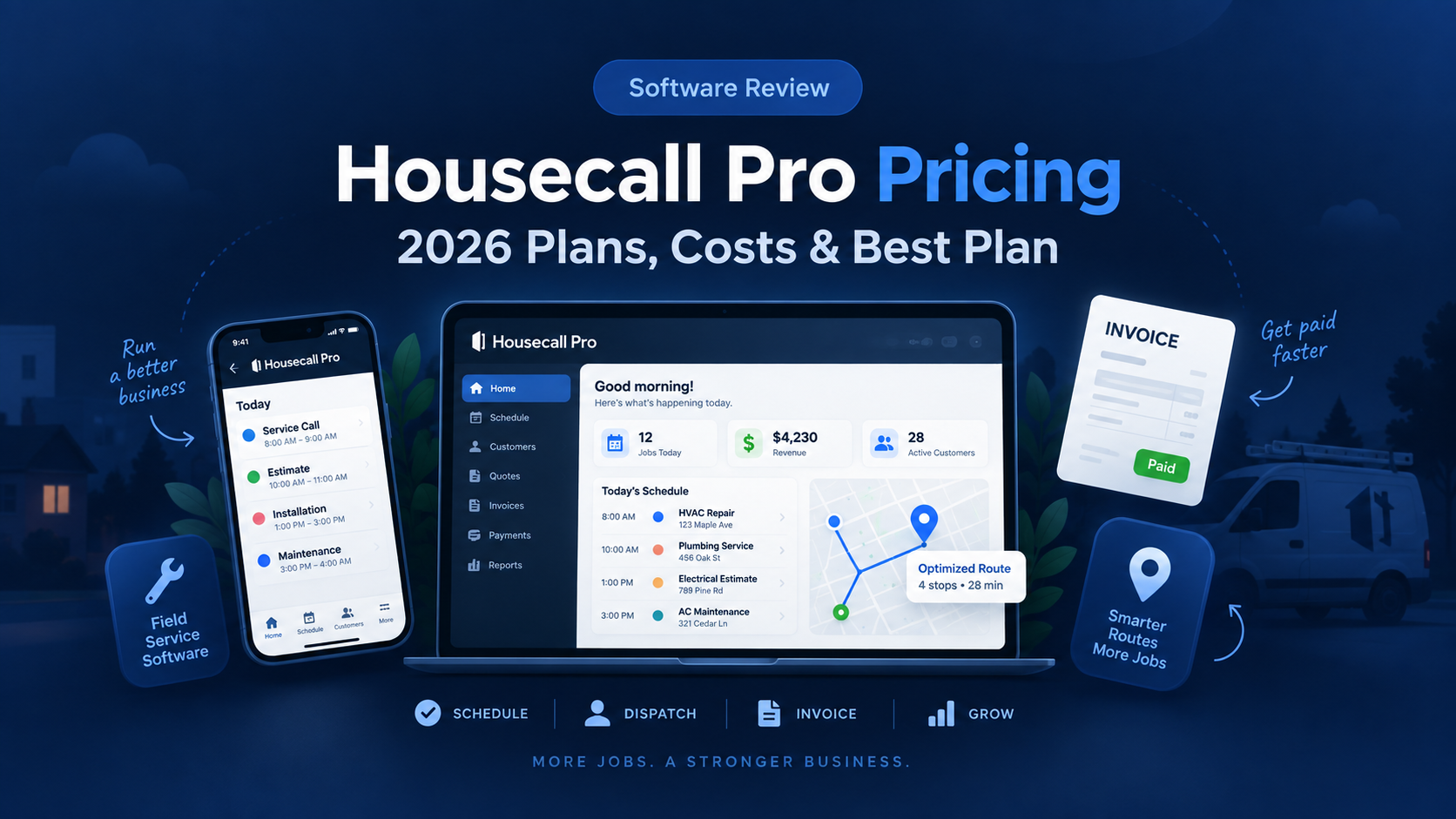
Housecall Pro is one of the most popular field service management platforms for home service businesses.
It combines scheduling, dispatching, customer management, estimates, invoicing, payments, online booking, and mobile tools in one system.
But Housecall Pro pricing can be confusing because the total cost depends on your plan, billing cycle, team size, industry, and any additional products you choose.
The standard platform currently has three main plans:
Basic
Essentials
MAX
So how much does Housecall Pro actually cost in 2026, and which plan offers the best value for your business?
In this guide, we break down Housecall Pro pricing, plan differences, user limits, important features, potential add-on costs, and which plan makes sense for different types of home service businesses.
Pricing and features were reviewed in September 2026 and may change over time.
Housecall Pro Pricing at a Glance
| Plan | Annual Price | Monthly Price | Included Users | Best For |
|---|---|---|---|---|
| Basic | $59/month | $79/month | 1 | Solo operators |
| Essentials | $149/month | $189/month | Up to 5 | Growing service teams |
| MAX | $299/month | $329/month | Up to 8 | Larger field-service businesses |
Housecall Pro currently offers a 14-day free trial with no credit card required.
Annual billing provides the lower advertised monthly rate.
Housecall Pro Basic Pricing
Housecall Pro Basic currently costs:
$59/month when billed annually
or:
$79/month when billed monthly
Basic includes one user.
What Does Housecall Pro Basic Include?
Basic provides the core tools needed to run a small field-service business.
Important features include:
- Scheduling
- Dispatching
- Online booking
- Quotes
- Invoices
- Payments
- Review management
- Mobile access
- Customer management
This means a solo contractor can manage much of the customer lifecycle from one platform.
A typical workflow might look like:
Customer books → Job scheduled → Estimate sent → Work completed → Invoice → Payment
Scheduling and Dispatching
Scheduling and dispatching are included in Basic.
Housecall Pro allows businesses to create appointments and assign technicians from a central schedule.
For a solo contractor, this may simply replace a standard calendar.
For a growing company, it becomes more valuable because jobs remain connected with customer information, estimates, invoices, and payments.
Online Booking
Customers can book services online.
This can reduce the number of calls or messages required to schedule routine work.
Online booking can be particularly useful for businesses that receive leads through:
- Their website
- Social media
- Local advertising
Quotes and Estimates
Basic includes quoting functionality.
Contractors can prepare and send estimates digitally instead of relying on handwritten paperwork or PDFs created in another system.
Invoicing and Payments
Housecall Pro allows contractors to create invoices and accept customer payments.
Invoices can also be connected directly with completed jobs.
That reduces duplicate data entry between scheduling and billing systems.
Review Management
Basic also includes review-management tools.
Online reviews matter heavily to local service companies because many customers compare contractors through Google before making contact.
Automatically making review requests part of the workflow can help businesses collect more feedback without manually messaging every customer.
Who Is Basic Best For?
Basic makes the most sense for:
- Solo HVAC technicians
- Solo plumbers
- Independent electricians
- Cleaning business owners
- Handymen
- Lawn care operators
- Small landscaping companies
- Other one-person service businesses
Basic Limitations
The biggest limitation is the one-user structure.
Once several field employees need access, a business will likely need Essentials or another configuration.
Basic also does not include every advanced feature available on higher plans.
Basic Verdict
Basic is the logical starting point for a solo contractor who wants professional field-service software without immediately paying for a team-oriented plan.
Housecall Pro Essentials Pricing
Housecall Pro Essentials currently costs:
$149/month when billed annually
or:
$189/month when billed monthly
Essentials includes up to five users.
That makes Essentials fundamentally different from Basic.
It is designed for businesses that have moved beyond a single owner-operator.
What Does Essentials Add?
Essentials includes Basic features and adds tools aimed at growing teams.
Current highlights include:
- Routes
- Flat-rate pricing
- Custom checklist automations
- Photo reports and annotations
- Employee GPS tracking
- Commissions
- QuickBooks Online synchronization
These features focus more heavily on managing field employees and standardizing operations.
Routing
Routing can become extremely valuable once multiple technicians or crews are working throughout the day.
A business may have ten jobs scheduled across a city.
Poor route planning can create:
- Unnecessary fuel costs
- More driving time
- Late arrivals
- Fewer completed jobs
Housecall Pro’s routing tools can help group and sequence work.
For businesses with multiple service vehicles, this may be one of the strongest reasons to move beyond Basic.
Flat-Rate Pricing
Essentials includes flat-rate pricing functionality.
Housecall Pro allows contractors to build service prices using actual costs such as labor and materials.
Material markups and labor rates can then be incorporated into standardized service pricing.
This can be especially useful for:
- HVAC businesses
- Plumbing companies
- Electrical contractors
Instead of every technician calculating a different price, the company can maintain a consistent pricing system.
Price Book
Housecall Pro also provides industry-oriented pricebook functionality.
Its default pricebooks include service descriptions, while HVAC, plumbing, and electrical businesses receive deeper pre-built categories and service content.
A pricebook can improve consistency across the field team.
It also makes it easier to update pricing centrally when labor or material costs change.
Employee GPS Tracking
Essentials includes employee GPS tracking using technicians’ mobile devices.
This can help dispatchers understand where field employees are located.
The goal is not simply monitoring workers.
For service companies, location information can help make better dispatch decisions.
If an emergency call arrives, knowing which technician is closest may allow the business to respond faster.
Checklists
Custom checklist automation can help standardize job completion.
For example, an HVAC company might require technicians to document:
- Equipment condition
- Measurements
- Photos
- Customer approval
- Final cleanup
A cleaning business might use a completely different checklist.
Standardizing required steps can reduce inconsistency between employees.
QuickBooks Online Integration
Essentials includes QuickBooks Online synchronization.
This allows businesses using Housecall Pro for field-service operations to connect relevant information with their accounting workflow.
It can reduce the amount of data employees need to enter manually into both systems.
Commissions
Housecall Pro also supports employee commissions.
Companies can create different commission structures depending on services, products, or job types.
This is particularly relevant for companies that compensate technicians partially based on sales or completed work.
Who Is Essentials Best For?
Essentials is best suited to businesses that:
- Have multiple technicians
- Need better dispatching
- Want route management
- Need GPS visibility
- Use QuickBooks Online
- Want standardized pricing
- Want field checklists
- Manage employee commissions
Essentials Verdict
Essentials is likely the most practical Housecall Pro plan for a growing home service business with several field employees.
The jump from $59 to $149 per month is substantial, but the plan includes up to five users and adds tools specifically designed for multi-person operations.
Housecall Pro MAX Pricing
Housecall Pro MAX currently costs:
$299/month when billed annually
or:
$329/month when billed monthly
MAX includes up to eight users.
Additional users are currently listed at approximately $35 per month each.
MAX is intended for businesses that have reached a higher level of operational complexity.
What Does MAX Add?
Housecall Pro describes MAX as its plan for scaling businesses that need more advanced tools and support.
MAX includes the lower-plan features alongside expanded functionality and access to additional capabilities.
Housecall Pro also highlights AI team members and its larger community resources for MAX users.
Who Is MAX Best For?
MAX becomes more relevant when a business:
- Has several technicians
- Runs multiple crews
- Handles high job volume
- Needs deeper operations
- Wants more automation
- Needs stronger team-management tools
- Requires additional users
- Is already generating enough revenue to justify a $300+ monthly software cost
A solo contractor would rarely need this plan.
The Real Cost of MAX
The advertised annual rate is:
$299/month
which represents approximately:
$3,588 per year
before taxes, add-ons, payment processing, or extra users.
If the business needs more than eight users, additional user fees can increase the total further.
That means MAX should be treated as an operational investment rather than a casual software subscription.
MAX Verdict
MAX makes the most sense when a growing field-service company’s operational complexity is already costing more than the software itself.
If better dispatching, automation, team coordination, and reporting save dozens of employee hours per month, the higher price may be easier to justify.
Is Housecall Pro Free?
Housecall Pro does not currently offer a permanent free plan.
It does offer a:
14-day free trial
and currently states that no credit card is required to begin the trial.
That makes the trial particularly useful for evaluating whether employees actually like the workflow before committing to an annual subscription.
Annual vs. Monthly Housecall Pro Pricing
Annual billing currently produces the lowest advertised rates.
Basic
Monthly:
$79/month
Annual:
$59/month
Annual difference:
$20/month
or approximately:
$240/year
Essentials
Monthly:
$189/month
Annual:
$149/month
Difference:
$40/month
or approximately:
$480/year
MAX
Monthly:
$329/month
Annual:
$299/month
Difference:
$30/month
or approximately:
$360/year
For businesses confident that Housecall Pro fits their workflow, annual billing can produce meaningful savings.
However, businesses should use the free trial first rather than committing solely because the annual price looks cheaper.
Does Housecall Pro Require a Long-Term Contract?
Housecall Pro currently states that its standard software does not require customers to be locked into a long-term contract and that businesses can cancel their subscription.
However, billing terms and specialized packages should always be reviewed before purchasing.
Does Housecall Pro Charge Per User?
The standard plans use different included user limits.
Currently:
Basic: 1 user
Essentials: up to 5 users
MAX: up to 8 users
MAX currently lists additional users at approximately $35/month each.
This means the cheapest plan is not necessarily the cheapest option for a team.
For example, a five-person business should compare Essentials as a full team package rather than treating Basic’s $59 price as its expected cost.
Housecall Pro Add-On Costs
The standard subscription is not necessarily the total cost.
Housecall Pro offers additional products and capabilities that can increase the monthly software bill.
These can include products related to:
- Service Plans
- Sales Pipeline
- Sales Proposal Tool
- Voice
- Marketing
- Industry packages
- Additional users
Housecall Pro’s own documentation notes that some features are paid add-ons depending on the selected plan.
Housecall Pro Voice Pricing
Businesses wanting phone functionality may also consider Housecall Pro Voice.
Current Housecall Pro documentation lists:
Call tracking starting at $45/month plus overages
and:
VoIP + call tracking starting at $65/month plus overages.
That cost should be considered separately from the standard Housecall Pro subscription.
A company replacing another business phone system may find this useful.
Another company may prefer to keep its existing phone provider.
Housecall Pro Campaign Pricing
Housecall Pro also offers paid email and SMS Campaign plans.
Current pricing includes:
Basic Campaign: $9/month
Essentials Campaign: $19/month
MAX Campaign: $49/month
with different message allowances.
The Campaigns product is currently limited to eligible U.S.-based Pros.
Again, these costs are separate from the standard field-service subscription.
Housecall Pro Service Plans
Housecall Pro supports recurring service plans, sometimes called:
- Maintenance plans
- Membership plans
- Care clubs
- Planned maintenance programs
The system can track active plans, recurring revenue, upcoming billing, and unscheduled visits.
This is especially useful for industries such as:
- HVAC
- Plumbing
- Electrical
Recurring service plans can help contractors create more predictable customer relationships instead of relying entirely on one-time emergency work.
Does Housecall Pro Have Industry-Specific Pricing?
Yes.
This is important.
Housecall Pro sells specialized packages for certain trades, including HVAC, plumbing, and electrical.
These packages can have different pricing from the general field-service plans.
For example, Housecall Pro’s July 2026 HVAC documentation lists different prices for some HVAC-specific configurations than the general $59/$149/$299 annual plan structure.
That means an HVAC, plumbing, or electrical contractor should not assume the standard pricing page represents the final cost of every industry package.
Always request or verify the actual configuration before purchasing.
Which Housecall Pro Plan Is Best for a Solo Contractor?
For most solo contractors:
Basic is the logical starting point.
It includes the essential workflow:
Booking → Scheduling → Quote → Job → Invoice → Payment
At $59 per month with annual billing, it costs more than some competitors’ entry plans, but it also provides field-service functionality in one system.
Which Housecall Pro Plan Is Best for a Small Team?
For a team with two to five people:
Essentials deserves the strongest consideration.
It includes up to five users and adds:
- Routing
- Flat-rate pricing
- GPS tracking
- Checklists
- Commissions
- QuickBooks Online synchronization
Those features are much more relevant once multiple employees need to work from the same system.
Which Housecall Pro Plan Is Best for a Growing Business?
For a business with several technicians and increasing operational complexity:
MAX may become appropriate.
However, moving from Essentials to MAX is a significant price increase.
Businesses should identify which MAX-specific capabilities actually solve a measurable operational problem before upgrading.
Housecall Pro Pricing for HVAC Businesses
HVAC contractors often require more than basic scheduling.
They may need:
- Equipment history
- Flat-rate pricing
- Membership plans
- Sales proposals
- Pricebooks
- Technician dispatching
Housecall Pro offers HVAC-specific packages designed around these workflows.
Because specialized HVAC pricing can differ from standard pricing, HVAC companies should verify the package cost directly rather than relying only on the general pricing page.
Housecall Pro Pricing for Plumbing Businesses
Plumbing companies commonly need:
- Emergency dispatch
- Pricebooks
- Flat-rate pricing
- Memberships
- Estimates
- Invoicing
- Payments
Housecall Pro now offers a dedicated Plumbing Package with specialized workflows and tools for residential and light-commercial plumbing businesses.
Plumbers should compare both standard Housecall Pro pricing and the current plumbing package before purchasing.
Housecall Pro Pricing for Electrical Contractors
Electrical contractors can also access trade-specific functionality.
Housecall Pro’s electrical offering includes field-service tools around dispatching, job checklists, estimates, payments, pricing, and other electrical workflows.
Companies selling high-ticket electrical work may particularly value pricing and proposal tools on higher levels.
Housecall Pro vs. Jobber Pricing
One of the most common Housecall Pro alternatives is Jobber.
Jobber’s entry-level Core plan currently starts lower than Housecall Pro Basic.
That can make Jobber attractive for solo contractors primarily focused on affordability.
Housecall Pro, however, places stronger emphasis on dispatching and trade-oriented operations as a company adds field employees.
The right choice depends on more than the entry price.
A company should compare:
- Required users
- Scheduling needs
- Dispatch complexity
- Automation
- Job costing
- Pricing tools
- Trade-specific functionality
- Add-ons
If you are deciding between the two, see our full Jobber vs Housecall Pro comparison.
Is Housecall Pro Worth $59 Per Month?
For a contractor replacing several disconnected systems, it can be.
Consider a solo business currently using:
- Personal calendar
- Spreadsheet
- Handwritten estimates
- Separate invoice software
- Payment app
- Text messages
Housecall Pro can combine many of those workflows.
If the software saves several administrative hours each month, the $59 annual-plan equivalent may be relatively easy to justify.
But software provides little value if the business continues using all of its old processes.
The real return comes from moving actual workflows into the platform.
Is Housecall Pro Worth $149 Per Month?
Essentials requires a different calculation.
A five-person company paying $149 per month is effectively spending roughly:
$29.80 per included user per month
before other costs.
At this stage, routing, GPS tracking, pricing consistency, checklists, and automation may produce more value than they would for a solo contractor.
For a team, the question should be:
Can better coordination save more than $149 of labor and lost opportunity each month?
For many busy service businesses, that threshold may be achievable.
Is Housecall Pro Worth $299 Per Month?
MAX makes sense only when the business has enough operational complexity.
A company spending $299 per month is investing nearly:
$3,600 per year
before additional products.
That may sound expensive.
But if better operations allow a large team to complete even a few additional profitable jobs, reduce missed leads, or eliminate significant office workload, the software can still create positive ROI.
The larger the business becomes, the less useful it is to evaluate software based solely on subscription cost.
Housecall Pro Pros
- Strong scheduling and dispatching
- Built for field-service businesses
- Online booking
- Quotes and proposals
- Digital invoices
- Online payments
- Review management
- Mobile apps
- Routing on higher plans
- Employee GPS tracking
- Flat-rate pricing
- QuickBooks Online integration
- Industry-specific packages
- Free 14-day trial
Housecall Pro Cons
- Higher starting price than some competitors
- Basic includes only one user
- Advanced tools require higher plans
- Add-ons can increase the total cost
- Industry-specific packages may use different pricing
- Large teams may pay several hundred dollars per month
- Total software cost can become harder to predict when several additional products are used
Which Housecall Pro Plan Should You Choose?
A simple breakdown:
Choose Basic if:
You are a solo operator and primarily need scheduling, dispatching, quotes, invoices, payments, and online booking.
Choose Essentials if:
You have a small team and need routing, GPS tracking, QuickBooks Online, standardized pricing, checklists, and better team management.
Choose MAX if:
You operate a larger field-service team and require more advanced operational capabilities, additional users, automation, and support.
Our Recommendation
For most solo home service contractors, start with Basic and use the 14-day trial before committing to annual billing.
If you already manage several technicians, Essentials is likely the more relevant plan because many of its features specifically address multi-person operations.
The five included users, routing, flat-rate pricing, GPS tracking, checklists, and QuickBooks synchronization can provide significantly more operational value than Basic.
MAX is much more situational.
It makes sense when the company has enough employees, revenue, and operational complexity to justify a subscription of roughly $300 per month.
Do not automatically choose the cheapest plan.
And do not automatically choose the plan with the longest feature list.
Choose the least expensive plan that solves the operational problems your business actually has.
Frequently Asked Questions
How much does Housecall Pro cost per month?
Housecall Pro currently starts at $59 per month for Basic when billed annually.
Essentials starts at $149 per month annually, and MAX starts at $299 per month annually.
How much is Housecall Pro if paid monthly?
Current monthly pricing is approximately:
Basic: $79/month
Essentials: $189/month
MAX: $329/month.
Does Housecall Pro have a free plan?
No permanent free plan is currently advertised.
Housecall Pro offers a 14-day free trial with no credit card required.
How many users are included?
Current standard plans include:
Basic: 1 user
Essentials: up to 5 users
MAX: up to 8 users.
How much are additional Housecall Pro users?
Housecall Pro currently lists additional MAX users at approximately $35 per month each.
Does Housecall Pro include QuickBooks?
QuickBooks Online synchronization is included with Essentials according to the current standard pricing feature list.
Does Housecall Pro include flat-rate pricing?
Flat-rate pricing is included in applicable higher plan configurations such as Essentials and is designed to incorporate labor, material markups, and business costs into service prices.
Is Housecall Pro cheaper than Jobber?
At the standard entry level, Jobber currently starts at a lower monthly price.
However, comparing only entry prices can be misleading because included users and higher-plan functionality differ.
Is Housecall Pro good for HVAC businesses?
Yes.
Housecall Pro offers HVAC-specific software and packages with scheduling, dispatching, equipment-related functionality, flat-rate pricing, proposals, and other contractor tools.
Methodology: BizToolRadar evaluates software using publicly available product documentation, official pricing pages, current feature documentation, and how each platform fits common home-service workflows. We do not claim hands-on testing unless a product has actually been tested by our editorial team.
Last reviewed: September 2026. Pricing, promotions, user limits, add-ons, industry packages, payment-processing fees, and features may change. Always confirm current pricing directly with Housecall Pro before purchasing.