Category: Cleaning

CRM, booking, scheduling, invoicing, route planning, and AI tools for cleaning businesses.

  • 5 Best Cleaning Business Software in 2026

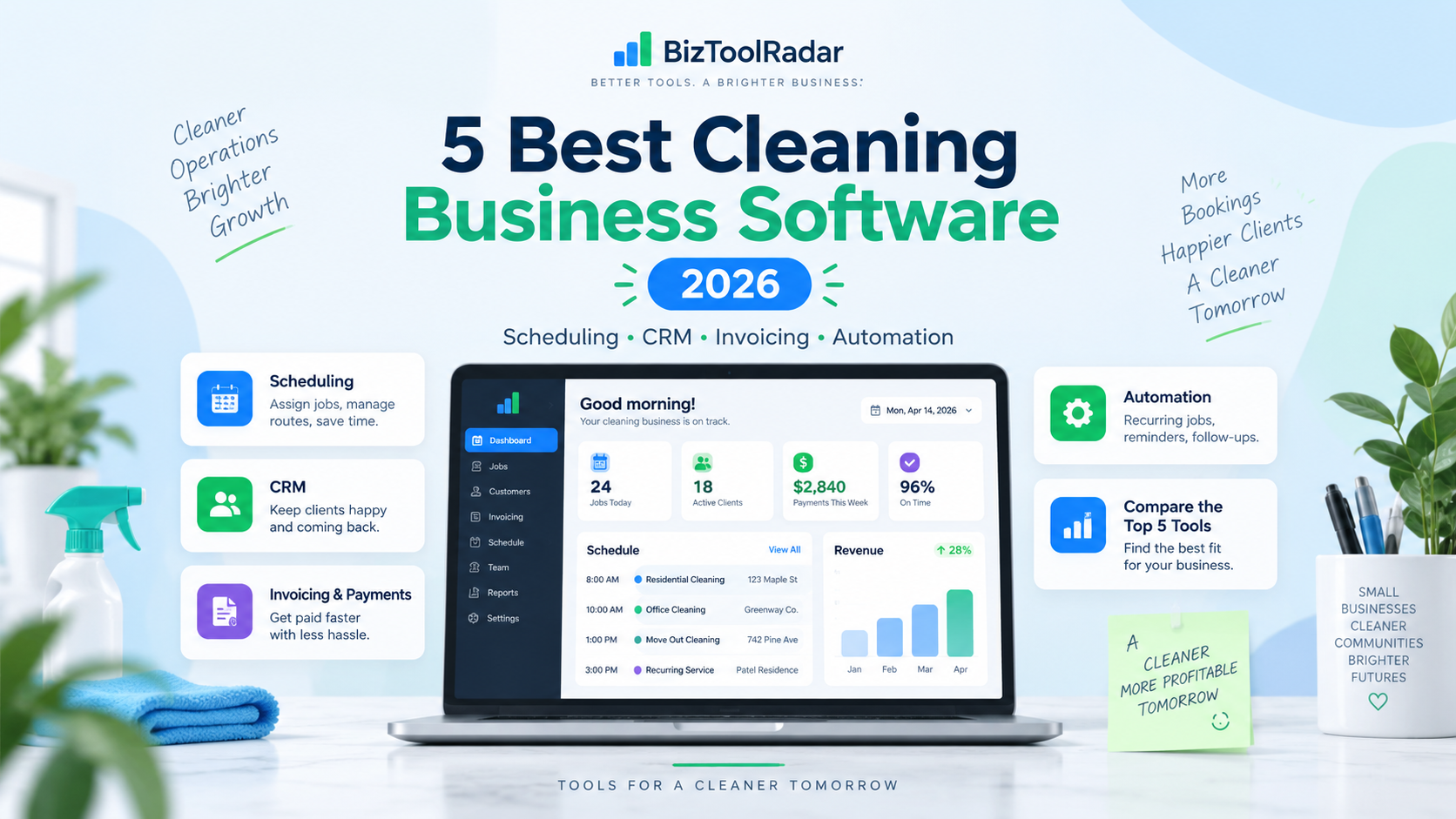
    5 Best Cleaning Business Software in 2026

    Running a cleaning business can quickly become complicated.

    At first, a calendar, spreadsheet, phone, and payment app may be enough.

    But once you start managing recurring customers, multiple cleaners, quotes, invoices, schedule changes, payments, customer notes, and new leads, those separate tools can create more work than they save.

    Cleaning business software brings many of those tasks together in one system.

    Depending on the platform, you can manage customer information, book jobs, assign cleaners, send reminders, create invoices, accept payments, track employee hours, and monitor business performance.

    In this guide, we compare five of the best cleaning business software platforms in 2026.

    We evaluated each product based on its cleaning-industry fit, scheduling, customer management, invoicing, automation, team management, pricing, and overall usefulness for a growing cleaning company.

    Pricing and features were reviewed in September 2026 and may change over time.

    Quick Comparison

    SoftwareBest ForStarting PriceKey Strength
    ZenMaidResidential cleaning businesses$19/monthCleaning-specific all-in-one tools
    JobberGrowing service businesses$29/month with annual billingComplete business management
    Housecall ProMulti-crew cleaning businesses$59/month with annual billingScheduling and dispatch
    BookingKoalaOnline booking businesses$27/monthBooking and automation
    SweptCommercial cleaning companies$30/monthJanitorial workforce management

    1. ZenMaid — Best Overall for Residential Cleaning Businesses

    Best for: Residential cleaning and maid service companies that want software designed specifically for their industry.

    ZenMaid is our overall recommendation for many small and midsize residential cleaning businesses.

    Unlike general field-service platforms that serve dozens of industries, ZenMaid focuses specifically on maid and cleaning companies.

    That specialization is important.

    Cleaning businesses often rely heavily on recurring weekly, biweekly, or monthly customers. They also need customer notes, cleaner assignments, reminders, invoices, payments, and schedule management.

    ZenMaid brings those workflows together.

    Key Features

    ZenMaid includes tools for:

    • One-time and recurring appointments
    • Cleaner scheduling
    • Customer profiles
    • Automated emails and SMS
    • Online booking
    • Invoicing
    • Online payments
    • Customer notes
    • Calendar and dispatch views
    • Mobile access

    One of its biggest advantages is recurring scheduling.

    Instead of manually recreating appointments for regular customers, cleaning businesses can set recurring schedules and manage them from one calendar.

    Customer records can also include important information such as addresses, contact details, cleaning preferences, service history, and notes.

    Pricing

    ZenMaid currently starts at:

    Starter: $19/month

    The Starter plan is designed for smaller cleaning businesses with up to 40 appointments per month.

    Higher plans include:

    Pro: $39/month

    Pro Max: $49/month

    The owner account is included in the base plan.

    Additional cleaners, contractors, and office users have additional per-user charges depending on the selected plan.

    Why We Like It

    ZenMaid does not require a cleaning company to adapt generic software to its workflow.

    A customer can move through a fairly natural process:

    Customer inquiry → Booking → Cleaning appointment → Payment → Follow-up → Recurring service

    inside the same platform.

    This can significantly reduce the number of separate tools a small cleaning company needs.

    Downsides

    The pricing model becomes more expensive as additional employees are added.

    Businesses that offer cleaning alongside plumbing, HVAC, landscaping, or other services may also prefer a broader field-service platform.

    Verdict

    Choose ZenMaid if residential cleaning is your primary business and you want an affordable platform designed specifically around maid-service workflows.

    2. Jobber — Best All-in-One Cleaning Business Software

    Best for: Cleaning businesses that want one platform for customers, jobs, quotes, scheduling, invoicing, and payments.

    Jobber is broader than ZenMaid.

    It supports cleaning businesses as well as HVAC, landscaping, plumbing, electrical, and many other service industries.

    That makes Jobber particularly useful for cleaning companies that want a complete field-service management platform.

    Rather than focusing on only one part of the business, Jobber connects much of the customer lifecycle.

    Key Features

    Jobber includes tools for:

    • CRM and customer records
    • Online booking
    • Scheduling
    • Recurring jobs
    • Quotes
    • Invoicing
    • Online payments
    • Job management
    • Lead tracking
    • Customer reminders
    • Reporting
    • Mobile access

    A new customer can request service online, receive a quote, become a scheduled job, receive an invoice, and pay without the business constantly moving information between different systems.

    Customer Management

    Jobber’s client management tools make it possible to keep customer information associated with the actual work being performed.

    Cleaning companies can maintain customer details, job history, quotes, invoices, property information, and communications.

    This is especially helpful once multiple employees need access to the same customer information.

    Scheduling

    Jobber also provides centralized scheduling for jobs, appointments, and tasks.

    Recurring jobs make the platform particularly relevant for cleaning businesses with regular customers.

    Employees can access their schedules through the mobile app while office staff manage assignments centrally.

    Invoicing and Payments

    After a cleaning is completed, businesses can create invoices and collect online payments.

    This creates a more connected workflow than using completely separate scheduling and invoicing applications.

    Pricing

    Jobber’s Core plan currently starts at:

    $29/month when billed annually

    Core supports one user and includes key functionality such as online booking, quotes, jobs, invoices, payments, and reporting.

    Higher plans add more users, automation, customer communication, job costing, advanced lead management, and other capabilities.

    Why We Like It

    Jobber provides one of the strongest combinations of customer management and field operations.

    It can potentially replace several separate applications.

    For a growing cleaning business, that can reduce duplicated work.

    Downsides

    Costs increase substantially as a business needs more users and advanced features.

    A small maid service with simple requirements may find a cleaning-specific platform such as ZenMaid easier and cheaper.

    Verdict

    Choose Jobber if you want an all-in-one system that can handle both customer management and the daily operation of a growing service business.

    3. Housecall Pro — Best for Growing Teams and Dispatching

    Best for: Cleaning companies managing multiple cleaners or crews across different customer locations.

    Housecall Pro is another major field-service management platform.

    Its strength is particularly noticeable once a business begins coordinating several field employees.

    Scheduling one cleaner is simple.

    Scheduling ten cleaners across dozens of homes while dealing with cancellations, travel time, recurring jobs, and last-minute changes is much harder.

    Housecall Pro provides scheduling and dispatch tools designed to handle that type of operation.

    Key Features

    Housecall Pro provides:

    • Scheduling
    • Dispatching
    • Recurring jobs
    • Customer management
    • Online booking
    • Quotes
    • Invoicing
    • Payments
    • Customer notifications
    • Route tools
    • Mobile apps
    • Reporting

    The dispatch calendar allows office staff to see which technicians or cleaners are assigned to jobs and move appointments when plans change.

    Scheduling and Dispatch

    Housecall Pro’s drag-and-drop scheduling makes it easier to rearrange jobs.

    This can be valuable when a cleaner calls out, a customer cancels, or a new appointment needs to be inserted into the day.

    Route-related features can also help businesses manage employees traveling between customer locations.

    Pricing

    Housecall Pro currently starts at:

    Basic: $59/month when billed annually

    Monthly billing for Basic is higher.

    The Basic tier is intended for a single user and includes core field-service functions such as scheduling, dispatching, invoicing, and mobile access.

    Higher tiers support more users and advanced capabilities.

    Why We Like It

    Housecall Pro becomes more valuable as the scheduling problem becomes more complicated.

    It is less about maintaining a simple customer calendar and more about managing a field-service operation.

    Downsides

    It costs significantly more than some cleaning-specific entry-level software.

    Some small cleaning businesses may pay for capabilities they do not yet need.

    Verdict

    Choose Housecall Pro when coordinating multiple cleaners, crews, routes, and appointments has become one of the most difficult parts of running your business.

    4. BookingKoala — Best for Online Booking and Automation

    Best for: Cleaning businesses that want customers to book and pay through their website with minimal manual involvement.

    BookingKoala approaches cleaning-business management from an online booking perspective.

    Its platform combines website tools, booking forms, customer accounts, scheduling, payments, leads, and automation.

    This makes it particularly attractive for cleaning companies that acquire customers online.

    Key Features

    BookingKoala includes:

    • Customizable booking forms
    • Online pricing
    • Smart scheduling
    • Customer accounts
    • Provider scheduling
    • Payments
    • Lead capture
    • Service areas
    • Multiple locations
    • Gift cards
    • Customer ratings
    • Referral tools
    • Marketing automation on higher plans

    A business can create a booking form where customers choose services and see available options.

    That customer can potentially go from discovering the company to booking a cleaning without speaking to someone in the office.

    Online Booking

    This is where BookingKoala stands out.

    Businesses can create configurable booking forms and define pricing based on different factors.

    Customers can select services and available appointments through the website.

    For companies generating leads from Google Ads, social media, or SEO, reducing the number of steps required to book may be particularly valuable.

    Pricing

    BookingKoala currently starts at:

    Starter: $27/month

    The Starter plan supports up to five service providers or the equivalent storage allowance.

    Higher tiers include:

    Growing: $57/month

    Premium: $197/month

    Higher plans increase provider capacity and add more automation and marketing features.

    Why We Like It

    BookingKoala can help turn a cleaning company’s website into more than a basic brochure.

    Instead of asking every customer to submit a contact form and wait for a callback, businesses can allow customers to move directly into the booking process.

    Downsides

    BookingKoala has many customization options, which can make initial configuration more involved.

    Businesses primarily interested in employee management or commercial janitorial operations may prefer another platform.

    Verdict

    Choose BookingKoala if online booking and converting website visitors into paying cleaning customers are major priorities.

    5. Swept — Best for Commercial Cleaning and Janitorial Businesses

    Best for: Commercial cleaning companies managing cleaners across offices, facilities, buildings, and other client locations.

    Residential and commercial cleaning businesses often operate very differently.

    Residential cleaners may travel from house to house during the day.

    Commercial janitorial teams may work recurring shifts at offices, schools, medical facilities, or large buildings.

    Swept is designed specifically around commercial cleaning operations.

    Key Features

    Swept provides tools for:

    • Employee scheduling
    • Recurring shifts
    • Mobile time tracking
    • GPS-verified clock-ins
    • Payroll reporting
    • Cleaning instructions
    • Inspections
    • Checklists
    • Team communication
    • Client communication
    • Supply management
    • Work orders
    • Profitability tracking

    This makes it much more focused on workforce operations and quality control than many residential cleaning platforms.

    Time Tracking

    Commercial cleaning companies often need accurate records showing when employees arrived at a client location and how long they worked.

    Swept provides mobile clock-in and clock-out functionality along with location verification.

    This can reduce reliance on paper timesheets and simplify payroll preparation.

    Inspections and Quality Control

    Quality control is particularly important in commercial cleaning contracts.

    Swept includes inspection tools where managers can document work with notes, photos, and reports.

    Cleaners can also use checklists to understand exactly what needs to be completed at a location.

    Scheduling

    Managers can create and assign recurring shifts for cleaning locations.

    Employees can view their schedules through the mobile platform, helping reduce confusion about who is supposed to work at each property.

    Pricing

    Swept currently offers an entry option starting at approximately:

    $30/month

    Its Launch offering includes scheduling and time-tracking functionality aimed at commercial cleaning businesses.

    Pricing and included capabilities vary depending on the selected package and business requirements.

    Why We Like It

    Swept solves a different problem from many products in this guide.

    It is not simply about booking homeowners.

    It is about operating a janitorial workforce across multiple commercial locations while proving that cleaning work was completed.

    Downsides

    A solo residential cleaner probably does not need many of Swept’s commercial workforce features.

    Businesses primarily focused on consumer online booking may find ZenMaid or BookingKoala more suitable.

    Verdict

    Choose Swept if your company primarily provides commercial cleaning or janitorial services and you need stronger employee, location, inspection, and quality-control tools.

    Which Cleaning Business Software Is Best?

    There is no single platform that is best for every cleaning business.

    Our overall recommendation for small residential cleaning businesses is ZenMaid.

    Its combination of industry specialization and relatively low starting price makes it a strong place to start.

    For businesses that want a broader platform capable of handling much of the customer and job lifecycle, Jobber is our preferred all-in-one option.

    Companies coordinating multiple crews should consider Housecall Pro.

    Businesses focused heavily on website bookings should look at BookingKoala.

    And commercial janitorial companies should strongly consider Swept.

    A simple way to choose is:

    Residential maid service → ZenMaid

    All-in-one service management → Jobber

    Multiple crews and dispatch → Housecall Pro

    Online booking and automation → BookingKoala

    Commercial janitorial operations → Swept

    What Features Should Cleaning Business Software Have?

    The right feature set depends on how your company operates.

    However, several capabilities are particularly important for cleaning businesses.

    Scheduling

    Scheduling is one of the most important features.

    Look for software that can handle both one-time and recurring appointments.

    Weekly, biweekly, and monthly cleaning customers should be easy to manage without recreating appointments manually.

    Customer Management

    Customer information should be easy to find.

    Useful records may include:

    • Contact information
    • Property addresses
    • Appointment history
    • Cleaning preferences
    • Special instructions
    • Payment history
    • Service notes

    This becomes especially important when multiple employees interact with the same customer.

    Online Booking

    Online booking can reduce administrative work.

    Instead of exchanging multiple phone calls or messages, customers can select services and available appointment times themselves.

    For companies focused on online lead generation, this can be a major advantage.

    Invoicing and Payments

    Cleaning-business software should either provide invoicing and payments or integrate easily with software that does.

    Reducing the time between completing a cleaning and receiving payment can improve cash flow.

    Employee Management

    Once employees are added, look for features such as:

    • Job assignments
    • Mobile schedules
    • Time tracking
    • Clock-in and clock-out
    • Job notes
    • Checklists
    • Team communication

    The importance of these capabilities increases quickly as the business grows.

    Automated Communication

    Appointment reminders can reduce forgotten appointments and scheduling problems.

    Useful automation may include:

    • Booking confirmations
    • Appointment reminders
    • Quote follow-ups
    • Payment reminders
    • Post-cleaning messages
    • Review requests

    Each automated message can potentially remove another repetitive administrative task.

    Reporting

    A business should eventually understand more than just total revenue.

    Useful reporting can help identify:

    • Revenue trends
    • Employee performance
    • Job profitability
    • Outstanding invoices
    • Customer retention
    • Lead conversion

    More advanced companies may also want detailed job costing and profitability analysis.

    Cleaning Business Software vs. Separate Apps

    A new cleaning company may use several separate tools.

    For example:

    Google Calendar for appointments

    Google Sheets for customers

    QuickBooks for accounting

    Stripe or Square for payments

    Text messages for cleaner communication

    That setup can work.

    The problem is that information often has to be entered more than once.

    A customer changes their appointment.

    Now the calendar needs to change.

    The cleaner needs to be notified.

    The customer record may need updating.

    The invoice date could change.

    An integrated cleaning-business platform reduces this duplication.

    That does not mean every business needs an all-in-one system.

    Sometimes using several specialized tools is more flexible.

    The question is whether the time spent maintaining those separate applications is becoming more expensive than paying for integrated software.

    How Much Does Cleaning Business Software Cost?

    Entry-level cleaning business software can start at around $20 to $60 per month.

    More advanced platforms can cost hundreds of dollars per month.

    The actual cost depends on several factors:

    • Number of users
    • Number of cleaners
    • Number of locations
    • Number of appointments
    • Automation features
    • Marketing capabilities
    • Reporting requirements

    Do not choose software based only on the lowest advertised price.

    For example, a $20 platform that charges separately for every cleaner may eventually cost more than a platform offering multiple employees in one plan.

    Consider the likely cost when your business is larger, not only what it costs today.

    When Should You Start Using Cleaning Business Software?

    A solo cleaner with five customers probably does not need advanced software.

    The investment becomes easier to justify once administrative work starts interfering with actual business growth.

    Warning signs include:

    • Frequently forgetting follow-ups
    • Double-booking appointments
    • Manually recreating recurring jobs
    • Losing customer notes
    • Spending hours preparing schedules
    • Chasing unpaid invoices
    • Constantly texting employees about assignments
    • Maintaining several spreadsheets containing the same information

    If these problems occur regularly, software may save enough time to justify its monthly cost.

    Our Final Recommendation

    For most small residential cleaning businesses, we recommend starting with ZenMaid.

    Its cleaning-specific design makes it easier to manage recurring customers, cleaners, scheduling, communication, and payments without adopting an overly complicated system.

    Jobber is the stronger choice when you want a broader all-in-one field-service platform.

    Housecall Pro becomes attractive when managing crews and dispatch is a major challenge.

    BookingKoala is particularly useful for businesses built around online bookings.

    And Swept is our preferred option in this comparison for commercial janitorial businesses.

    Do not automatically choose the software with the longest feature list.

    Choose the platform that eliminates the biggest bottleneck in your cleaning business.

    If scheduling is consuming your time, prioritize scheduling.

    If leads are being forgotten, prioritize CRM.

    If customers struggle to book, prioritize online booking.

    And if you are managing dozens of cleaners across commercial locations, focus on workforce management and quality control.

    The best cleaning business software should ultimately help you spend less time managing software and more time growing your business.

    Frequently Asked Questions

    What is the best software for a small cleaning business?

    ZenMaid is our overall recommendation for many small residential cleaning businesses because it is built specifically for maid services and offers scheduling, customer management, communication, invoicing, and payments.

    Jobber is another strong option if you want broader field-service functionality.

    What software do cleaning companies use?

    Cleaning companies use a wide variety of platforms.

    Residential cleaning businesses may use software such as ZenMaid, Jobber, Housecall Pro, or BookingKoala.

    Commercial janitorial businesses may prefer workforce-oriented software such as Swept.

    Is there free cleaning business software?

    Some general business applications offer free versions, but dedicated all-in-one cleaning-business platforms typically require a monthly subscription.

    Very small businesses can initially combine free calendars, spreadsheets, and accounting tools before moving to dedicated software as they grow.

    What software is best for commercial cleaning companies?

    Swept is specifically designed for commercial cleaning and janitorial operations.

    Its tools focus on scheduling, employee time tracking, inspections, cleaning instructions, communication, supply management, and quality control across client locations.

    Does cleaning business software include invoicing?

    Many platforms do.

    ZenMaid, Jobber, Housecall Pro, and BookingKoala provide payment or invoicing-related functionality as part of their broader business-management systems.

    Businesses should still compare accounting requirements before replacing dedicated accounting software.

    Do I need both CRM and cleaning business software?

    Not necessarily.

    Many cleaning-business platforms already contain CRM-style customer-management features.

    A separate CRM may become useful when a larger company develops a more advanced sales and marketing process.


    Methodology: BizToolRadar evaluates software using publicly available product documentation, current pricing information, feature documentation, and how well each platform fits the workflows of the businesses covered. We do not claim hands-on testing unless a product has actually been tested by our editorial team.

    Last reviewed: September 2026. Pricing and features may change. Always confirm current terms with the software provider before purchasing.
  • 5 Best CRM Software for Cleaning Businesses in 2026

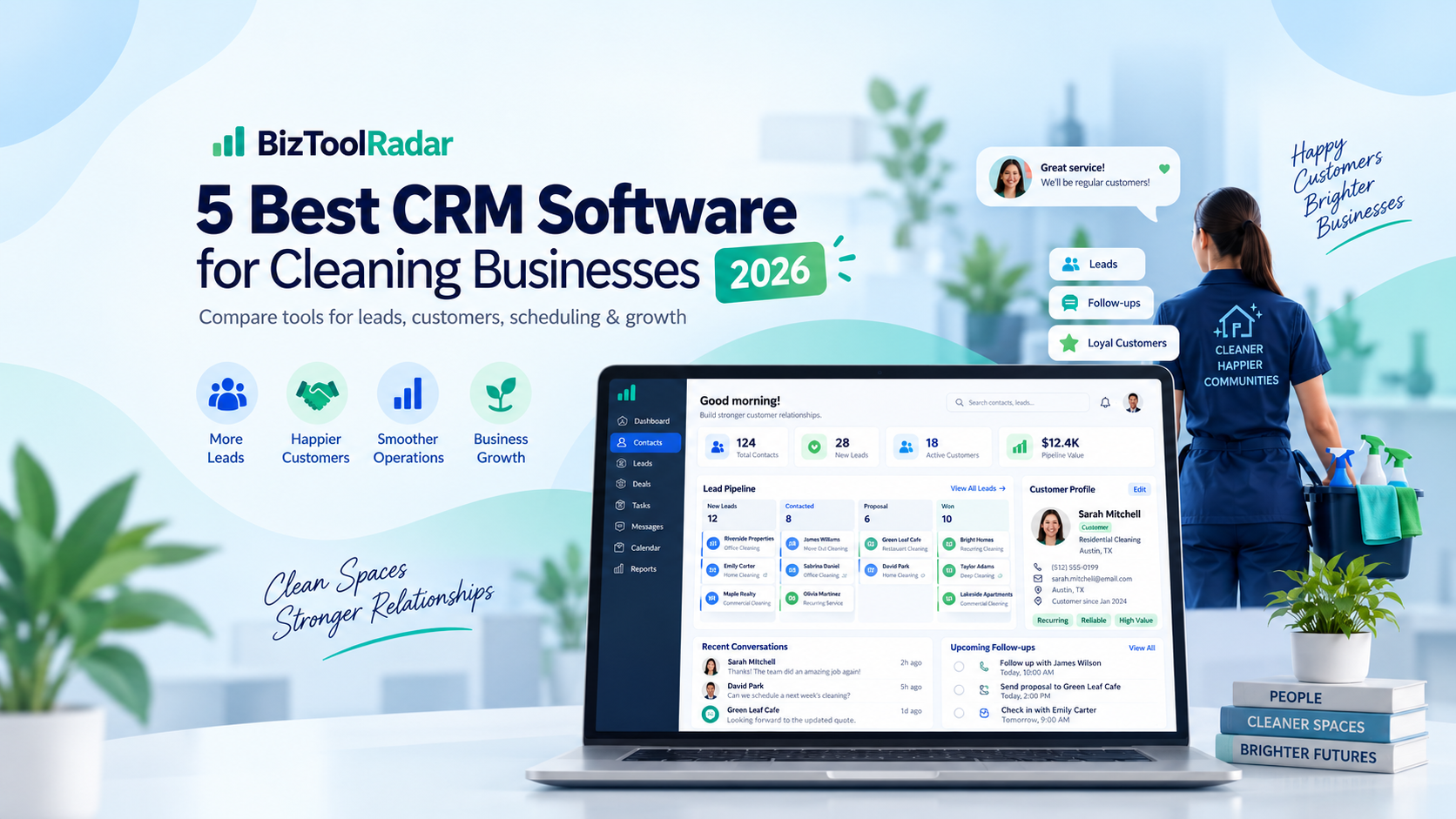
    5 Best CRM Software for Cleaning Businesses in 2026

    Running a cleaning business means managing much more than a list of customer names and phone numbers.

    You may need to track leads, remember customer preferences, manage recurring appointments, send quotes, follow up with prospects, store property details, collect payments, and keep your team informed.

    Once those details are spread across spreadsheets, text messages, calendars, and notebooks, it becomes increasingly difficult to provide consistent service.

    That is where customer relationship management software can help.

    The best CRM for a cleaning business should make it easy to organize customer information while also supporting the way a service business actually operates.

    In this guide, we compare five CRM options for cleaning businesses in 2026 based on customer management, lead tracking, automation, scheduling, pricing, and overall suitability for cleaning companies.

    Pricing and features were reviewed in September 2026 and may change over time.

    Quick Comparison

    SoftwareBest ForStarting PriceKey Strength
    ZenMaidResidential cleaning businesses$19/monthCleaning-specific CRM
    JobberAll-in-one service management$29/month with annual billingCRM + jobs + invoicing
    BookingKoalaOnline booking businesses$27/monthLead-to-booking workflow
    HubSpotBusinesses wanting a free CRM$0Lead and contact management
    MaidCentralEstablished cleaning companies$450/monthAdvanced cleaning operations

    1. ZenMaid — Best Overall CRM for Cleaning Businesses

    Best for: Residential cleaning and maid service businesses that want a CRM specifically designed for their industry.

    ZenMaid is our top overall choice because it combines customer management with the workflows cleaning businesses use every day.

    Rather than functioning as a traditional sales CRM that needs to be adapted for cleaning, ZenMaid is designed around cleaning customers, cleaners, recurring appointments, payments, and service communication.

    Customer information can be stored in centralized profiles instead of being scattered across spreadsheets, messages, and calendars.

    Useful CRM Features

    ZenMaid provides searchable customer contacts and detailed customer profiles.

    Businesses can keep track of phone numbers, email addresses, property addresses, appointment history, billing information, customer preferences, service notes, and custom fields.

    Past, current, and upcoming appointments can also be viewed from the customer profile.

    Communication is another important part of the platform.

    Cleaning businesses can send automated or custom emails and text messages, including appointment reminders and follow-up messages.

    Customer profiles can also include service ratings and information that helps cleaners understand each client’s individual preferences.

    Lead Management

    ZenMaid also helps businesses move prospects toward becoming paying customers.

    Its booking and quote forms can collect information from potential customers and connect those leads with the scheduling system.

    Automated follow-ups can reduce the chance that an interested prospect is forgotten after requesting information.

    For a residential cleaning company, this creates a relatively simple path:

    Lead → Quote or Booking → Appointment → Payment → Follow-Up

    without requiring multiple unrelated systems.

    Pricing

    ZenMaid currently offers three main plans:

    Starter: $19/month
    Pro: $39/month
    Pro Max: $49/month

    The owner profile is included in the base price.

    Additional cleaners, contractors, and office managers are charged separately depending on the selected plan.

    The Starter plan is designed for smaller businesses with up to 40 appointments per month.

    Why We Like It

    The biggest advantage of ZenMaid is specialization.

    A general CRM might be more powerful for complex sales pipelines, but many small cleaning businesses do not need enterprise sales software.

    They need a reliable place to store customer details, schedule recurring cleanings, communicate with customers, manage cleaners, and keep track of payments.

    ZenMaid brings those functions together in a system designed specifically around cleaning businesses.

    Downsides

    Pricing increases as additional users are added.

    Businesses that provide several different home services rather than primarily cleaning may prefer a broader field-service platform.

    Companies with sophisticated B2B sales pipelines may also find a traditional CRM such as HubSpot more flexible.

    Verdict

    Choose ZenMaid if you operate a residential cleaning or maid service and want customer management built directly into cleaning-business software.

    2. Jobber — Best All-in-One CRM for Service Businesses

    Best for: Cleaning businesses that want CRM, scheduling, quotes, jobs, invoices, and payments in one platform.

    Jobber is one of the strongest options for a cleaning company that wants to manage nearly the entire customer lifecycle from one system.

    Its client manager functions as a CRM where businesses can keep important customer information and job details organized.

    But unlike a traditional CRM, Jobber also connects those customer records directly with field-service operations.

    Useful CRM Features

    Jobber includes a client manager for maintaining customer information.

    Businesses can also track incoming requests, distinguish leads from active customers, manage job details, and maintain communication throughout the customer relationship.

    The Client Hub gives customers a self-service area where they can review quotes, see appointment details, and pay invoices.

    Online booking can also connect new customers directly with the company’s schedule.

    Lead Management

    Jobber’s lead-management features allow businesses to identify potential customers separately from active clients.

    This can be useful when someone requests a cleaning quote but has not yet booked.

    Rather than leaving that person’s information inside an email inbox or contact form, the business can keep the lead associated with its service workflow.

    Higher-level features can add additional automation and pipeline functionality for companies with more complex sales processes.

    Pricing

    Jobber’s Core plan currently starts at:

    $29/month when billed annually

    The same Core plan costs more when paid without an annual commitment.

    Core supports one user and includes core functions such as online booking, quotes, invoices, payments, reporting, and customer-management capabilities.

    Higher plans add features such as automated reminders, additional users, two-way messaging, job costing, automation, and more advanced lead management.

    Why We Like It

    Jobber is particularly attractive for a business that does not want separate software for every task.

    Your CRM record can connect to the actual service being delivered.

    For example:

    Customer request → Quote → Cleaning appointment → Job completion → Invoice → Payment

    can all happen inside the broader Jobber workflow.

    That makes it much more practical for field-service businesses than many sales-focused CRMs.

    Downsides

    Jobber can become significantly more expensive when additional users and advanced features are required.

    A small residential cleaning business that only needs basic scheduling and customer records may find ZenMaid simpler.

    Verdict

    Choose Jobber if you want an all-in-one CRM and field-service platform that can continue supporting your cleaning business as it grows.

    3. BookingKoala — Best CRM for Online Booking and Lead Conversion

    Best for: Cleaning businesses that generate customers through their website and want to automate the booking process.

    BookingKoala is not a traditional CRM in the same way as HubSpot.

    Instead, it combines customer management with online booking, scheduling, payments, and lead-generation tools.

    That makes it particularly interesting for cleaning businesses where customers frequently book services online.

    Useful CRM Features

    BookingKoala creates customer accounts that can store customer information, bookings, payment methods, and service activity.

    Customers can use their own dashboard to manage appointments, create new bookings, duplicate previous bookings, reschedule services, leave ratings, and update payment information.

    For the business owner, customer and booking information can be managed from a central administrative account.

    Lead Management

    BookingKoala provides lead-capture forms that can collect information from prospects.

    Businesses can then review those leads and attempt to convert them into paying customers.

    The platform’s real strength is what happens after that.

    A potential customer can move from your website into a customizable booking form, select cleaning services, view availability and pricing, and book the service.

    This reduces the number of manual steps between someone discovering your business and becoming a customer.

    Pricing

    BookingKoala currently starts at:

    Starter: $27/month
    Growing: $57/month
    Premium: $197/month

    The Starter plan includes up to five providers or 5 GB of storage.

    Growing supports up to 15 providers or 15 GB, while Premium starts with up to 50 providers or 50 GB and includes more advanced marketing capabilities.

    Why We Like It

    BookingKoala is especially useful for businesses that treat their website as a major sales channel.

    Instead of displaying a simple contact form that requires someone to call every lead back manually, customers can move directly toward booking.

    It also offers features around referrals, customer ratings, gift cards, payments, cancellations, and service management.

    Downsides

    The platform can feel more like an online booking and business-management system than a conventional CRM.

    Businesses focused heavily on B2B sales pipelines, deal stages, sales forecasting, and complex marketing automation may prefer HubSpot.

    Verdict

    Choose BookingKoala if generating and converting online bookings is one of the most important parts of your cleaning business.

    4. HubSpot — Best Free CRM for Cleaning Businesses

    Best for: New cleaning businesses that primarily need lead and customer tracking without paying for a full field-service platform.

    HubSpot is different from the other products in this guide because it is a general-purpose CRM rather than software built for cleaning companies.

    That can actually be an advantage for some businesses.

    If your biggest problem is simply keeping track of leads and customer conversations, HubSpot offers a substantial set of CRM tools without requiring a monthly subscription to get started.

    Useful CRM Features

    HubSpot’s free CRM includes tools such as:

    • Contact management
    • Deal pipelines
    • Tasks
    • Email tracking
    • Email templates
    • Meeting scheduling
    • Reporting dashboards
    • CRM imports

    A cleaning business could use a pipeline to track prospects through stages such as:

    New Lead → Quote Requested → Quote Sent → Follow-Up → Booked → Lost

    This is more sales-oriented than a platform such as ZenMaid.

    Pricing

    HubSpot’s free CRM currently costs:

    $0/month

    The free version supports up to two users and up to 1,000 contacts.

    There is no credit card requirement and the free CRM does not expire.

    HubSpot also offers paid plans with additional sales, marketing, service, automation, and CRM functionality.

    Why We Like It

    It is difficult to beat the free entry point.

    For a solo cleaning-business owner who is currently tracking sales leads in a spreadsheet, HubSpot can provide a major organizational improvement without adding another monthly bill.

    It can also become more powerful as a company develops a dedicated sales and marketing process.

    Downsides

    HubSpot does not replace cleaning-business operations software.

    It is not primarily designed to assign cleaners, manage recurring cleaning appointments, dispatch teams, or run field-service workflows.

    That means some cleaning companies may eventually use HubSpot alongside scheduling or field-service software rather than as their only platform.

    Verdict

    Choose HubSpot if you mainly want a free CRM for organizing leads, contacts, sales activity, and follow-ups.

    5. MaidCentral — Best CRM for Established Cleaning Companies

    Best for: Larger residential cleaning businesses that need advanced operational and customer-management tools.

    MaidCentral is designed specifically for residential cleaning companies.

    It combines CRM and sales functionality with scheduling, dispatching, online booking, marketing, payroll management, customer portals, reporting, and other operational tools.

    The major difference is price.

    MaidCentral is aimed much more toward established cleaning businesses than a solo cleaner who is just starting out.

    Useful CRM Features

    MaidCentral includes CRM and sales features alongside lead capture and automated follow-up capabilities.

    It also supports online quoting and booking, customer communication, scheduling, customer portals, texting, marketing campaigns, and advanced reporting.

    Because these features connect directly with cleaning operations, businesses can use customer information alongside scheduling and performance data rather than treating the CRM as a separate sales database.

    Operational Tools

    MaidCentral goes beyond basic contact management.

    Its platform includes tools for areas such as:

    • Scheduling
    • Dispatching
    • Customer portals
    • Employee portals
    • Online booking
    • Marketing campaigns
    • Invoicing
    • Payroll management
    • KPI dashboards
    • Advanced reporting

    This makes it significantly closer to a complete cleaning-company operating platform.

    Pricing

    MaidCentral currently starts at approximately:

    $450/month

    Pricing scales based on the number of physical locations and the number of completed jobs.

    The company provides unlimited users and unlimited customers rather than charging for each individual employee.

    There is also a one-time onboarding fee.

    Why We Like It

    MaidCentral makes much more sense once a cleaning business has enough volume that improving operations, customer retention, employee performance, pricing, and profitability can justify a larger software expense.

    It is one of the most cleaning-specific options in this comparison.

    Downsides

    The starting price will be difficult to justify for many small cleaning businesses.

    There is also no standard free trial, although businesses can request a demo.

    Solo cleaners and very small teams should generally start with a lower-cost option.

    Verdict

    Choose MaidCentral if you operate an established residential cleaning company and need a more comprehensive platform for managing customers, employees, operations, and profitability.

    Which CRM Is Best for Your Cleaning Business?

    The best choice depends heavily on the size and structure of your company.

    For most small residential cleaning businesses, ZenMaid is our overall recommendation.

    Its CRM tools are connected directly to cleaning appointments, cleaners, customer communication, and payment workflows.

    If you want a broader field-service platform that can support multiple types of service work, Jobber is the stronger all-in-one option.

    Businesses that rely heavily on customers booking through their websites should consider BookingKoala.

    If your main goal is simply organizing leads and customer relationships without spending money, HubSpot’s free CRM is difficult to ignore.

    And established residential cleaning companies looking for deeper operational management should consider MaidCentral.

    What Should a Cleaning Business Look for in a CRM?

    A cleaning-business CRM should do more than store customer names.

    The first thing to evaluate is how easily the system lets you access customer history.

    When a recurring customer calls, you should be able to quickly see their previous appointments, contact information, property details, notes, and preferences.

    Lead management is also important.

    If someone requests a quote today but does not immediately book, the system should make it difficult for that potential customer to disappear.

    Customer Notes and Preferences

    Cleaning is a highly personal service.

    One customer may have pets.

    Another may want a particular room skipped.

    Another may prefer certain products or have special access instructions.

    Those details should be easy to record and retrieve.

    Recurring Customer Management

    Recurring customers are particularly important to many residential cleaning companies.

    Your CRM should work effectively with customers who receive service every week, every two weeks, monthly, or according to another repeating schedule.

    Communication

    Automated reminders and follow-ups can save substantial administrative time.

    Look for tools that can help with:

    • Appointment confirmations
    • Service reminders
    • Quote follow-ups
    • Post-service messages
    • Review requests
    • Customer reactivation

    Scheduling Integration

    A CRM becomes much more useful for a cleaning business when customer information connects directly to the schedule.

    Otherwise, employees may end up maintaining the same information in both a CRM and a separate calendar.

    Quotes, Invoices, and Payments

    Some cleaning businesses may prefer to use separate accounting software.

    Others will benefit from having quoting, invoicing, and payments connected directly to customer records.

    There is no universally correct approach.

    The important question is how many separate systems your team has to update every time something changes.

    Do Small Cleaning Businesses Really Need a CRM?

    Not every new cleaning company needs sophisticated CRM software on its first day.

    If you are a solo cleaner with five customers, a spreadsheet and calendar may still be manageable.

    The problem usually appears as the company grows.

    Imagine having 100 customers.

    Some receive weekly service.

    Others receive biweekly service.

    Some have pets, gate codes, preferred cleaners, special instructions, unpaid invoices, or previous complaints.

    At the same time, new prospects are asking for quotes.

    Trying to keep all of that information inside your memory, text messages, and spreadsheets creates opportunities for mistakes.

    A CRM provides one central source of customer information.

    That becomes increasingly valuable as employees are added because the business no longer depends entirely on one person’s memory.

    CRM vs. Cleaning Business Software: What’s the Difference?

    A traditional CRM primarily focuses on customer relationships and sales.

    It helps businesses organize leads, contacts, conversations, deals, and follow-ups.

    Cleaning-business software usually goes further into daily operations.

    It may include:

    • Scheduling
    • Cleaner assignments
    • Recurring jobs
    • Time tracking
    • Route management
    • Quotes
    • Invoicing
    • Payments
    • Cleaning checklists

    That is why products such as ZenMaid and Jobber can be more practical for many cleaning businesses than a standalone CRM.

    However, a company with a sophisticated sales process may still benefit from using a traditional CRM such as HubSpot alongside its operational software.

    Our Final Recommendation

    For most residential cleaning businesses, ZenMaid is the best place to start.

    It provides customer-management functionality without forcing the business to adapt a generic sales CRM to cleaning workflows.

    Jobber is our preferred alternative for businesses that want a broader all-in-one field-service system.

    BookingKoala stands out for businesses that want customers to move quickly from their website into an online booking.

    For businesses on a very limited budget, HubSpot provides a capable free CRM for managing leads and contacts.

    Finally, MaidCentral is worth considering once your cleaning company reaches the size where deeper operational management can justify a substantially larger monthly investment.

    The right CRM should ultimately reduce administrative work rather than create more of it.

    Choose the platform that best matches how your customers actually move from discovering your cleaning business to becoming long-term recurring clients.

    Frequently Asked Questions

    What is the best CRM for a cleaning business?

    ZenMaid is our overall recommendation for many residential cleaning businesses because it combines customer management with cleaning-specific scheduling, communication, payment, and service workflows.

    Jobber is a strong alternative for companies that want a broader field-service management platform.

    Is there a free CRM for cleaning businesses?

    Yes.

    HubSpot offers a free CRM that supports up to two users and 1,000 contacts.

    It can be useful for tracking leads, customer information, sales opportunities, and follow-ups.

    However, it does not provide the same cleaning-specific operational tools as platforms such as ZenMaid.

    Can a CRM help a cleaning business get more customers?

    A CRM cannot create demand by itself, but it can help prevent existing leads from being forgotten.

    Businesses can use CRM tools to organize inquiries, track quotes, schedule follow-ups, and maintain customer communication.

    This can improve the process of turning interested prospects into paying customers.

    Should I use a CRM or scheduling software?

    For many cleaning businesses, using software that combines both is more convenient.

    ZenMaid, Jobber, BookingKoala, and MaidCentral combine customer-management capabilities with scheduling or booking functions.

    A traditional CRM such as HubSpot may be better when sales and lead management are the primary concern.

    When should a cleaning business start using CRM software?

    A CRM becomes useful once managing customer information manually starts consuming time or causing mistakes.

    Implementing one relatively early can also make future growth easier because customer information is organized before the database becomes large.


    Methodology: BizToolRadar evaluates software using publicly available product documentation, current pricing information, feature documentation, and how well each platform fits the workflow of the businesses covered. We do not claim hands-on testing unless a product has actually been tested by our editorial team.

    Last reviewed: September 2026. Pricing and features may change. Always confirm current terms with the software provider before purchasing.
  • 5 Best Scheduling Software for Cleaning Businesses in 2026

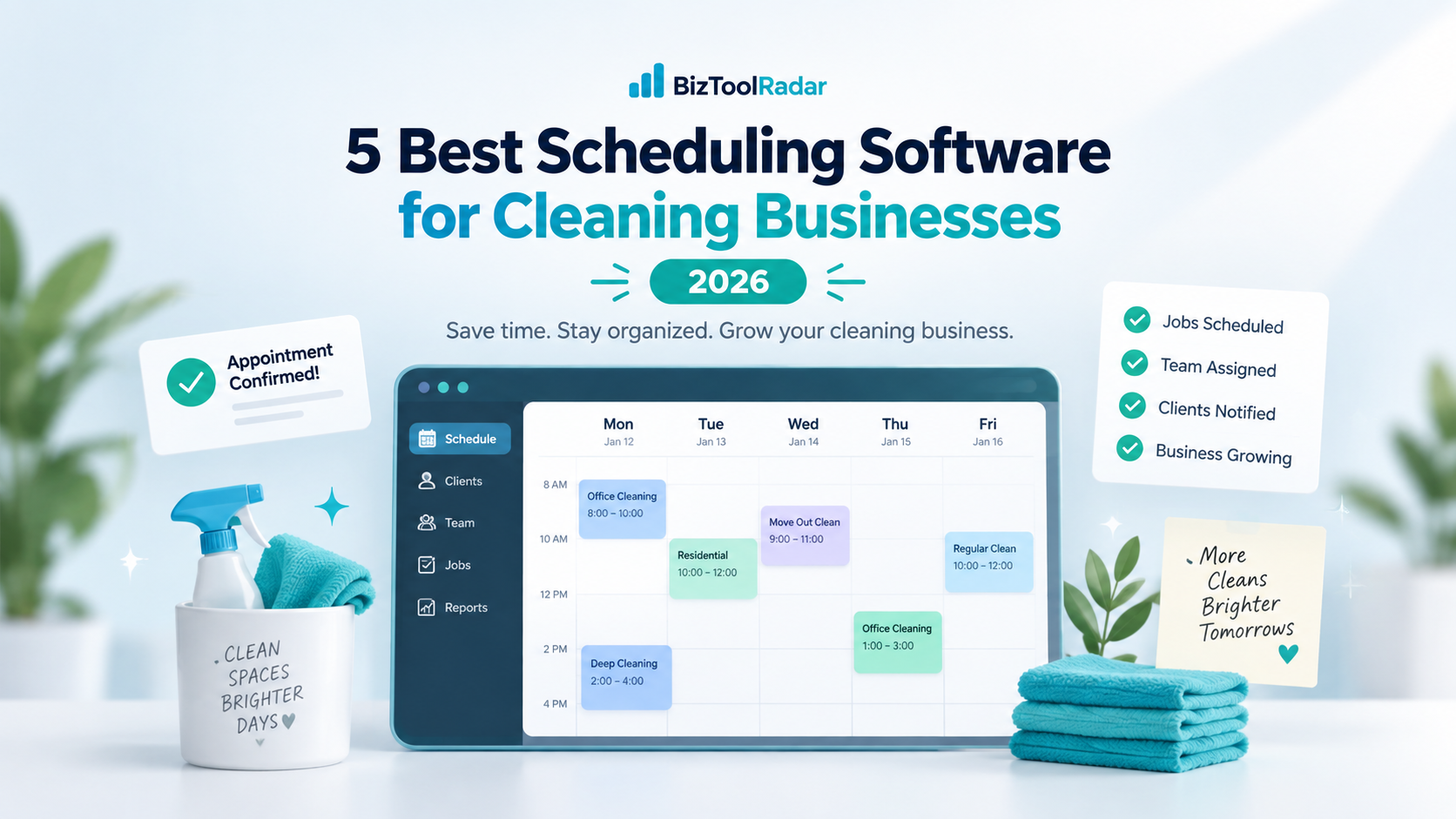
    5 Best Scheduling Software for Cleaning Businesses in 2026

    Managing a cleaning business becomes much harder once you are juggling recurring customers, multiple cleaners, cancellations, route changes, and last-minute schedule adjustments.

    A basic calendar may work when you have only a few clients. But as your cleaning company grows, dedicated scheduling software can help you organize recurring jobs, assign cleaners, reduce scheduling conflicts, send reminders, and keep your team updated.

    In this guide, we compare five of the best scheduling software options for cleaning businesses in 2026.

    We reviewed each platform based on scheduling features, cleaning-business fit, team management, online booking, pricing, and overall usability.

    Pricing and features were reviewed in September 2026 and may change over time.

    Quick Comparison

    SoftwareBest ForStarting PriceKey Strength
    ZenMaidResidential cleaning businesses$19/monthCleaning-specific scheduling
    JobberAll-in-one business management$29/month with annual billingScheduling + CRM + invoicing
    Housecall ProGrowing cleaning teams$59/month with annual billingDispatching and route tools
    ConnecteamEmployee schedulingFree for eligible small teamsWorkforce management
    SweptCommercial cleaning companiesCustom/location-basedJanitorial team operations

    1. ZenMaid — Best Overall for Residential Cleaning Businesses

    Best for: Maid services and residential cleaning companies that rely heavily on recurring appointments.

    ZenMaid is one of the most cleaning-specific platforms on this list. Rather than trying to serve dozens of unrelated industries, the software is designed around the workflows of maid and residential cleaning businesses.

    Its scheduling system supports one-time and recurring appointments, cleaner assignments, calendar and dispatch views, customer information, billing details, and automated communication.

    For cleaning businesses with weekly, biweekly, or monthly recurring customers, that specialization is particularly useful.

    Useful Scheduling Features

    ZenMaid allows businesses to create recurring cleaning appointments and choose how frequently they repeat.

    You can assign cleaners directly to appointments, reschedule jobs with drag-and-drop controls, view schedules in multiple calendar and dispatch formats, and filter appointments by cleaner, team, status, recurrence, or payment status.

    The software can also automate customer reminders and notifications, reducing the need to manually text customers before every cleaning.

    Pricing

    ZenMaid currently offers three main plans:

    Starter: $19/month
    Pro: $39/month
    Pro Max: $49/month

    The owner account is included in the base price. Additional cleaners, contractors, and office managers are charged separately depending on the plan.

    That pricing structure means very small cleaning businesses can start relatively cheaply, although costs can increase as more employees are added.

    Why We Like It

    ZenMaid is particularly strong when recurring residential cleaning is the center of your business.

    Instead of adapting a general field-service platform to your workflow, many of the scheduling features already reflect how cleaning companies operate.

    Downsides

    Per-user charges can make the total price increase as your cleaning team grows.

    Businesses that also provide several non-cleaning home services may prefer a broader field-service platform such as Jobber or Housecall Pro.

    Verdict

    Choose ZenMaid if you operate a residential cleaning or maid service and want scheduling software designed specifically around recurring cleaning appointments.

    2. Jobber — Best All-in-One Scheduling Software

    Best for: Cleaning businesses that want scheduling, customer management, quotes, invoicing, and payments in one system.

    Jobber is a broader field-service management platform that works with cleaning businesses as well as landscaping, plumbing, HVAC, and other service companies.

    Its biggest advantage is that scheduling is only one part of the platform.

    A cleaning company can manage a customer from the initial request through scheduling, job completion, invoicing, and payment without switching between several different tools.

    Useful Scheduling Features

    Jobber provides a central schedule for organizing jobs, visits, appointments, and tasks.

    Cleaning companies can create both one-time and recurring jobs, assign work to team members, manage customer and property information, and access schedules through the mobile app.

    Recurring jobs are particularly useful for customers who receive cleaning services every week, every two weeks, or on another regular schedule.

    Online booking is also available, allowing customers to request or book services through your website or client-facing tools.

    Pricing

    Jobber’s Core plan currently starts at $29/month when billed annually for one user.

    The same Core plan is listed at $49/month with no commitment.

    Higher-tier plans add more automation, team capacity, customer communication, job costing, and other advanced features.

    Why We Like It

    Jobber can replace several separate business tools.

    Instead of paying for one application for scheduling, another for invoicing, and another for customer management, a cleaning business can keep much of the workflow within one system.

    It is also a good choice if you plan to expand beyond a very small cleaning operation.

    Downsides

    Some useful automation and team-management capabilities require more expensive plans.

    Companies that only need a basic employee schedule may be paying for features they do not need.

    Verdict

    Choose Jobber if you want more than a scheduling calendar and prefer an all-in-one platform that can manage much of your cleaning business.

    3. Housecall Pro — Best for Growing Cleaning Teams

    Best for: Cleaning businesses managing multiple cleaners, crews, appointments, and routes.

    Housecall Pro combines scheduling with dispatching, online booking, invoicing, customer management, payments, and route-related tools.

    Its scheduling system is especially useful for service companies where multiple team members travel between customer locations throughout the day.

    The platform allows businesses to adjust appointments quickly and see how jobs are distributed across the team.

    Useful Scheduling Features

    Housecall Pro provides drag-and-drop scheduling and dispatching, recurring jobs, online booking, automatic customer reminders, job assignment, calendar views, and route mapping.

    Businesses can move jobs between employees when schedules change and see estimated travel information between appointments.

    Housecall Pro has also introduced route-based scheduling tools that allow businesses to organize jobs around territories, crews, or recurring service patterns.

    More advanced route optimization is available on higher-level plans.

    Pricing

    Housecall Pro’s Basic plan currently starts at $59/month when billed annually and includes one user.

    The Basic plan includes core tools such as scheduling and dispatching, online booking, invoices and payments, and quotes.

    Higher plans support larger teams and more advanced features.

    Why We Like It

    Housecall Pro becomes attractive when scheduling is no longer simply about placing appointments on a calendar.

    For cleaning businesses managing several cleaners across different neighborhoods, dispatch and routing features can become increasingly important.

    Downsides

    Housecall Pro costs considerably more than entry-level cleaning-specific tools such as ZenMaid.

    Some of its strongest routing and advanced management features are reserved for more expensive plans.

    Verdict

    Choose Housecall Pro if your cleaning company is growing and dispatching several cleaners or crews across multiple customer locations is becoming difficult to manage manually.

    4. Connecteam — Best for Employee Scheduling on a Budget

    Best for: Cleaning companies primarily looking to manage cleaners, shifts, time tracking, and daily operations.

    Connecteam takes a slightly different approach from platforms such as Jobber.

    It focuses heavily on workforce management rather than customer relationship management.

    For cleaning companies with employees working across several customer sites, that can be valuable.

    The Operations Hub includes job scheduling, a time clock, forms, tasks, and other tools for managing field employees.

    Useful Scheduling Features

    Connecteam supports employee scheduling, open shifts, job assignments, GPS-enabled time tracking, checklists, forms, and tasks.

    That makes it useful for cleaning companies that need to know which employee is working where and when.

    Managers can build schedules while employees use the mobile app to view assignments and clock in or out.

    Pricing

    Connecteam offers a free Small Business Plan for eligible businesses with fewer than 11 employees.

    For larger teams or businesses needing different features, the Operations Basic plan currently starts at $29/month when billed annually for the first 30 users.

    Monthly billing for the same tier is $35/month.

    Why We Like It

    Connecteam can offer excellent value for a cleaning business with several employees.

    Its pricing for the first 30 users can be significantly more attractive than platforms that charge separately for every cleaner.

    It is especially useful when employee scheduling and time tracking matter more than sales or invoicing.

    Downsides

    Connecteam is primarily a workforce management platform.

    If you want a complete cleaning-business CRM with customer booking, estimates, invoicing, and payments, Jobber, ZenMaid, or Housecall Pro may provide a more complete workflow.

    Verdict

    Choose Connecteam if your biggest problem is managing your cleaners and their schedules rather than managing customers and invoices.

    5. Swept — Best for Commercial Cleaning Companies

    Best for: Janitorial and commercial cleaning businesses managing cleaners across multiple client locations.

    Swept is built specifically for commercial cleaning and janitorial companies.

    Its focus is different from residential maid-service software.

    Commercial cleaning businesses often manage cleaners at offices, buildings, schools, healthcare facilities, or other fixed client locations. Swept is designed around that type of workforce.

    Useful Scheduling Features

    Swept supports employee scheduling, recurring and one-time shifts, time tracking, mobile clock-in and clock-out, location-based instructions, payroll reporting, and late or missed-shift alerts.

    Businesses can also use geofencing to improve timekeeping accuracy.

    More advanced plans add features such as inspections, checklists, supply management, profitability reporting, client communication, and additional workforce-management tools.

    Pricing

    Swept uses a location-based pricing model rather than charging for every cleaner.

    Unlimited users are included, while pricing depends on the number of active locations and the selected plan.

    Because the company does not present one universal entry price that applies to every business, companies should request current pricing based on their number of locations and required features.

    Why We Like It

    Swept makes more sense for a commercial janitorial company than many residential-focused scheduling tools.

    Its location-oriented structure, cleaner communication, shift tracking, and operational features match the way commercial cleaning teams often work.

    Downsides

    Swept may be unnecessary for a small residential cleaning company with only a few recurring homeowners.

    Businesses wanting a traditional CRM and consumer-facing online booking experience may prefer another platform.

    Verdict

    Choose Swept if you primarily operate a commercial cleaning or janitorial company with cleaners working across multiple facilities.

    Which Scheduling Software Is Best for Your Cleaning Business?

    There is no single scheduling platform that is best for every cleaning company.

    For a residential maid service, ZenMaid is our top overall choice because its recurring scheduling tools and workflows are built specifically for cleaning businesses.

    For companies that want scheduling combined with CRM, quotes, invoicing, and payments, Jobber offers the strongest all-around package.

    If your company is growing into multiple crews and dispatching cleaners across many locations, Housecall Pro becomes particularly attractive.

    If your primary problem is managing employee shifts and time tracking, Connecteam can provide excellent value.

    And for commercial cleaning and janitorial companies, Swept is one of the most industry-specific choices.

    What Should Cleaning Businesses Look for in Scheduling Software?

    Cleaning businesses have different scheduling requirements from many other service companies.

    Recurring appointments should be one of the first features you evaluate. Weekly and biweekly cleaning customers should not require someone in the office to manually recreate appointments every month.

    Team assignment is also important. Once several cleaners are working at the same time, managers need a quick way to see which cleaner or crew is assigned to each property.

    Mobile access becomes increasingly valuable as the company grows because cleaners should be able to view current schedules and job information without calling the office.

    Other important features include online booking, automated appointment reminders, rescheduling tools, time tracking, route or location management, customer records, and integrations with invoicing or payment systems.

    The best software is not necessarily the platform with the most features. It is the one that eliminates the most administrative work from the way your particular cleaning company operates.

    Our Final Recommendation

    For most small residential cleaning businesses, we would start with ZenMaid.

    Its entry price is relatively accessible, and its scheduling system is designed specifically around recurring cleaning appointments.

    However, businesses that want a broader platform should also strongly consider Jobber.

    Jobber may cost more as your requirements increase, but it can handle scheduling alongside customer management, quotes, invoices, payments, and other parts of the service-business workflow.

    Larger or rapidly growing cleaning businesses should compare Housecall Pro, while employee-heavy teams should look at Connecteam.

    Commercial janitorial businesses should consider Swept because its location-based workforce tools are more closely aligned with commercial cleaning operations.

    Frequently Asked Questions

    What is the best scheduling software for a small cleaning business?

    ZenMaid is one of the strongest options for a small residential cleaning business because it is specifically designed for maid and cleaning services and starts at a relatively low monthly price.

    Jobber is another strong option if you also need invoicing, quotes, customer management, and payments.

    Is there free scheduling software for cleaning businesses?

    Connecteam offers a free Small Business Plan for eligible teams with fewer than 11 employees.

    General calendar tools can also be used for free, but dedicated cleaning-business scheduling software typically provides better recurring-job, employee, customer, and automation features.

    Can cleaning scheduling software manage recurring clients?

    Yes. Platforms such as ZenMaid, Jobber, and Housecall Pro support recurring service scheduling.

    This is particularly valuable for cleaning businesses because many customers book weekly, biweekly, monthly, or other repeating services.

    Do I need scheduling software if I only have a few cleaning clients?

    Not necessarily.

    A basic calendar may be enough when you are operating alone with a small number of customers.

    Dedicated scheduling software becomes more valuable as you add recurring clients, employees, multiple crews, customer reminders, online bookings, and more complicated schedules.

    What is the best scheduling software for commercial cleaning companies?

    Swept is particularly well suited to commercial cleaning and janitorial businesses because it focuses on cleaners, shifts, client locations, time tracking, cleaning instructions, inspections, and operational management.


    Methodology: BizToolRadar evaluates software using publicly available product documentation, current pricing information, feature documentation, and how well each platform fits the workflow of the businesses covered. We do not claim hands-on testing unless a product has actually been tested by our editorial team.

    Last reviewed: September 2026. Pricing and features may change. Always confirm current terms with the software provider before purchasing.

  • Best Invoicing Software for Cleaning Businesses in 2026

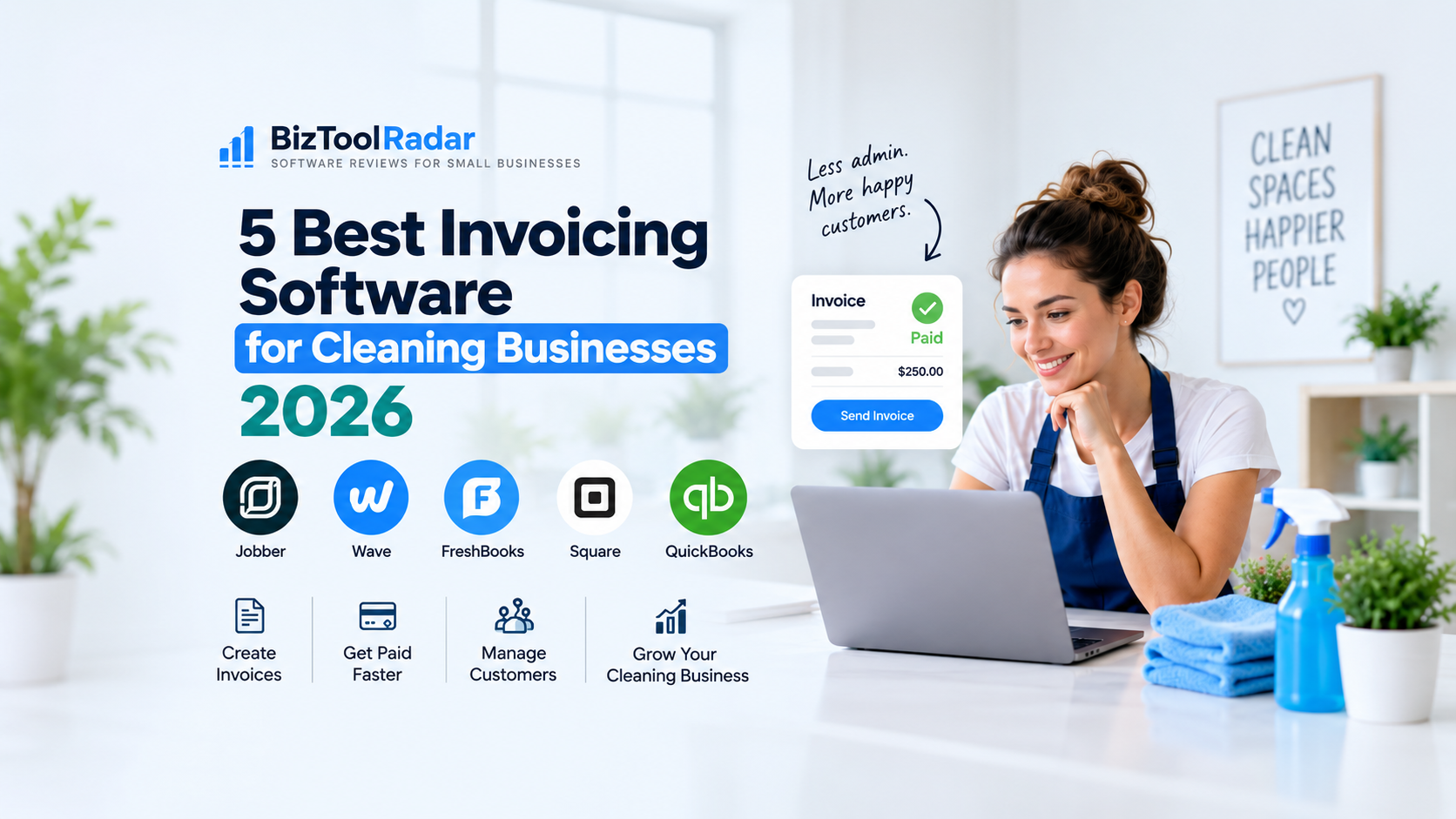
    Best Invoicing Software for Cleaning Businesses in 2026

    Running a cleaning business involves much more than sending a bill after a job.

    You may need to create estimates, collect deposits, invoice recurring customers, follow up on overdue payments, track expenses, and keep customer information organized — often while managing jobs from your phone.

    The best invoicing software for a cleaning business should make those tasks easier without adding unnecessary complexity.

    For most cleaning businesses, Jobber is our top overall choice because it combines invoicing with scheduling, customer management, quotes, online payments, and job management in one platform.

    However, smaller businesses and solo cleaners may prefer a simpler or less expensive option such as Wave or FreshBooks.

    Quick Comparison

    SoftwareBest ForStarting Price*Key Advantage
    JobberBest overall for cleaning businesses$29/monthInvoicing + scheduling + job management
    WaveBest free option$0Unlimited basic invoices
    FreshBooksBest for simple invoicing and accounting$23/monthEasy invoicing and expense tracking
    SquareBest for taking payments$0 monthly plan availableStrong payment ecosystem
    QuickBooks OnlineBest for accounting-focused businesses$38/monthFull accounting and financial reporting

    *Prices shown are based on publicly listed U.S. pricing checked in September 2026. Promotions may temporarily reduce prices, and software companies can change pricing at any time.

    1. Jobber — Best Overall Invoicing Software for Cleaning Businesses

    Best for:

    Cleaning companies that want invoicing, scheduling, customer management, quoting, and payments in one system.

    Jobber is more than an invoicing platform. It is designed specifically for service businesses that perform work at customer locations.

    That makes it particularly relevant for residential and commercial cleaning companies.

    Instead of using one app for appointments, another for customer information, and another for invoices, Jobber allows a business to manage much of the workflow in one place.

    A cleaning company can create a quote, convert approved work into a job, schedule the visit, complete the job, generate an invoice, and collect payment.

    Jobber’s Core plan starts at $29 per month when billed annually for one user. Its higher plans add automation, QuickBooks Online synchronization, time and expense tracking, job costing, and other capabilities.

    Useful Jobber features for cleaners

    • Professional invoices
    • Quotes and estimates
    • Online payments
    • Online job booking
    • Customer management
    • Scheduling
    • Recurring job workflows
    • Invoice follow-ups
    • Mobile access
    • Service price lists
    • QuickBooks Online integration on eligible plans

    Jobber also supports reusable quote templates and allows quotes to flow into jobs and invoices, which can reduce repetitive administrative work for service companies.

    Why we like Jobber for cleaning businesses

    Cleaning businesses often have recurring customers.

    A traditional invoicing program may handle billing well but still require a separate calendar, CRM, and scheduling system.

    Jobber is attractive because invoicing is connected to the work itself.

    For example, a cleaning company could use the same system to manage a weekly house cleaning appointment, record the customer, schedule the cleaner, and send the invoice.

    Potential downsides

    Jobber can be more expensive than basic invoicing software.

    If you are a solo cleaner who only sends a handful of invoices each month and does not need scheduling or job management, paying for a full field-service platform may be unnecessary.

    Our verdict

    Best overall choice for established cleaning businesses and companies that want one platform for both operations and billing.


    2. Wave — Best Free Invoicing Software for Cleaning Businesses

    Best for:

    Solo cleaners and new cleaning businesses that want to keep costs as low as possible.

    Wave offers one of the strongest free options on this list.

    Its Starter plan costs $0 and includes unlimited estimates, invoices, bills, and bookkeeping records. Wave also offers mobile invoicing and basic customer and cash-flow management.

    That makes Wave particularly interesting for someone starting a cleaning company without a large software budget.

    Useful Wave features

    • Unlimited invoices
    • Unlimited estimates
    • Basic bookkeeping
    • Mobile invoicing
    • Customer management
    • Online payment option
    • Cash-flow tracking

    Wave also offers a Pro plan for $19 per month or $190 per year.

    Pro adds features such as automatic bank transaction imports, transaction categorization, receipt capture, automated late-payment reminders, and additional user access.

    Why we like Wave for cleaning businesses

    The biggest advantage is simple: you can start at $0 per month.

    A new residential cleaner may not need sophisticated dispatching, CRM automation, or job costing.

    If the immediate requirement is simply:

    1. Complete a cleaning job
    2. Create an invoice
    3. Send it to the customer
    4. Record the payment

    Wave can cover the basics without adding another monthly subscription.

    Payment fees

    Wave charges payment-processing fees when customers pay online.

    On the U.S. Starter plan, standard Visa, Mastercard, and Discover credit card payments start at 2.9% + $0.60 per transaction. ACH payments are charged separately.

    Potential downsides

    Wave is primarily an accounting and invoicing product rather than a field-service management system.

    As a cleaning company grows and begins managing several employees, routes, appointments, or crews, a platform such as Jobber may provide more operational tools.

    Our verdict

    Best choice for new cleaning businesses and solo cleaners looking for free invoicing software.


    3. FreshBooks — Best for Simple Invoicing and Accounting

    Best for:

    Small cleaning businesses that want polished invoices combined with straightforward accounting features.

    FreshBooks has long focused on small businesses and service-based professionals.

    Its invoicing features include customized invoices, estimates, recurring invoices, late-payment reminders, online payments, expense tracking, and financial reports.

    Current regular U.S. monthly pricing is:

    • Lite: $23/month
    • Plus: $43/month
    • Premium: $70/month
    • Select: Custom pricing

    FreshBooks frequently runs promotional discounts, so the amount shown to a new customer may temporarily be lower.

    Useful FreshBooks features

    • Customized invoices
    • Recurring invoices
    • Estimates
    • Automated late-payment reminders
    • Expense tracking
    • Online payments
    • Client portal
    • Financial reports
    • Receipt scanning on eligible plans
    • Accountant access on eligible plans

    The Lite plan allows billing up to five clients, Plus allows up to 50 billable clients, and Premium supports unlimited billable clients.

    Why we like FreshBooks for cleaning businesses

    FreshBooks sits between a very basic invoicing application and a more complicated accounting platform.

    For a small cleaning company primarily concerned with invoices, expenses, payments, and financial records, that simplicity can be attractive.

    Recurring invoices are particularly useful for cleaners with weekly, biweekly, or monthly customers.

    Potential downsides

    FreshBooks does not provide the same field-service workflow as Jobber.

    A company that needs crew scheduling, route management, dispatching, and detailed job operations may eventually need another system.

    The client limits on lower-priced FreshBooks plans are also worth considering as your business grows.

    Our verdict

    Best for small cleaning businesses that prioritize straightforward invoicing and accounting over advanced field-service management.


    4. Square — Best for Cleaning Businesses Focused on Payments

    Best for:

    Cleaning businesses that frequently accept credit cards or want invoicing closely connected to their payment system.

    Square is widely associated with payment processing, but its invoicing tools are useful for service businesses as well.

    Square supports unlimited digital invoices and recurring invoices, estimates, deposits, automatic payment reminders, payment tracking, and multiple payment methods.

    Square also offers a $0 monthly plan, meaning a cleaning business can use basic invoicing without paying a recurring software subscription and pay processing fees when accepting eligible electronic payments.

    Useful Square features

    • Unlimited invoices
    • Recurring invoices
    • Estimates
    • Deposits
    • Automatic payment reminders
    • Credit card payments
    • ACH payments
    • Cash and check recording
    • Mobile payment tools
    • Customer information
    • Payment reporting

    Payment costs

    For the U.S. Square Free plan, online payments made through invoices are currently listed at 3.3% + $0.30 per transaction.

    ACH payments through invoices are 1%, with minimum and applicable maximum fees depending on the plan.

    Why we like Square for cleaning businesses

    Square makes sense when collecting payment is the highest priority.

    A cleaner who accepts payment at the customer’s home, sends digital invoices, and occasionally accepts card payments in person can keep those transactions inside the same Square ecosystem.

    Potential downsides

    Square is not designed primarily as cleaning-business management software.

    It can handle invoicing and payments well, but companies that need detailed scheduling, dispatching, recurring job management, or field-service workflows may find Jobber more suitable.

    Our verdict

    Best for cleaners who want invoicing closely integrated with online and in-person payments.


    5. QuickBooks Online — Best for Accounting-Focused Cleaning Businesses

    Best for:

    Cleaning businesses that want powerful accounting alongside invoicing.

    QuickBooks Online is the most accounting-focused product on this list.

    Its Simple Start plan currently costs $38 per month at regular U.S. pricing, while Essentials is $85, Plus is $140, and Advanced is $340 per month. Promotions for new customers may reduce those prices temporarily.

    QuickBooks provides invoicing while also handling areas such as income and expense tracking, bank transactions, financial reporting, and tax-related bookkeeping.

    Useful QuickBooks features

    • Custom invoices
    • Income and expense tracking
    • Online payments
    • Bank connections
    • Financial reporting
    • Accountant access
    • Accounts payable on higher plans
    • Multi-user access on higher plans
    • Project and profitability features on eligible plans

    Why we like QuickBooks for cleaning businesses

    As a cleaning company becomes larger, financial management becomes more important.

    Owners may need better profit-and-loss reporting, expense categorization, accountant collaboration, payroll integrations, and financial insights.

    QuickBooks is particularly attractive if your accountant or bookkeeper already works with the platform.

    Potential downsides

    QuickBooks can be more software than a small cleaning business needs.

    It also does not replace a dedicated field-service platform for scheduling cleaners, dispatching teams, and managing jobs.

    For businesses primarily looking for easy invoicing rather than comprehensive accounting, Wave or FreshBooks may feel simpler.

    Our verdict

    Best for cleaning companies that prioritize bookkeeping and financial management as much as invoicing.


    Which Invoicing Software Is Best for Your Cleaning Business?

    The right choice depends primarily on how your cleaning company operates.

    Choose Jobber if:

    • You schedule multiple cleaning jobs
    • You manage customer information
    • You have recurring cleaning appointments
    • You want quotes, jobs, invoices, and payments connected
    • You expect to hire cleaners or grow a team

    Choose Wave if:

    • You are starting a cleaning business
    • You work alone
    • You want to minimize monthly software costs
    • You primarily need estimates and invoices

    Choose FreshBooks if:

    • You want simple invoicing and accounting
    • You have recurring clients
    • You track business expenses
    • You prefer simpler software over a full field-service platform

    Choose Square if:

    • You accept a lot of card payments
    • You already use Square
    • You want both in-person and online payments
    • You only need relatively straightforward invoicing

    Choose QuickBooks Online if:

    • Accounting is a major priority
    • You work with an accountant
    • You need detailed financial reporting
    • Your cleaning company is becoming more financially complex

    What Should Cleaning Businesses Look for in Invoicing Software?

    Before choosing a platform, consider the way customers actually pay your cleaning business.

    Recurring invoices

    Residential and commercial cleaners often perform repeat work.

    Software that supports recurring billing can reduce the time spent creating the same invoice every week or month.

    Estimates and quotes

    Customers may request a price before booking a deep cleaning, move-out cleaning, office contract, or other larger job.

    Being able to convert an accepted estimate into an invoice can make the process faster.

    Online payments

    Customers increasingly expect convenient payment options.

    Look for software that lets customers pay directly from an invoice using cards or bank transfers.

    Remember to compare processing fees rather than only the monthly subscription price.

    Automatic payment reminders

    Following up with late-paying customers takes time.

    Automated reminders can reduce manual follow-up and improve cash flow.

    Mobile access

    Cleaning business owners rarely spend the entire day sitting at a desk.

    A good mobile app can make it easier to create estimates, check customer information, send invoices, and record payments while working in the field.

    Scheduling

    Basic invoicing products generally do not include advanced scheduling.

    If appointments and crew management are becoming difficult, a field-service product such as Jobber may provide more value than standalone invoicing software.

    Our Final Recommendation

    For most established cleaning businesses, Jobber is the best overall choice because it combines invoicing with the operational tools a service company is likely to need.

    For a solo cleaner or brand-new cleaning business, however, Wave is difficult to beat on price because its Starter plan provides basic invoicing at no monthly subscription cost.

    Our picks are:

    Best overall: Jobber
    Best free option: Wave
    Best for straightforward accounting: FreshBooks
    Best for payments: Square
    Best for advanced accounting: QuickBooks Online

    The best invoicing software is ultimately the one that removes administrative work rather than creating more of it.

    Start with the features you need today, but also consider what your cleaning business may need as it adds more customers, recurring appointments, and employees.

    Frequently Asked Questions

    What is the best invoicing software for a small cleaning business?

    For a cleaning company that also needs scheduling and customer management, Jobber is our top overall choice. For a very small or solo cleaning business focused primarily on invoicing, Wave offers a strong free option.

    Is there free invoicing software for cleaning businesses?

    Yes. Wave’s Starter plan is available for $0 per month and includes unlimited estimates and invoices. Square also offers invoicing capabilities on its free plan, although payment-processing fees apply when customers pay electronically.

    Can cleaning businesses automatically send recurring invoices?

    Several invoicing platforms support recurring invoices. This is useful for weekly, biweekly, and monthly cleaning customers because the business does not have to manually recreate every invoice.

    Do I need QuickBooks for my cleaning business?

    Not necessarily.

    QuickBooks can be useful if you need comprehensive accounting, financial reports, and collaboration with a bookkeeper or accountant.

    A small cleaning company focused mainly on scheduling, invoicing, and payments may find a simpler product more appropriate.

    Is Jobber accounting software?

    Jobber is primarily a field-service management platform rather than full accounting software. It handles operational tasks such as quotes, scheduling, jobs, invoices, and payments, and certain plans can synchronize with QuickBooks Online.

    How much should a cleaning business spend on invoicing software?

    There is no single correct amount.

    A solo cleaner may be perfectly comfortable with a $0 invoicing plan, while a growing company may save enough administrative time with a more expensive field-service platform to justify the additional cost.

    Evaluate software based on the cost of the subscription compared with the time it saves and the business functions it replaces.


    Pricing and features were reviewed in September 2026. Software companies frequently change plans, promotions, features, and payment-processing fees. Always verify current terms with the provider before purchasing.